


























Neck Massager Product Content Pack for Retailers
A practical asset and approval checklist for building a neck massager retail listing around one verified product configuration.
 Meilan Tech 4 min read
A retailer can build a polished neck massager listing and still leave customers unsure which controls, accessories, and instructions belong to the product they will receive. A useful content pack ties every image and claim to one approved configuration. It gives the retailer enough material to explain the device, answer predictable questions, and keep the listing aligned with the actual pack.
Before requesting artwork, identify the model code, configuration revision, target market, language, and sales channels. For an F11-series project, confirm whether the quotation, sample, manual, and package use F11 or F11A. The public F11 product page names F11, while a supplied specification sheet names F11A. That difference needs a written answer before either name appears in customer-facing copy.
Build the pack around the customer's questions
Ask what a shopper needs to see before deciding, operating, and unpacking the device. Each image has a different job. A clean product view identifies the item. A contact-side view helps explain placement. A control close-up shows the actual buttons and display. A photographed pack-out shows what the buyer receives, provided it matches the quoted kit.
| Asset | Question it should answer | Approval check |
|---|---|---|
| Front and side product views | What does this configuration look like? | Model, finish, and visible controls match the approved sample. |
| Contact-side and wearing views | How is the device oriented? | Placement follows the matching manual; the wearer has approved image use. |
| Control and display close-ups | How does the user select a setting? | Labels, screen state, and remote match the sellable version. |
| Kit and packaging views | What arrives in the box? | Packing list, photographed contents, and artwork agree. |
| Short operating sequence | What happens after a button press? | Starting state, action, and visible response are shown together. |
Do not use a lifestyle photograph as proof of included accessories or fit for every customer. Keep an unretouched reference set alongside the selected retail crops so an editor can check what the final image leaves out.
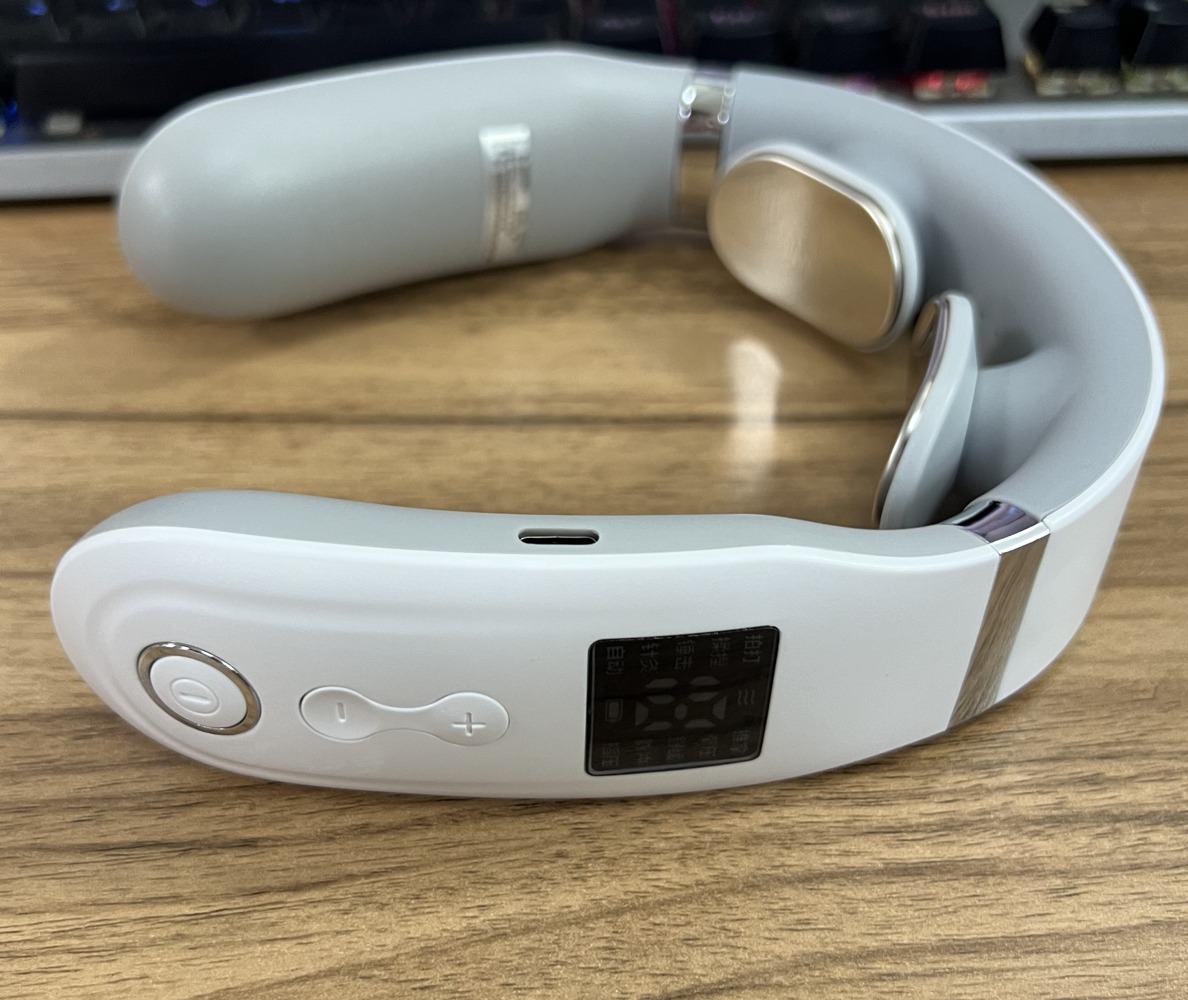
F11-series sample detail. The display and buttons can guide the required close-ups; confirm the quoted F11/F11A designation and final control layout before release.
Write claims from the exact version's records
Create a source row for every listing field: customer-facing wording, model and revision, source file, approver, and destination. Common fields include operating modes, intensity levels, heating description, controls, charging input, included items, dimensions, and care instructions. Where the public listing and approved manual differ, resolve the discrepancy before publishing either value.
Mode names need particular care. The F11 page lists pulse-massage modes, but a name such as “kneading” should not be illustrated as a moving mechanical roller unless the actual device has that mechanism. Likewise, a battery-capacity number does not by itself establish runtime under a retailer's promised settings. Describe only the behavior the selected documentation and sample support. Keep therapeutic or market-specific claims for separate evidence and review.
The specification-sheet reading guide can help a buyer identify which fields need a version-specific source. Record units and test conditions where a performance statement depends on them.
Make instructions, images, and package contents agree
Compare the approved sample, manual, carton artwork, and packing list item by item. A remote pictured on a listing creates an expectation that the remote is included. A cable in a photograph does not establish that a wall adapter is included. If the configuration changes, review the kit image, included-items text, instructions, FAQ, and translations together.
For an operating image or short video, show the button press and resulting state in one sequence. A separate glamour shot of an illuminated display cannot explain the control path. When voice prompts are offered for the selected version, retain original audio for internal review and confirm the actual prompt language before writing localized listing copy. The demo-brief guide gives suppliers a shot sequence for these questions.
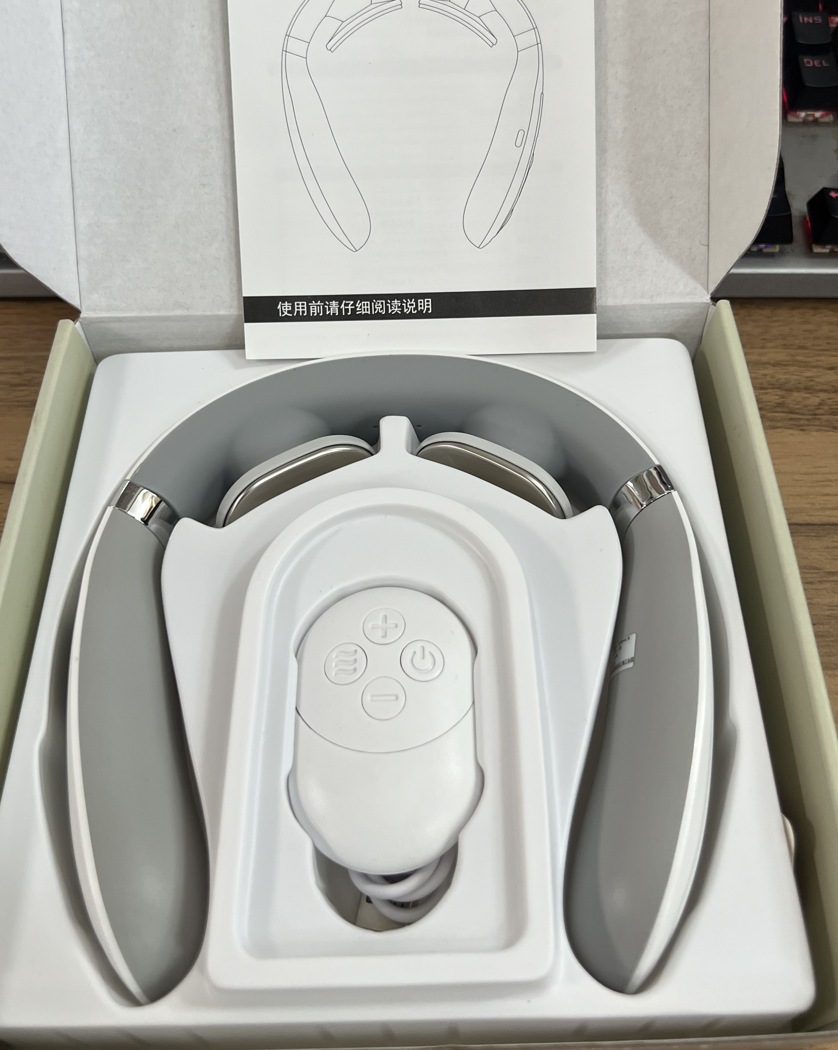
Supplied F11-series kit photograph. Use the final quoted packing list to decide which items may appear in a retailer's “in the box” image.
Deliver files a retailer can use without guessing
Organize one versioned folder for each sellable configuration. Include approved originals, channel-ready crops, alt-text drafts that describe the visible item, a claim-and-source sheet, the matching manual, package artwork, a confirmed packing list, and agreed image-use permissions. Name files by model, variant, language, view, and revision instead of “final-2.” Supply editable copy as well as image exports so a marketplace field does not have to be transcribed from a graphic.
The handoff should say which files are approved for which market and channel, who can authorize changes, and which claims remain unresolved. A retailer can then release the supported material while holding a disputed specification or image. Before the next order, compare the new configuration against the approved pack and update the affected assets through the same review record. Meilan's neck massager range provides a starting point for model selection; contact Meilan with the exact quoted version and desired channel assets to request matching source materials.

