


























Neck Massager Demo Brief: Supplier Review Guide
Prepare a supplier demonstration brief for neck massager controls, displays, voice prompts, placement, and accessories, with a shot list and review records.
 Meilan Tech 5 min read
A neck massager demonstration can look polished and still leave the buyer's main questions unanswered. A close-up of a display does not show which button changed it. A person wearing the device does not establish comfort across customers. For procurement teams, a useful supplier video connects an identified sample, a visible action, and an observable response.
Write the brief around the decision you need to make: whether the controls are understandable, whether the instructions match the sample, or what remains unresolved before requesting a physical sample. Keep that review purpose separate from a marketing shoot. The supplier should confirm the requested filming scope and arrangements before recording begins.
1. Identify the exact sample and the questions it must answer
Start with the model, configuration revision, sample identifier, manual version, and included accessories. Ask the supplier to confirm these before filming and identify the sample at the start of the recording. A family name alone may not distinguish versions with different displays, voice prompts, or remote controls.
The Meilan F11 product page, for example, lists remote and on-device operation. That makes both control routes relevant to a demo request for that configuration; it does not establish that another remote in a product-family photograph is compatible. The recorded sample and supplied manual must match the quoted version.
Give each unresolved question an identifier. “Show how to change the mode” is a task; “Can the reviewer see the selected mode and the intensity immediately after a mode change?” states what the footage needs to resolve. This helps the supplier choose a useful angle and prevents the buyer from treating an attractive but incomplete clip as approval.
2. Show the button press and the resulting state together
Request a short, continuous sequence for each control question. Establish the starting state, show the operator's action, and hold the resulting display long enough to read it. If the camera moves from the button to the screen, keep the sequence continuous so the reviewer can connect the two.
For startup, mode selection, intensity changes, and shutdown, follow the applicable manual and its use restrictions. Ask the supplier to demonstrate the actual sequence rather than assume every model starts output immediately or retains the same settings. If contact detection or another operating condition affects the response, have that condition explained; do not request bypassing a safeguard for the camera.
For a remote-controlled version, include separate remote and device-button sequences. Show which control is being used and the device response. If connection setup is required, request the documented procedure; do not assume that every wireless remote requires Bluetooth phone pairing. The remote versus on-device controls guide helps define the operational questions worth comparing.
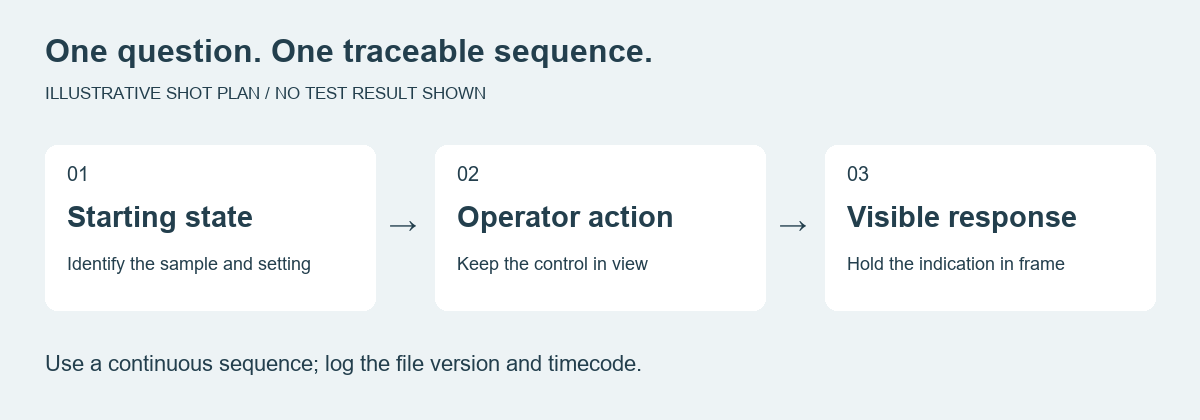
Suggested recording structure, not footage of a product test. Each sequence should answer one identified review question.
3. Capture the parts that silent close-ups miss
When the quoted version includes voice prompts, request original audio and identify the selected prompt language. Music, narration, or subtitles should not replace the device's own prompts in the review copy. A translated subtitle cannot establish that the sample actually speaks that language. Use the voice-prompt localization guide to separate language, wording, volume, and mute questions.
For placement, request a front and side view that shows orientation, the way the device is put on and removed, and how the controls are reached during normal use. Follow the manual and obtain the participant's consent. A demonstration by one person shows a use sequence; it cannot establish a universal fit range or comfort result.
For accessories, show the supplied kit and then the items needed for the demonstrated operation. Identify the remote and charging connection against the approved list. If a cable is shown, that does not establish that a wall adapter is included. Request the documented charging indication rather than asking the operator to power or operate the device in a way the manual does not permit.
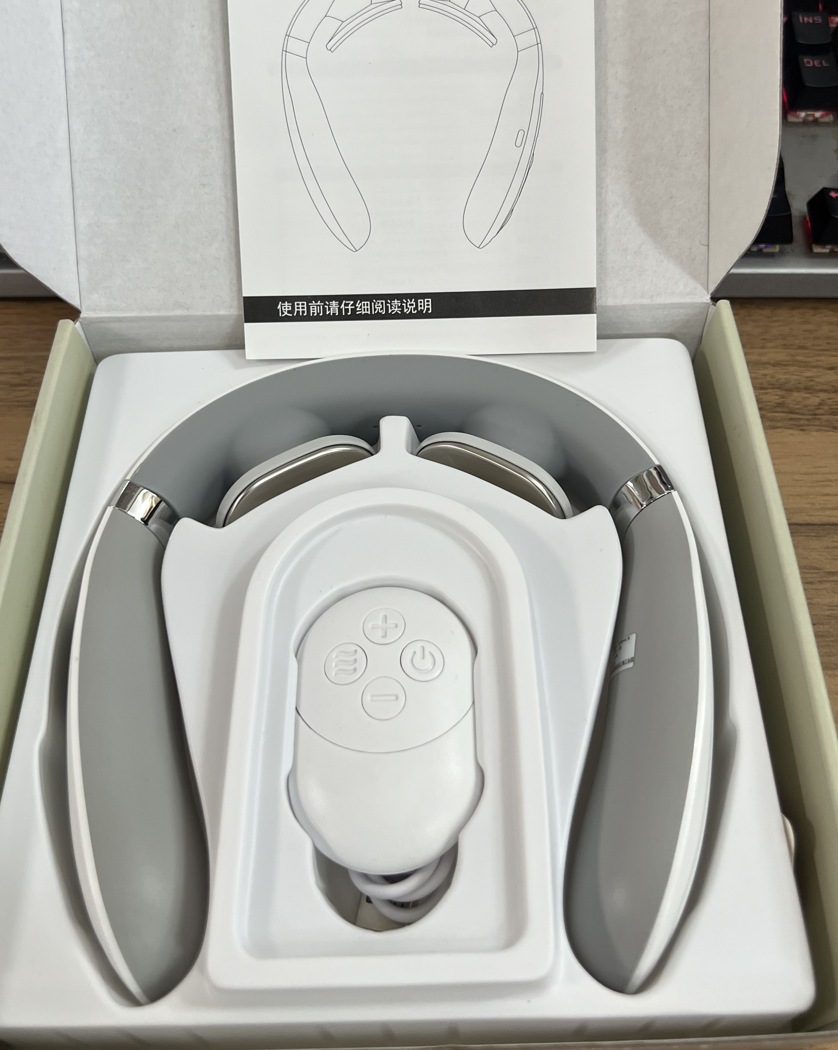
Supplied F11-series kit photograph, cropped to show the device, remote, cable, and manual. Use the approved accessory list to define the kit for the quoted configuration.
4. Use a compact shot list with an observable outcome
Keep review footage simple: stable framing, readable displays, neutral lighting, and original sound where relevant. Ask the supplier to confirm the format, file naming, expected recording date, and any requested views they cannot provide. Avoid specifying an arbitrary clip length that cuts off the action you need to see.
| Sequence | What to request | What the reviewer records |
|---|---|---|
| Sample identity | Model/configuration and sample identifier; matching manual | Version confirmed, or mismatch to clarify |
| Startup and shutdown | Starting state, actual operation, resulting indication | Sequence and indication observed |
| Mode and intensity | Visible button press and resulting setting | What changed; what remained unclear |
| Remote operation, if included | Identified remote, documented setup if applicable, device response | Control route demonstrated; setup questions |
| Voice, if included | Original device audio and selected language | Prompt heard; language or mute question |
| Placement and access | Orientation, putting on/removal, reaching controls | Use sequence observed; physical review still needed |
| Accessories and charging | Approved kit items, connection and charging indication | Items visible; inclusion or instruction discrepancy |
Do not fill the outcome column with an automatic “pass.” If a screen is unreadable or an action occurs off camera, record that the question remains unanswered and request a targeted replacement sequence.
5. Keep video review separate from product acceptance
Video can help confirm visible operation and reveal mismatches between the manual and the demonstrated sample. It cannot, by itself, verify electrical output, temperature at the contact surface, battery capacity, or long-term durability. A lit heating icon is an indication, not a temperature measurement. Those questions require the appropriate agreed sample checks or supporting records.
Record the file name, version, and timecode against each question. Distinguish “observed in this sample,” “needs clarification,” and “requires physical or documented verification.” If the sample configuration changes, identify which sequences need recording again instead of carrying the old video approval forward automatically.
Before giving permission to reuse review footage in a product listing, separately agree on rights, participant consent, editing, and the claims the final video will make. Supplier-review footage and public marketing assets have different purposes. Completing this brief does not commission filming or approve a finished video.
Contact Meilan with the proposed model, manual version, and the questions your team needs answered. Use the shot list to discuss available demonstrations and the follow-up sample or document checks before approving the next procurement step.

