


























Waist Massager Remote Control Customization
An A1-based guide for brand buyers and product managers to defining remote functions, key layouts, appearance, accessories and compatibility before quotation and sample approval.
 Meilan Tech 9 min read
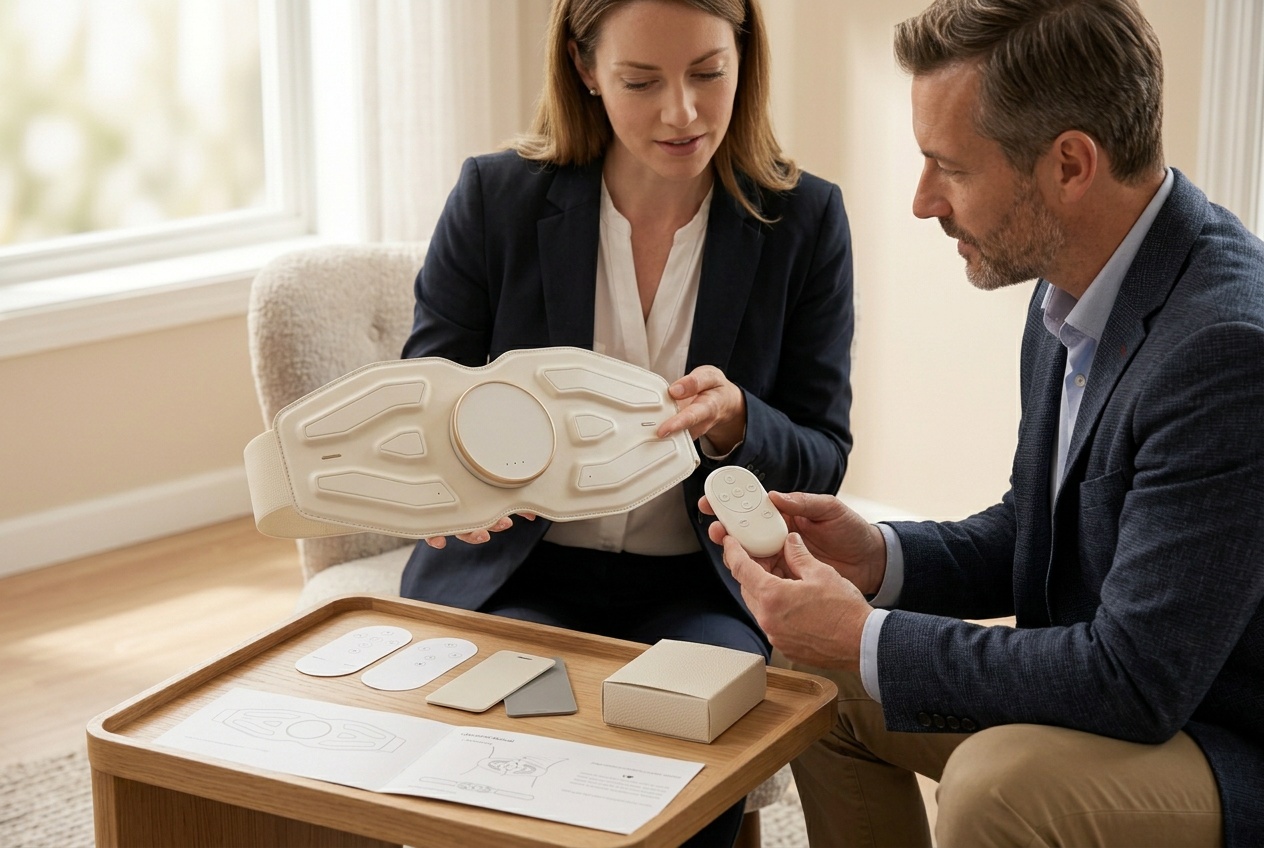
A useful waist massager remote control customization brief defines what each button must do, which belt version it controls and how the buyer will approve the result. Separate printed symbols, physical key positions and control logic before requesting a quotation. For a brand buyer or product manager, the deliverable is a matched controller, device, instructions and accessory set that can be identified again on the next order.
1 Choose the reference version before choosing the remote
Start with the purchase decision behind the change. A brand selling directly online may want clearer controls so its product page and support team can explain first use. A product manager developing several configurations may need to prevent a replacement remote being supplied against the wrong belt. These are different requirements; a new logo alone resolves neither.
This guide uses A1 as the reference candidate. The Meilan A1 product page lists both on-device operation and a wireless remote for its published configuration. The A9 product page does not establish remote control. An offered A9 remote version therefore needs its own feasibility review and matching specification. An A1 demonstration does not establish an A9 option.
Ask the supplier to identify the reference belt and controller, then describe every requested difference from that set. The following scope split helps avoid comparing a printing quotation with an engineering quotation.
| Requirement area | Define in the brief | Evidence for approval |
|---|---|---|
| Control functions | Required actions, starting states and visible responses | Agreed function description and demonstration on the matching pair |
| Keys and layout | Symbols, positions, spacing and press behavior | Dimensioned layout and sample showing the intended key response |
| Appearance | Logo, color, surface finish and any housing-shape change | Artwork revision, physical appearance sample and engineering review where needed |
| Accessories | Controller, cell arrangement, leaflet and packing location | Order-specific packing list and complete packed sample |
| Compatibility | Named belt, controller and relevant hardware or software revisions | Written compatibility scope and results from the agreed sample combinations |
2 Specify control behavior as a sequence of states
“Add a heat button” leaves too much unanswered. Does it enable an existing function, select among supported settings or request a new function? Must the belt already be on? What confirms the action? The supplier needs the intended behavior before it can assess implementation. A printed heat symbol does not create independent heat control.
Describe each action using a starting state, a deliberate press and an expected response. Cover power on and off, mode selection, level changes and any separately requested control. Ask what happens after a mode change, at the upper or lower limit, and after restarting. State whether repeated presses should advance through options or whether separate increase and decrease keys are required. Treat these as requested behavior until the supplier accepts them in writing.
Consider a proposed dedicated stop key. The drawing can establish its position and label, but an engineering sample must demonstrate its effect from the agreed operating states. If that same key is also expected to start the belt, define how the two actions are distinguished. Do not leave a short press and a long press to be interpreted differently by the designer, engineer and instruction writer.
Have the product team approve changes to output control and stopping behavior. Existing operating limits and protections should remain part of the agreed specification unless an explicitly reviewed engineering change replaces them. A cleaner button layout is not a reason to remove a documented restriction from the instructions.
3 Review the key layout separately from the artwork
Changing an icon, moving a physical switch and changing what the switch does are separate requests. Ask the supplier whether the proposed arrangement can use the existing housing and board, needs a revised key component or requires further structural work. The answer determines the sample route; a realistic-looking rendering does not establish feasibility.
Provide a dimensioned front view with a clear orientation, key centers, symbol sizes and logo position. Keep artwork and functional requirements under separate revision identifiers so a corrected translation does not silently approve a different control sequence. If a physical layout changes, review the back, battery access and internal clearance as well as the front.
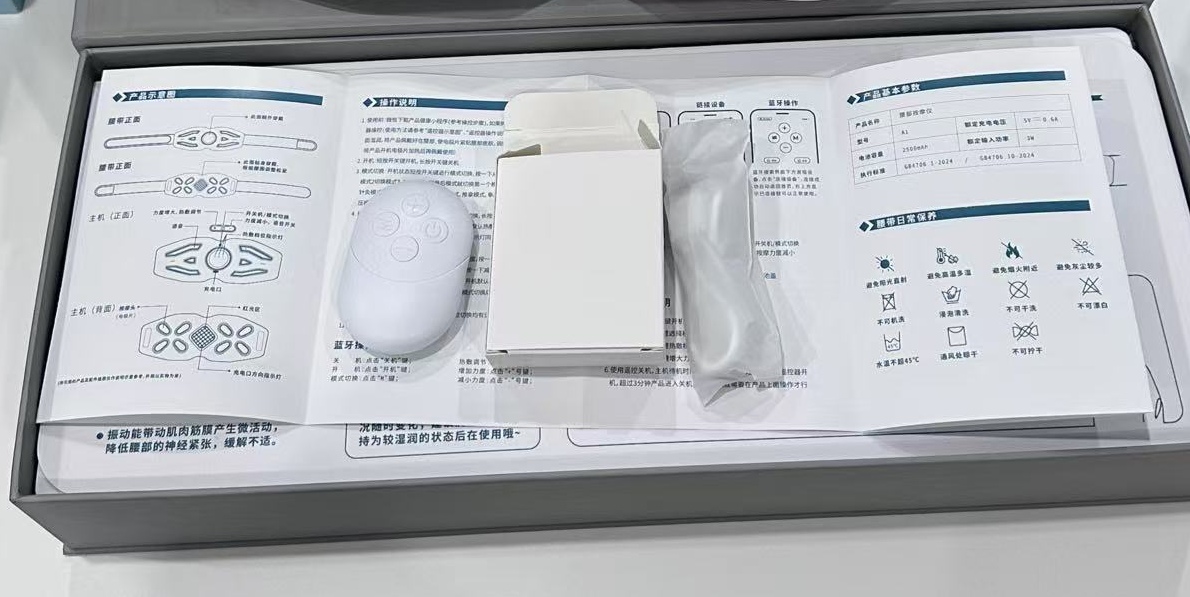
Ask a colleague unfamiliar with the design to locate the intended controls using the proposed instructions. Then review a functional sample in the intended hand position. Check whether neighboring keys are easily confused, whether a press gives a clear response and whether symbols remain readable at actual size. Agree any durability or print-wear checks with the supplier rather than inventing a standard pass count.
For multilingual packs, approve the same function name across the remote, leaflet and product listing. A neutral symbol may reduce the amount of printed text, but its meaning still needs to be explained. Approve each language proof after the button map is stable; translating an unstable layout creates avoidable revisions.
4 Treat accessories and compatibility as one purchasing requirement
The published A1 configuration identifies a CR2032 remote battery. That identifies a cell type, not whether the cell is installed, supplied separately or excluded from a particular order. Put that distinction in the packing list, together with any insulating tab, battery-access instructions and controller identification. Ask the supplier to confirm the arrangement for the destination market.
If the controller housing or dimensions change, review how it sits in the retail pack. An attractive new handset may no longer fit the approved insert. Check that the packed remote is easy to find and is not held with a key continuously pressed. Include the revised insert and leaflet in sample approval rather than treating them as later packing details.
Compatibility needs a named scope. Request the belt model and revision, controller code and any hardware or firmware identifier needed to distinguish supported combinations. A wireless description alone does not prove app control, a universal handset or compatibility across A1 and A9. The supplier can identify the system without having to disclose proprietary source code.
Agree whether one controller should operate only its assigned belt, whether replacement controllers are supported and whether any documented linking step is required. If several sets will be demonstrated side by side, include that condition in the evaluation. Observe intended responses and unintended responses on neighboring units; do not generalize from one successful pair. The remote operation and packing guide covers first-use and pack checks in more detail.
5 Make the quotation follow the actual change
Request a written scope response for each difference: accepted as offered, requiring an alternative or requiring engineering assessment. Where the supplier proposes an alternative, obtain the revised drawing or function description before comparing price. An unresolved technical request cannot be settled by a lower unit price.
Separate recurring production costs from development, tooling, sample preparation, artwork setup and any agreed testing. Ask what each charge delivers, which revision it covers and how many correction rounds are included. Confirm minimum quantity by configuration or finish, lead-time starting conditions, quote validity and the costs of a buyer-requested change after approval. These are quotation questions, not assumed Meilan commercial terms.
For tooling or board changes, agree ownership, permitted reuse, storage and access to the defined deliverables in the project agreement. Ask who maintains the final function description and compatibility record. A paid sample does not by itself establish ownership of tooling or rights to use a design elsewhere. The A1 quotation-document guide helps align the underlying product documents.
Where wireless hardware or operation changes, ask the responsible technical team or test provider to assess the effect on destination-market documentation. For example, the European Commission's Radio Equipment Directive overview describes requirements covering safety and health, electromagnetic compatibility and radio spectrum use. It does not establish compliance of a particular belt or controller. Identify the offered configuration and the scope of any required assessment before approving a claim or commissioning tests.
6 Use each sample stage to approve a specific question
An appearance sample can help approve color, logo position and physical form. A functional sample is needed to demonstrate the agreed button behavior. A complete packed sample adds the leaflet, cell arrangement, retention and accessory count. Ask what is representative at each stage; a sample can answer one question while leaving another open.
Record a limited approval when appropriate. For example, approving the housing color need not approve the control logic. If an engineering sample uses temporary graphics, identify the final artwork still required. If the board, key component or firmware changes after a successful demonstration, decide which checks must be repeated before accepting that result for production.
Retain a traceable demonstration showing the identified remote, belt, starting state, button action and resulting response. Record the instruction revision used. A discrepancy should lead to a named correction, a revised sample or document and an agreed recheck. Replace ambiguous comments such as “remote improved” with the specific behavior that now matches the requirement.
7 Release the matched set and preserve it for reorders
Before production approval, reconcile the accepted quotation, function description, key drawing, appearance reference, compatibility record, instructions and packing list against the retained sample. Record sample identifiers, approved revisions, the approval date and responsible people. No signed artwork should be interpreted as approval of an untested controller function.
Use three release decisions. Approve production when the required functions, documents and packed contents agree. Approve only the named aspect when the evidence supports a limited decision and the remaining work is explicit. Hold the affected release when controller identity, response, compatibility or a required document is unresolved. A deadline does not make a mismatch an approved exception.
For repeat orders and replacement parts, use the approved controller code and supported belt revision. Agree how the supplier will notify the brand of a component substitution, software change or discontinued part, who approves it and which checks reopen. Keep superseded files out of the production handoff while retaining their history. This gives purchasing and after-sales staff a practical way to order the same system again.
Questions buyers ask before customizing a remote
Can we change button symbols without changing the function?
Possibly, subject to supplier review of the artwork and available process. Approve the symbol against the existing button map and revise the instructions. Do not assume that changing a label changes the underlying command.
Does moving a key always require a new mold?
No universal answer applies. Ask whether the request moves only printed graphics or also the physical key, switch and internal structure. Request the engineering route and tooling scope in writing before authorizing development.
Can a remote be offered for A9 if A1 already has one?
That must be assessed separately. The published A9 record does not establish remote control, and the A1 remote is not evidence of A9 compatibility. Request an A9-specific proposal and matching sample.
What is needed for replacement remote purchasing?
A distinct controller identifier, the supported belt revisions, the cell arrangement and any required linking instructions. Confirm availability and commercial terms separately from the initial device order.
What should happen when the sample changes after approval?
Identify the changed part or behavior, assess its effect on the approved documents and repeat the affected checks. Update the revision record and obtain the required approval before using the change in production.
To discuss Meilan waist massager OEM and ODM options, send the reference model, destination market, proposed quantity and a marked-up control brief. Separate function, layout, appearance, accessory and compatibility requirements, and request written feasibility, quotation scope and sample approval stages for the selected version.

