


























Waist Massager Remote Control Checks
A wholesale buyer guide to matching a waist massager with its quoted remote, checking first-use control logic, battery inclusion and packaging.
 Meilan Tech 8 min read
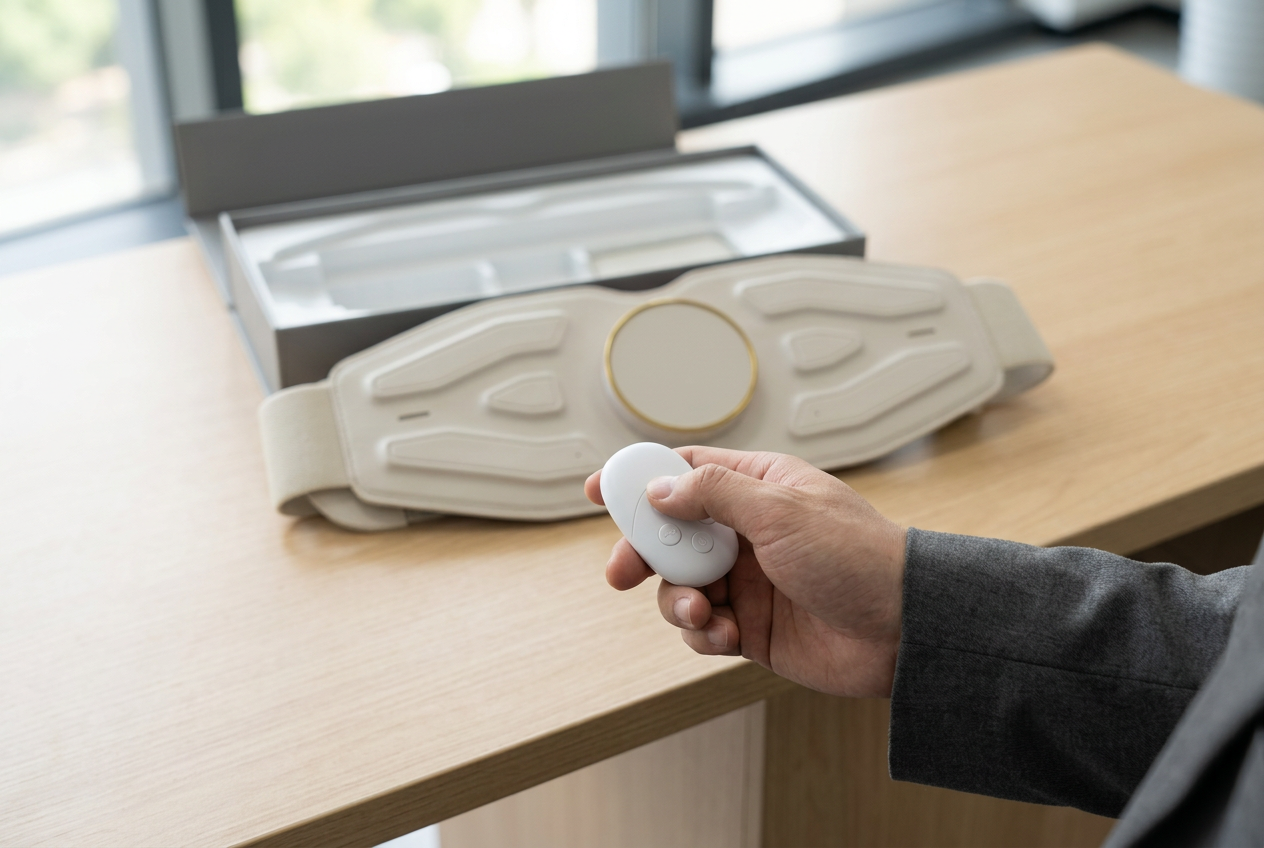
A remote control is useful to a waist massager buyer only when the quoted remote, main unit, instructions and retail pack form one verifiable set. Check the remote identifier and battery arrangement first, then film the first-use sequence, map every button to the unit’s response and inspect how the controller is secured in the box. Record failures by version; a similar-looking remote does not establish compatibility.
One quotation needs one controller and belt version
For a brand preparing a product page, “remote controlled” is a promise about the box the customer will open. For a distributor, it is also a support question: staff need to identify the correct handset, explain the first action and replace a missing or faulty part without guessing. Put the massager model, belt revision, controller marking, instruction-sheet version and packing-list revision on a single review sheet before testing.
The current Meilan A1 product page lists on-device operation and a wireless remote using a CR2032 cell for its published configuration. It also tells buyers to confirm whether the battery is supplied in their quotation. This supports an A1-specific starting question, not a claim that every A1 variant or other waist model shares the same handset. The current A9 product page does not establish a remote. If an A9 remote version is offered, request its own specification, controller model and matching demonstration.
Before energizing a sample, photograph the labels on the belt, remote, battery compartment and carton. Where a component has no visible code, ask the supplier to identify it in writing. Keep the controller with its tagged belt throughout the review; mixing remotes on a crowded sample table makes a successful demonstration hard to trace.
Open the retail pack as the customer will
Record every quoted item as it comes out of the box: belt, remote, cell or battery tab if present, charging cable or adapter if included, instructions and protective packing. A specification may describe the type of cell a controller uses without proving that a cell is fitted or supplied. The purchase order and final packing list should state that distinction in plain terms.
| Item | Question for the quoted sample | Record to retain |
|---|---|---|
| Remote identity | Which controller code and button layout belong to this belt revision? | Front, back and compartment photos; supplier part code |
| Battery | Is the specified cell preinstalled, packed separately, or excluded? Is an insulating tab present? | Opening photograph, packing list and instructions |
| Instructions | Do first-use steps and button names match the delivered controller? | Exact leaflet revision and language proof |
| Retention | Where is the remote held, and can it move or press a button in transit? | Closed and open box views; shake or transit test if agreed |
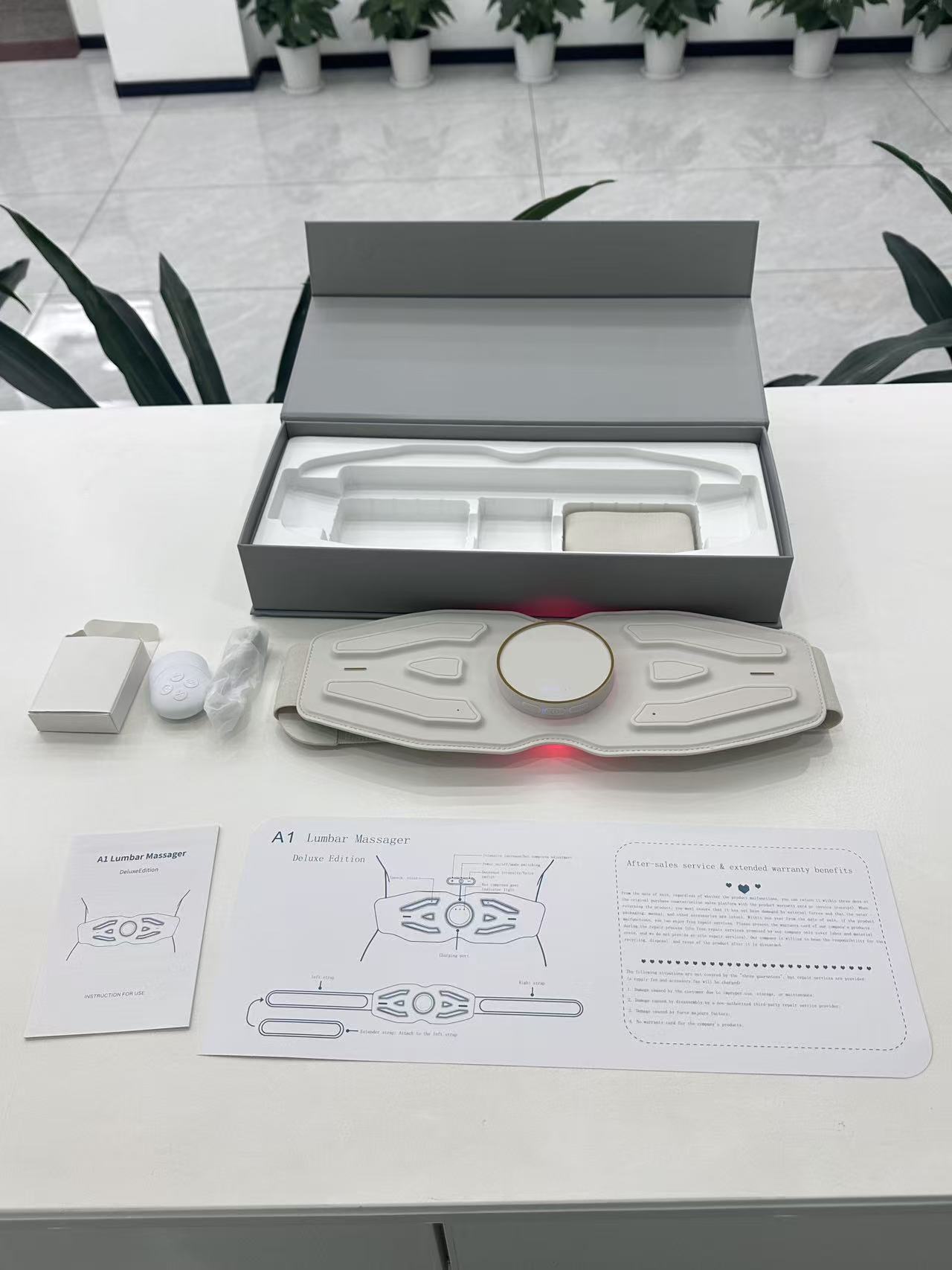
Do not use a staged pack photograph as the final bill of materials. Even within one model name, retail markets may require different language leaflets, cell handling or accessory bundles. The A1 quotation-document guide explains how to tie the specification, packing list and artwork to one offered version.
Verify first use before calling it “pairing”
“Pairing” can mean different things in supplier conversations: a factory-linked remote may work after a battery tab is removed; another version may require a deliberate link procedure. Do not write an invented Bluetooth or app sequence into retail instructions. Ask for the manual and a continuous demonstration of the actual quoted pair from unopened pack to first response.
Follow the supplied steps in order. Record whether the belt has to be powered on first, whether the controller needs a cell or tab removed, what action starts output, and what visual or audible confirmation follows. Film the controller and belt in the same frame so a reviewer can see the button press and response. Repeat after powering both items off and back on. If the remote does not respond, note the exact state and test the documented recovery path; do not silently substitute another remote.
For a sample approved for retail training, the “first use” card should use the same words and button symbols as the actual controller. A sales team cannot reliably explain a procedure that only appears in a supplier’s informal demonstration.
Map the controls against the main unit
Test each button once from a known starting state, then repeat the sequence while the belt is worn at the intended position. Note the starting mode, selected level, indicator change and stop action. On the A1, compare the remote route with the on-device controls listed for the published configuration. If the two routes differ, the instructions should explain the difference rather than implying that every button has a one-to-one counterpart.
| Action | What the buyer records | Decision question |
|---|---|---|
| Start and stop | Required power state, button press, output and visible response | Can a first-time user start and stop without an undocumented step? |
| Mode change | Order of modes, display or indicator and any reset of level | Do remote, belt and leaflet describe the same sequence? |
| Level change | Direction of increase/decrease, limits and behavior after a mode change | Can staff explain the control without guessing from icons? |
| Remote unavailable | What the on-device controls still do, using the matching manual | Is the fallback accurately described for this configuration? |
Record the result as observed sample behavior, not a universal A1 or A9 function. If a proposed controller layout changes, repeat the map and update leaflet artwork before approving production.
Test a failure without turning it into a range claim
Try the controller at the ordinary handling positions relevant to the channel: in a hand beside the waist, with the belt fastened over the intended clothing layer, and after an off/on cycle. Note any missed response and the surrounding conditions. A single successful button press does not establish a rated operating distance or immunity to interference. If the buyer needs a range claim, request the supplier’s defined test method and result for the offered version.
When a press fails, work through the documented checks in a fixed order: power state of the belt, cell orientation or insulating tab, controller identity, permitted operating position and recovery step. Change one condition at a time. This gives support staff a reproducible troubleshooting route and makes it easier to distinguish a weak cell, a wrong controller, a confusing instruction and a faulty sample.
Check the controller’s place in the finished box
The remote should be easy to find during unboxing and restrained so it does not rattle against the device or accidentally activate. Compare the tray or pocket in the sample box with the final dieline and packing instruction. Photograph the pack before opening, after the top layer is removed and after every component is laid out. If a cell is packed separately, its position and labeling need to match the approved instructions and destination-market review.
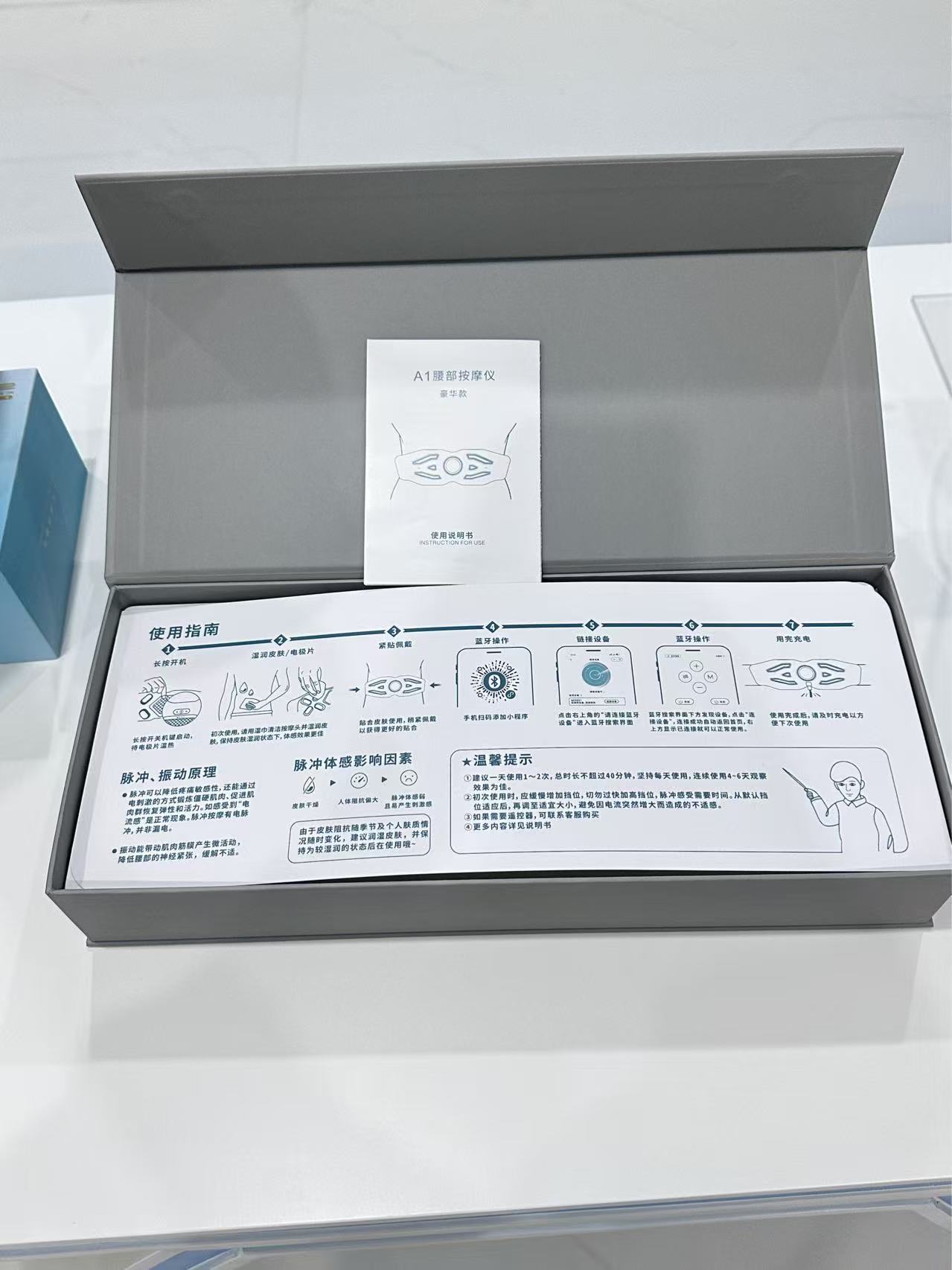
Close and reopen the pack after the agreed handling or transit check. Look for a dislodged controller, crushed leaflet, loose cell or a button held down by the tray. Ask for a corrected insert or packing method when the result differs from the approved sample. Packaging approval should include both the visible presentation and the hidden retention that gets the same set of components to the buyer.
Approve a version-matched control and packing record
Keep a retained sample with the final controller, belt, instruction leaflet and retail pack. The sign-off sheet should identify who checked it, which version they tested, the first-use sequence, any unresolved failure and the disposition. For a repeat order, compare the new controller marking and pack-out with that retained set before reusing the original product description.
| Disposition | Evidence required | Next step |
|---|---|---|
| Approve | Matching codes, complete pack, repeatable control map and approved instruction proof | Carry the same revision into the purchase order and listing. |
| Revise and retest | Documented mismatch, new remote or leaflet, and a fresh full-sequence video | Release only the corrected pair and pack. |
| Hold | Unknown compatibility, battery inclusion, recurring no-response or loose packing | Request the missing evidence before confirming the order. |
Buyer questions
Does the A1 listing prove that a battery comes in every box?
No. It identifies a CR2032 remote for the published configuration; the quoted packing list and actual pack must establish whether the cell is included.
Can an A1 remote be used with an A9 belt?
Do not assume so. Request model and controller codes and test the exact pair. The current A9 page does not establish remote control.
Does a wireless remote always need a pairing procedure?
No. Some quoted sets may be ready to operate, while others may require a documented link step. Follow the matching manual and verify first use on the supplied sample.
What should a buyer film during a control test?
Keep the button press, belt indicator and resulting state in one continuous view, starting from a known power state.
What if the remote works once but misses later presses?
Record the sequence and conditions, then check the documented power, cell, identity and recovery steps one at a time. Escalate a repeatable failure against the agreed acceptance method.
What belongs in the wholesale request?
Send the belt and controller version, target market, expected remote and cell inclusion, instruction language, pack design and the control checks you want confirmed.
Browse the Meilan waist massager range, then request a version-matched sample with the controller code, battery status, instructions and final packing list stated in the quotation.

