

























Waist Massager OEM Order Documents & Handoffs
A practical handoff guide for buyer-side files and approvals that remain open in a first waist massager private-label project.
 Meilan Tech 8 min read
The sample is on your desk. Your team likes the waist massager, the supplier has answered the quotation, and a launch date is pencilled into the calendar. Then a message arrives: “Please confirm the final artwork and manual language before we proceed.”
Marketing believes it already sent the logo. Purchasing is waiting for a packaging drawing. The person who approved the sample is travelling. Everyone thinks the order is moving, but nobody can identify the exact version that is ready for the next step.
For a first private-label waist massager order, the useful question is not simply whether the supplier has your files. It is whether the right files describe one agreed product, have an approval owner, and are ready for the task that comes next. A missing document and a document awaiting a decision create different problems. Treat them separately.
This guide focuses on buyer-side handoffs after a project has started. If you are still evaluating the product or quotation, use the A1 pre-quotation document guide first. Here, the goal is to find the unresolved inputs, assign the next action and obtain a realistic revised plan.
1. Find the decision that is actually holding the next step
“Waiting for documents” is too broad to manage. Ask which activity cannot proceed and which specific input it needs. A packaging proof may be waiting for a language decision; a complete sample may be waiting for an accessory choice. Neither is solved by sending the company logo again.
| Situation | What is missing | Useful next action |
|---|---|---|
| No final logo file | A usable production input | Marketing supplies the requested file format and colour reference |
| Two box layouts called “final” | A clear version decision | The approval owner identifies the accepted revision and withdraws the other |
| Manual still says A1; order discussion now says A9 | Product identity reconciliation | Confirm the selected model and request its matching documents |
| Supplier proof received, no buyer reply | An approval or specific correction | The named reviewer answers against the proof revision |
| Artwork ready, packing quantity unclear | Allocation information | Purchasing confirms quantity by packaging and language version |
Ask the supplier to distinguish tasks that are blocked from tasks that can continue. Do not assume the entire order has stopped, or that every activity can proceed in parallel. That depends on the actual configuration and agreed production plan.
2. Tie the paperwork to the exact waist massager
A model change can look minor in an email thread and still affect the manual, controls, label, insert and quotation. Keep a short identity line at the top of the handoff: model, agreed configuration, sample reference, destination market and order reference.
For example, if your team evaluated A1 and later discusses A9 as an alternative, do not rename the A1 file folder and consider the documents updated. Ask which records apply to the proposed device and which need replacement. A similar product category does not make two models interchangeable.
 | Product reference: Meilan A1 Use a current A1 sample and its matching specification as the reference for an A1 project. This photograph identifies the product being discussed; it does not approve your private-label configuration, packaging or included accessories. View the A1 product reference → |
Once the model is clear, connect each file to it. The artwork, manual, packing list and sample record should not require the next person to reconstruct the project from weeks of messages. If hardware or control behaviour changes, ask the supplier to identify the affected documents before treating the old instructions as usable.
3. Give artwork a destination, not just a filename
“Logo attached” does not tell the supplier whether the image belongs on the device, box or instruction cover. Supply the intended surface, layout reference, available editable file and colour reference. Ask which format and proof process are needed for the proposed method; do not assume every surface supports the same branding.
Packaging requires a related but separate handoff. Ask for the drawing or dieline that matches the agreed pack, then place your content on that version. An attractive layout built on an old box size may need rework even if the logo itself is correct.
Before sending files, check model name, language, barcode information where applicable and artwork revision. Distinguish the file you are sending for review from the file your team has approved. A filename such as “final-new-2” cannot reliably communicate either status.
Use a simple version record such as “A1 box artwork, revision B, submitted for proof.” When the proof returns, answer against revision B. If your team later changes a panel, issue a new revision and identify the change rather than sending an unlabelled replacement.
4. Resolve instructions, accessories and quantities together
A translated manual cannot be approved independently of the product it explains. Confirm the proposed model and control arrangement, the destination language and the technical source supplied for translation. If the buyer prepares translations, the supplier and buyer should agree how technical questions and corrections will be resolved.
Keep the accessory list equally specific. “Standard accessories” can conceal an open decision about a charging item, remote or another component. Ask for a one-unit contents list and mark each item included, optional, unavailable or awaiting confirmation.
Then allocate quantities by version. An order split between two manual languages may require separate packed versions even if the device is unchanged. Give each version a reference and quantity, and ask the supplier to confirm the packing and identification plan. Do not assume a mixed-language order can be packed from a single undifferentiated list.
Destination-market information also needs an owner. Tell the supplier where the product is intended to be sold and what documentation your team needs to review. Ask which files apply to the offered model. Artwork approval is not a substitute for checking the product information and requirements relevant to that market.
5. Replace “please confirm” with a named approval task
An email addressed to five colleagues can sit unanswered because each person expects someone else to decide. Give every open item one owner, one requested answer and an agreed response date. Other colleagues can contribute without leaving responsibility ambiguous.
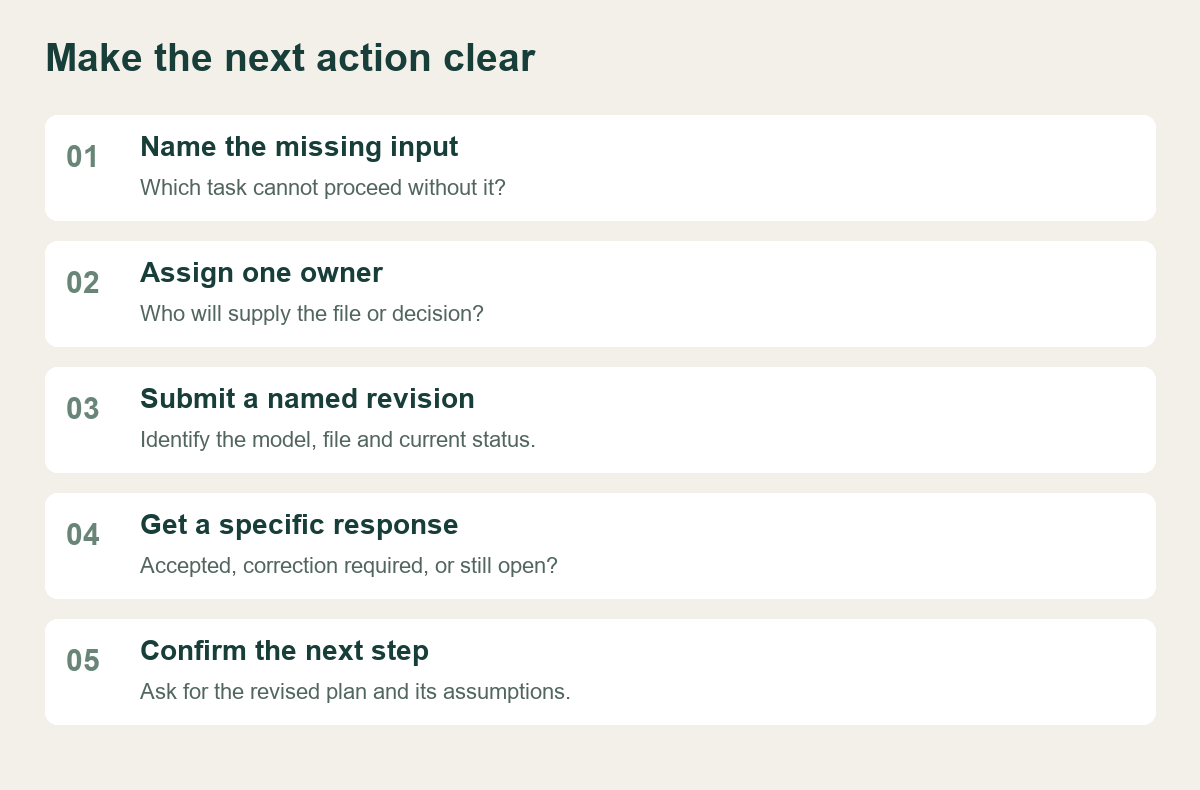
Here is an illustrative example, not a customer case: purchasing has accepted the A1 commercial proposal, but the box proof still names an older language version. Marketing replies “looks good” to the visual. That is not enough to close the language question. The reviewer needs to state which proof is accepted, whether the model and language are correct, and which correction remains.
A more useful reply is: “A1 box proof revision B: front-panel layout accepted. Please replace the manual-language statement with the wording in the attached revision C. Return the revised proof for approval; revision B is not released for printing.” This separates an accepted design element from the permission to use the complete file.
If an approver is unavailable, name an authorised substitute within your organisation. Do not let silence become approval or ask the supplier to infer your team's choice.
6. Use one open-items sheet to recover the plan
Keep the sheet short enough to use during a call. It should identify what is missing, who supplies it, which activity depends on it and what will count as closure. A collection of attachments is useful evidence, but it is not a status summary.
| Open item | Owner and next action | Dependency | Closure evidence |
|---|---|---|---|
| Product identity | Buyer confirms model/configuration; supplier reconciles documents | Manual, pack and quotation alignment | One agreed version reference |
| Logo and box layout | Marketing supplies files on the agreed drawing | Proof and any agreed sample | Accepted artwork revision |
| Manual language | Named reviewer resolves text and technical queries | Instruction approval and pack completion | Approved model-specific language file |
| Accessories | Purchasing confirms the contents requested | Complete packed sample | Written one-unit packing list |
| Version quantities | Purchasing supplies quantities by pack/language | Allocation and packing plan | Supplier acknowledgement of the split |
| Delivery information | Buyer supplies named destination and receiving requirements | Logistics confirmation | Agreed delivery scope and remaining questions |
Add the requested response date and current status to each relevant row. “Submitted,” “under review,” “correction required” and “approved” describe different conditions; agree what the labels mean. Keep a link to the file rather than copying its entire contents into the sheet.
When an input arrives, ask the supplier to reassess the dependent milestone. A delayed approval does not automatically move every later activity by the same number of days. Material availability, scheduling and transport arrangements may need another check. Request an updated plan with its assumptions instead of inventing a recovery date.
7. Send a restart message the supplier can answer
Once the open-items sheet is updated, send a short message that connects the new inputs to the next decision. Avoid scattering corrections across separate conversations without one current reference.
Project: [order reference], [model/configuration], [market]. We have attached [files and revisions] and confirmed [quantity split and kit]. The remaining open items are [list], owned by [names/roles], with responses requested by [dates]. Please confirm receipt, identify any mismatch with the proposed product, and state which next activities can proceed. Please return an updated milestone plan and any effect on the quotation or delivery assumptions. Files awaiting approval are not released for production use.
If the supplier identifies another dependency, add it to the same sheet. Closing buyer-side inputs helps the project progress, but it does not prove that every manufacturing or logistics condition is ready. Keep those confirmations explicit.
| Preparing a first private-label waist massager order? |
|---|
| Send Meilan your candidate model, destination market, current sample reference and open-items list. Ask which product documents, artwork files and approvals are needed for the proposed version, and request a written next-step plan. |
| Discuss your waist massager project handoff → |
For a change requested after a version has already been approved, use the separate waist massager change-control guide. This handoff sheet addresses unresolved inputs; it does not replace a recorded change and reapproval.

