

























Eye Massagers: From Pilot Order to Bulk Production
How to turn eye massager pilot results into a bulk order: what the pilot proved, which findings change the configuration, how to approve a new packaging version and what to send the supplier.
 Meilan Tech 11 min read
A pilot order of eye massagers has shipped, sold through a first channel and produced some customer feedback. The next order is several times larger, and the easiest path is to ask the supplier to repeat the pilot at a higher quantity. That path also repeats the unresolved questions from the pilot, now in bulk.
Before scaling up, decide what the pilot proved, what has to change and what still needs checking. This article covers that step: turning pilot results into a bulk order the supplier can quote and produce without guessing, using the Meilan Y8 as a worked reference. For repeat orders after the first bulk batch, see our guide to what to reconfirm on eye massager reorders.
1. Decide what the pilot order was meant to prove
A pilot order can answer different questions, and each one needs its own evidence. Market response shows up in sell-through, customer questions and return reasons. Packaging and listing fit shows up in how the pack looks on a shelf or product page and how it arrives. The supply process shows up in delivery records, carton condition and whether labels matched your receiving checks. Write down which of these the pilot was supposed to test, then review the results against that purpose.
| Pilot purpose | Evidence to collect | What it does not prove |
|---|---|---|
| Market response | Sell-through by channel, repeated customer questions, return reasons | That a different market, price point or pack will perform the same way |
| Packaging and listing fit | Shelf or listing photos, damage noted at receipt, unboxing comments | That a new branded box will protect the device and present it the same way |
| Supply process | Delivery records, carton condition, label and barcode checks at receiving | Bulk capacity or a bulk lead time |
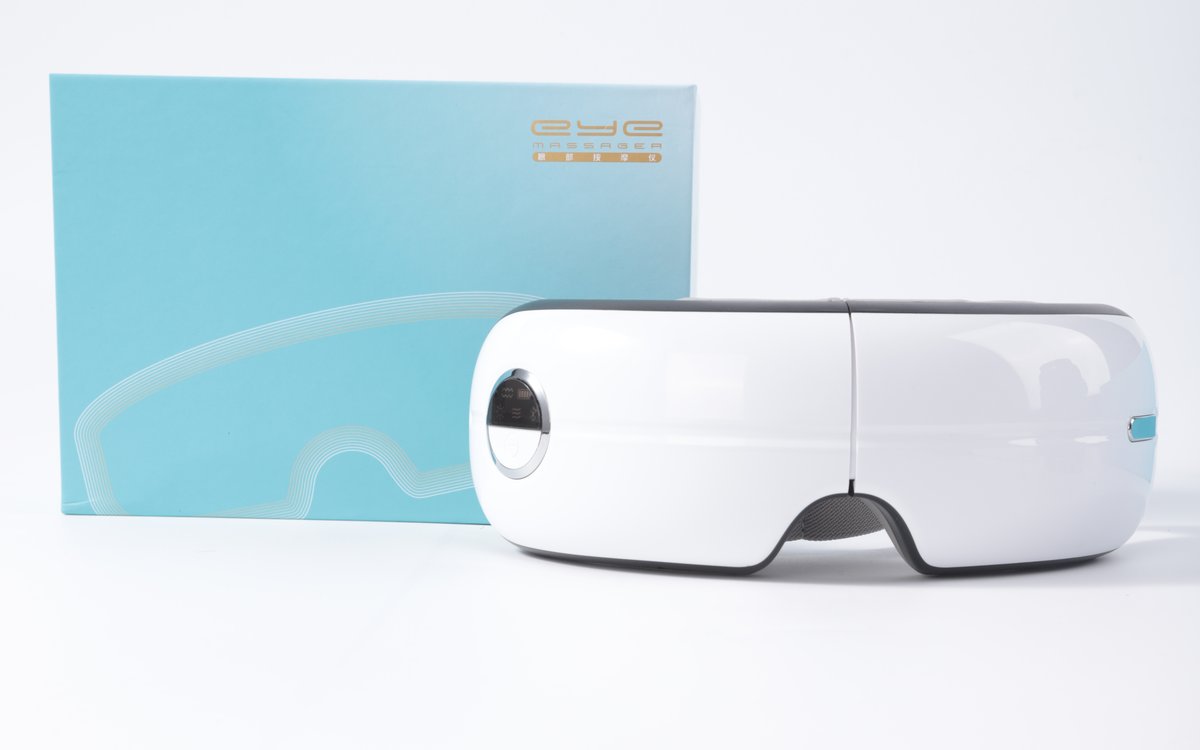
Meilan Y8 with its standard retail box. A pilot order tests the device and the pack together, so review both.
Read the results with the pilot size in mind. A small order produces small numbers: two returns for the same reason may point to a real issue or may be a coincidence. Record the reason, the unit and the sales channel for each case so the supplier can examine it, rather than calculating a defect rate from a handful of units.
Separate product findings from channel findings as well. A customer who expected a different function because of a listing photo has raised a listing problem, and changing the product will not fix it. A unit that stopped responding after a week has raised a product question that belongs with the supplier.
2. Sort each pilot finding into keep, change or investigate
Pilot feedback usually arrives as a mixed list: praise, complaints, requests from the sales team and notes from the warehouse. Put each item into one of three groups and give it an owner. The groups decide what you send the supplier, and they keep a single comment from turning into a product change.
| Group | Typical example | What to send the supplier |
|---|---|---|
| Keep | Customers used the modes and accessories as intended | Confirmation that the bulk order uses the same configuration as the pilot units |
| Change | The same instruction question came up repeatedly, or the box artwork will move to your brand | A written change request naming the affected item, with a reference photo or marked-up file |
| Investigate | A return reason that appears more than once | Return units or photos, the pilot batch reference and a request for the supplier’s analysis before the bulk order is confirmed |
A worked example
The table below shows how a hypothetical Y8 pilot might be sorted. The findings are illustrative and do not come from Meilan test or sales records.
| Pilot finding | Group | Next step |
|---|---|---|
| Customers asked how to connect Bluetooth music during the first week | Change | The Y8 English manual tells users to search for the device name “MLKJ05” and notes that the device reconnects automatically after the first pairing. Put both points on the quick-start card with an illustration, and approve the revised card before bulk printing |
| A distributor for a new market asks for voice prompts in its language | Change | The Y8 plays voice prompts at power on and off and when modes change, so a new prompt language is a configuration change. Prepare the audio files as described in our guide to eye massager voice localization files, and approve a sample with the new prompts |
| The retail partner wants the box in its own colors and logo | Change | Treat the new box as a packaging version with its own artwork, size check and printed sample |
| Two units were returned with the comment “strap too tight” | Investigate | Send the units or photos with the batch reference, and ask whether the strap matches the approved sample before deciding on a change |
| Several cartons arrived with crushed corners | Investigate | Share photos and carton marks, ask whether carton material or stacking changed, and agree the bulk carton specification |
| No complaints about modes, heat or airbag pressure | Keep | Confirm in writing that the bulk order repeats the pilot configuration |
Write change requests the way you would write sample feedback: one issue per line, with evidence and the decision it holds up. Our eye massager sample feedback template shows a format suppliers can respond to item by item. An item in the investigate group should block the bulk order only if its outcome could change the configuration you are about to approve. In the example, the strap question could change a component, so it needs an answer first; the carton question can run in parallel with artwork approval.
3. Lock the bulk configuration, including the packaging version
Many pilot orders ship in the supplier’s standard retail box, and many bulk orders move to the buyer’s own packaging. That move creates a new version of the product, even if the device inside is unchanged. A new box can differ in size, insert fit, printed product information, barcode, languages and carton marking, and each difference needs its own approval before production.
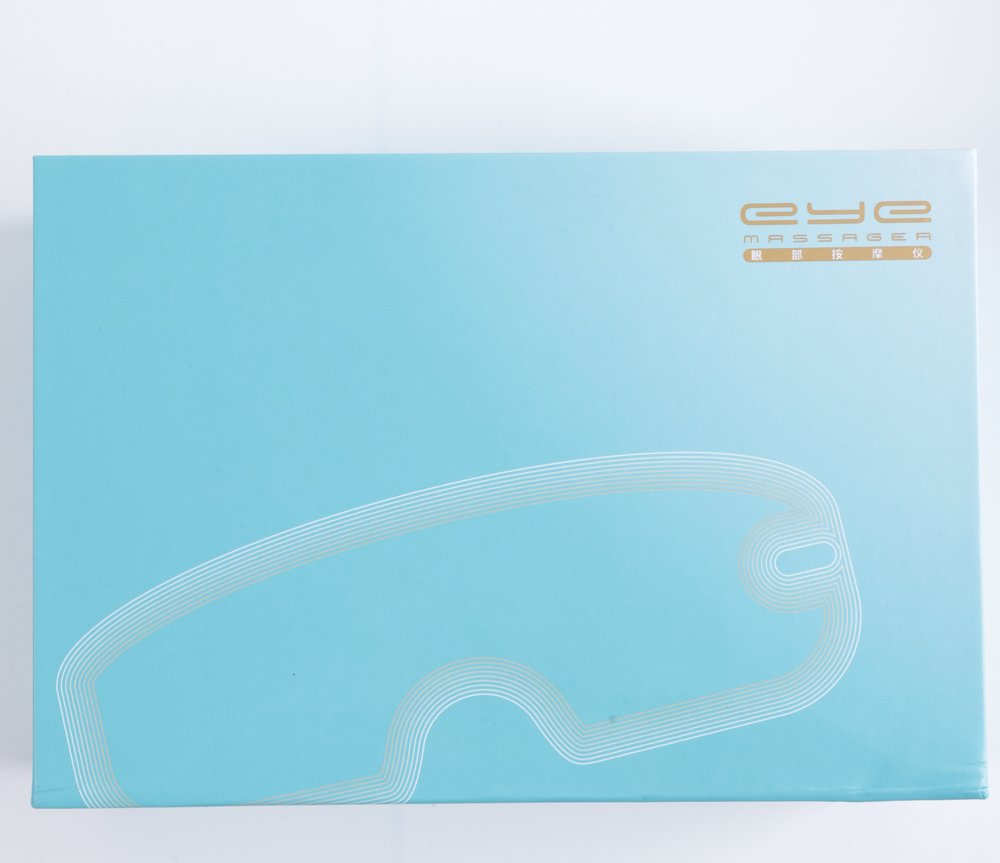
Front of the Y8 standard retail box. If the bulk order changes this artwork or the box itself, approve the new pack as a separate version.
Check the following on a printed packaging sample with the actual device inside, not on a digital proof alone.
| Item | What to approve | Why it matters in bulk |
|---|---|---|
| Box size and insert | The tray holds the device in the position chosen for the pack, with the manual and charging cable in fixed places | A loose fit that went unnoticed in a few pilot boxes can cause scuffs across a whole shipment |
| Printed product information | Model name, functions and modes on the box match the configuration being ordered | Box copy is printed in volume and is hard to correct after production |
| Barcode and SKU | One barcode per version, scanned on the printed sample | Two versions sharing a barcode cause receiving and returns errors |
| Languages and inserts | Manual and quick-start card in the languages of each market | A market split may need separate inserts even when the box is shared |
| Master carton | Units per carton, carton marks, carton dimensions and gross weight | Warehouse receiving, freight quotes and pallet plans depend on these figures |
For reference, Meilan’s parameter sheet for the Y8 lists the following standard packaging. A brand box built to other dimensions changes the units per carton and the freight quote, so ask for updated carton data together with the new packaging sample, and confirm the carton gross weight before booking freight.
| Y8 standard packaging | Value |
|---|---|
| Retail box | Rigid lid-and-base box with a vacuum-formed tray |
| Box contents | Device, manual with warranty card, charging cable |
| Boxed unit size | 203 × 140 × 86 mm |
| Boxed unit gross weight | About 551 g |
| Units per master carton | 30 |
| Master carton size | 69 × 44.5 × 35.5 cm |
The 30 boxed units alone come to about 16.5 kg per carton before the weight of the carton itself, which is a useful check against the gross weight the supplier quotes.
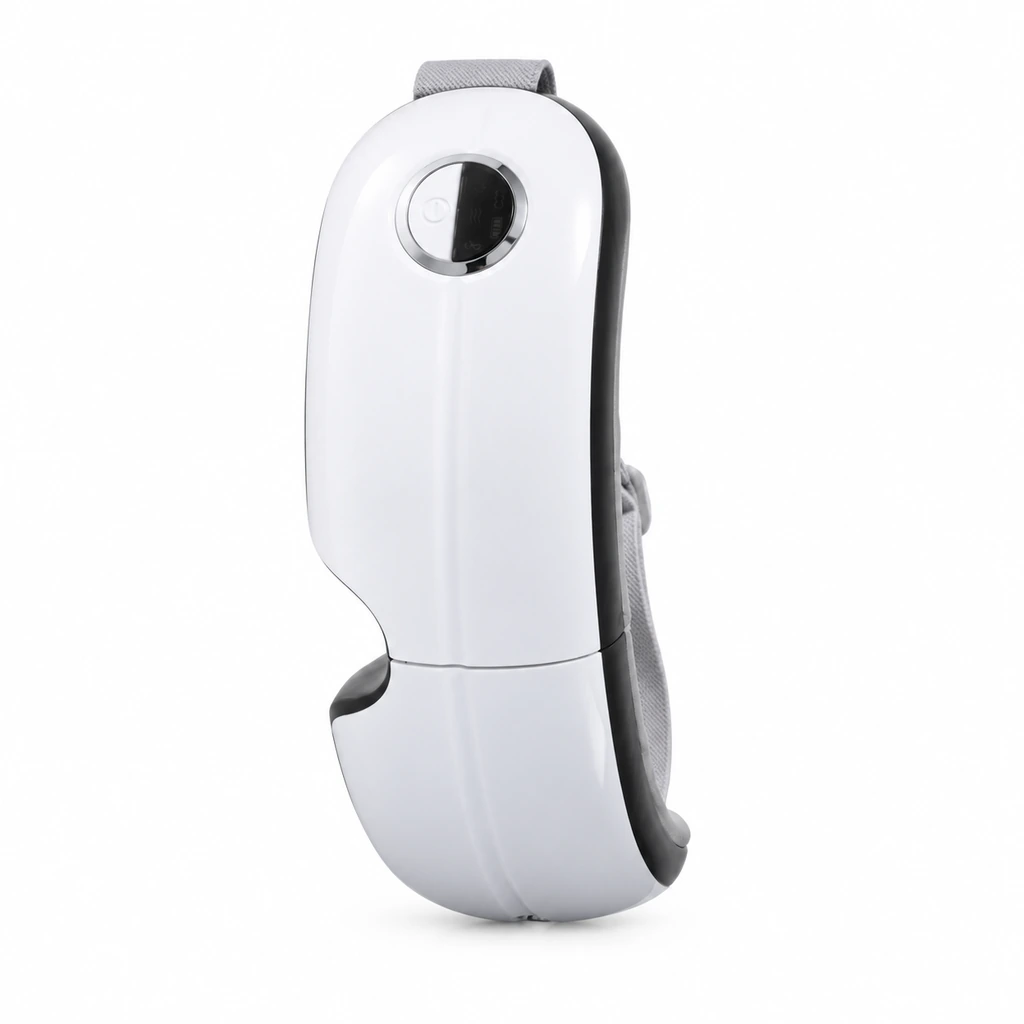
Official Y8 product image, folded for storage. Decide whether the pack holds the device folded or open, and check the insert with a real unit.
The device needs the same treatment. List the configuration the pilot units used and state that the bulk order repeats it unless a change has been approved. Meilan’s parameter sheet lists the Y8 Bluetooth model in a single-airbag and a dual-airbag version with the same packaging dimensions. Because the two boxes look alike, the version has to be named on the purchase order and identifiable on the carton label. For a Bluetooth model, that list includes the behavior customers see when pairing; our guide to Bluetooth eye massager configuration management covers how to tie an approved sample to its hardware, firmware and instructions.
| Product reference: Meilan Y8 eye massager | |
|---|---|
 | The Y8 is a foldable Bluetooth airbag eye massager with heat compress, vibration, airbag and Bluetooth music functions, offered in single-airbag and dual-airbag versions. Its product page asks buyers to confirm the airbag version, lining, timer and electrical ratings with the factory before selecting a sample. Those fields are the ones to carry from pilot to bulk unchanged unless a change is approved. |
4. Recheck quantities and minimums for each version
A pilot often uses one version in one quantity. A bulk order may split by color, packaging, language or channel, and each split can be a separate version for the supplier. Minimum order quantities and lead times may apply per version rather than to the order total, so terms that worked for the pilot may not carry over.
For example, a single-version pilot might turn into a bulk plan like this one. The versions are hypothetical; the point is to show which layer of each version could set a minimum.
| Bulk version | Differs from the pilot by | Layer that may set a minimum |
|---|---|---|
| A: pilot configuration in the new brand box | Packaging | Printed box and insert |
| B: version A with an English and German manual | Insert language | Printed manual and quick-start card |
| C: dual-airbag version for a second channel | Device configuration | The device version and its components |
Each extra version adds a minimum, an approval and a barcode. Combining versions early, for example one box with a multilingual manual, reduces that load but may not suit all of your channels. Send the supplier the quantity for each version, not only the total, and ask which differences can share a production run. Our article on eye massager private label MOQ by configuration explains how to ask that question so the answer covers each version.
5. Use retained pilot units as the bulk reference
Keep a few pilot units sealed and labeled with the order reference before the rest are sold or used for demonstrations. They become the physical reference for bulk acceptance, together with the approved samples for any changes. If the bulk order adds a new packaging version, keep its approved printed sample alongside the pilot units.
| What to compare | Reference | How to record the result |
|---|---|---|
| Functions: modes, heat, airbag, Bluetooth music, the device name shown on the phone and voice prompts | Retained pilot unit, plus approved changes | Pass, fail or deviation, with the unit or carton reference |
| Appearance and color | Retained pilot unit under the same lighting | Photo of any difference next to the reference unit |
| Pack contents and printing | Approved printed packaging sample: device, manual with warranty card, charging cable | Checklist for each opened carton |
| Labels and barcodes | Approved label and barcode files | Scan result and photo |
Decide in advance what happens when a difference is found. The usual options are to hold the shipment, accept it with a written deviation that names the affected units, or ask for rework. Agree who can approve each option and how the bulk units are checked, including the sampling method and who carries out the inspection. Without that agreement, a difference found at receiving becomes a negotiation instead of a decision.
6. Write the bulk purchase order so it points to the approvals
The purchase order is where these decisions become binding. A line that reads only “Y8, quantity” leaves the configuration, the packaging and the acceptance reference open to interpretation. Reference the approvals instead. The entries below are illustrative.
| Purchase order field | Example entry |
|---|---|
| Model and configuration | Y8 Bluetooth, single-airbag version, as supplied in the pilot order, plus approved change request 02 (quick-start card) |
| Packaging version | Brand box version A, printed sample approved on the stated date |
| Quantity | Listed separately for each version |
| Acceptance reference | Retained pilot units and the approved printed packaging sample |
| Inspection | Sampling method and responsibility as agreed in writing |
Keep this record after delivery. The next repeat order starts from it, and the reorder checklist assumes the first bulk batch has a documented baseline.
Questions buyers ask
Nothing changed after the pilot. Do I still need to confirm anything?
Yes, in writing. Confirm that the bulk order repeats the pilot configuration and packaging, and ask the supplier to state any change in components, materials or printing since the pilot was produced.
We did not keep any pilot units. What can serve as the reference?
Ask whether the supplier retained a sample from the pilot batch. If not, approve a pre-production sample of the bulk configuration and use it as the reference instead.
Should the pilot and the bulk order use the same packaging?
Not necessarily. A standard retail box can work for a pilot that tests the product. If the bulk order moves to your own packaging, approve it as a new version with a printed sample before production.
| Plan your bulk eye massager order | |
|---|---|
| Send | Pilot order reference, model and configuration, quantity per version, your keep, change and investigate list, and any new packaging files. |
| Ask to confirm | Which changes need a new sample, the minimum and lead time for each version, and how bulk units will be identified against the pilot. |
| Decide next | Which approvals must be complete before the bulk purchase order, and which pilot units stay as the reference. |
| Start your inquiry | Send your pilot results to Meilan → |

