

























Office Lunch Break Ideas: Rest Without Scrolling
Simple office lunch break ideas: eat away from the desk, take a short walk or find quiet screen-free time, with an optional eye-device discussion.
 Meilan Tech 9 min read
You close your laptop for lunch, pick up your phone and spend the next stretch of time answering messages or watching short videos. When the break ends, you have eaten—but you have barely stepped away from a screen.
A better lunch break does not have to be elaborate. It can be a short walk, a meal somewhere other than your workstation, a quiet seat with no notifications, or a few minutes with your eyes closed. The useful choice depends on what you want a break from: sitting in the same position, conversation, screens, or the expectation that you are still available.
Start with the change you need, then choose a way to take it. You do not need a device or a carefully scheduled routine to make lunch feel different from the rest of the working day.
1. Choose the kind of break your morning did not give you
After a morning of calls, another conversation may not feel like downtime. After working alone, a meal with a colleague might be exactly what you want. Neither person needs to follow the other's idea of a good break.
Before reaching for your phone, ask a simpler question: “Would I rather move, have some company, or be left alone for a little while?” That answer is often more useful than a long list of lunch-break hacks.
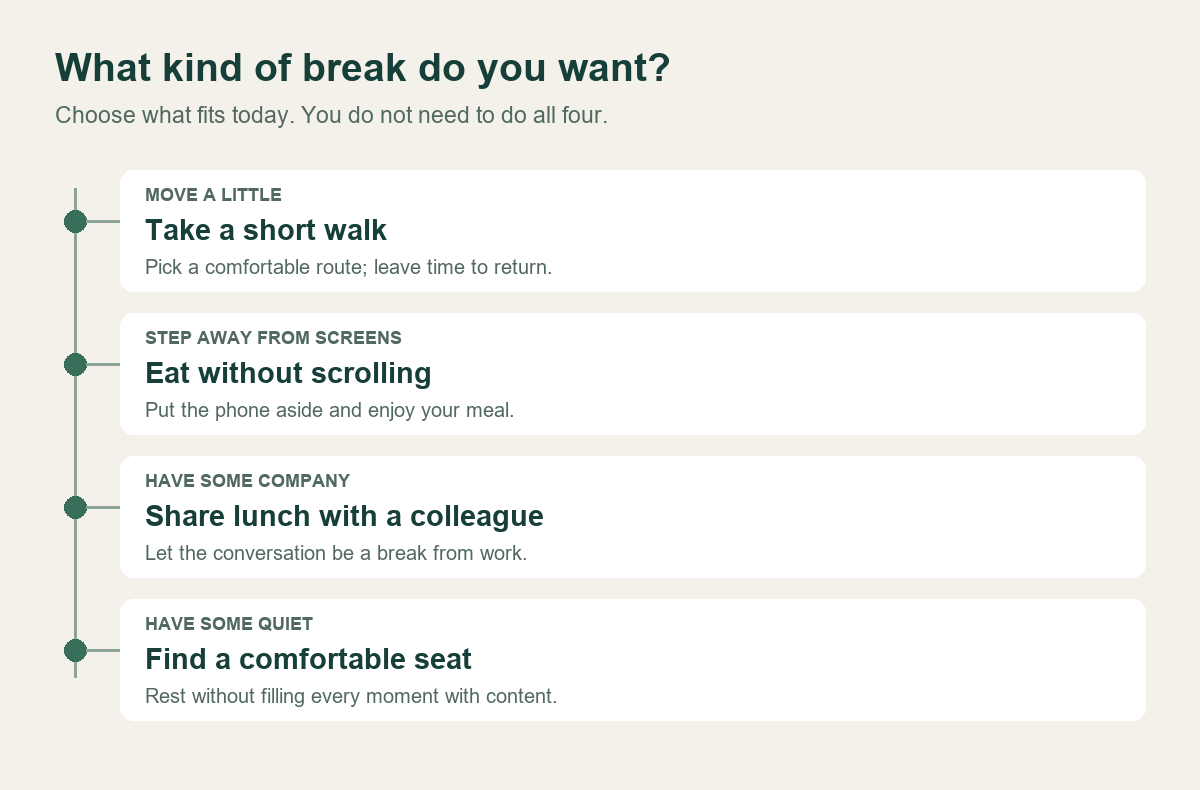
For an eyes-closed pause, choose a stable seat where you can briefly step away from duties. For a walk, check the route and the time you have. The choice map is a starting point; your workplace and personal preferences determine what is practical.
These options can be combined, but you do not need to fit them all into one lunch hour. A walk that leaves you rushing through your meal is not necessarily a better plan than sitting somewhere comfortable and eating without checking email.
2. Eat somewhere that does not keep you half at work
At your desk, a new message can turn “just checking one thing” into another task. Moving your meal to a kitchen table, courtyard or other permitted space makes it easier to stop treating lunch as an extension of the morning.
If you cannot leave the workstation, make a small boundary instead. Save your work, move the keyboard aside, and use the availability settings your role permits. If someone must monitor incoming requests, agree a cover arrangement rather than assuming everyone can disconnect at the same time.
Eating with colleagues can be a welcome break. It also helps to leave room for people who prefer quiet. A shared lunch does not have to become a mandatory team activity, and a quiet lunch does not need to be treated as a problem to fix.
If lunch is only a short gap between meetings, keep the plan small: eat first, then use whatever time remains for a change of setting. You do not need to copy a colleague who has a longer break. If a meal away from your desk is your only practical change today, it still gives the break a clear beginning and end.
3. Take a short walk without turning it into another target
A walk offers a straightforward change of place and activity. Choose a route that fits the time you actually have: around the building, through an accessible indoor area, or outside when the surroundings and weather suit you.
You do not need to measure steps or keep up with the fastest colleague. The point of this lunch-break option is to leave the workstation for a while, not to create another performance target. Choose movement that is comfortable and appropriate for you; a change of seat or setting is an alternative when walking is not practical.
If you usually walk while reading your phone, try putting it away for part of the route. You can still carry it for practical reasons without filling every spare moment with content. Avoid checking a screen while crossing roads or navigating stairs.
Agree the length before heading out with a colleague. “Shall we walk to the end of the block and back?” is easier to fit around lunch than an open-ended outing. In poor weather, an accessible indoor route can work; where that is unavailable, choose a comfortable change of setting instead.
4. Leave a little of the break unfilled
Not every pause needs a podcast, a video or a task. If your morning has been full of voices and notifications, sitting quietly can be the most appealing option.
Find a supported seat, put away the laptop and decide whether you want to look around, listen to something unobtrusive, or close your eyes. Keep bags and belongings secure and stay within the rules of the space. If you need a reminder to return, set it before putting the phone aside rather than reopening the screen repeatedly to check the time.
A packed office may not offer much privacy. In that case, a designated rest area or a different lunch location may matter more than any accessory. You should not have to feel on display to take a quiet break.
For teams, this is a useful place to start: make an ordinary rest option available before buying equipment. A room that is routinely used for calls will not become a quiet space simply because it contains wellness products.

5. Where an eye massager can fit—and where it cannot
An eye massager is one optional way to spend part of an eyes-closed break. It makes more sense when you have already stopped working, can sit comfortably and do not need to watch a screen or your surroundings. You can also take that same break without one.
Consider a common situation: lunch is finished, you have a suitable seat in a quiet area, and there is enough time to take out, use and put away a personal device without rushing. That is a more realistic setting than wearing it at a busy reception desk while remaining responsible for visitors.
It is not an accessory for answering emails, attending a video meeting, walking between rooms or monitoring an active workstation. If your role requires immediate attention, take a covered break first or choose an option that fits those duties.
 | Product reference: Meilan Y8 Meilan lists the Y8 as an airbag eye massager with heat, vibration and Bluetooth audio. For an office-break option, check the exact offered configuration, operating sound, controls, fit and instructions rather than choosing by the number of functions. Explore the Y8 product reference → |
Official product photograph. Sound behavior, personal fit and the supplied configuration need their own checks.
Audio is a good example of a feature that depends on context. Music may suit a private setting; voice prompts or operating sound may be unwelcome beside colleagues. Check what the actual sample does when it starts, runs and stops. Bluetooth capability does not establish that all sounds can be muted.
Before use, read the exact model's suitability warnings and instructions, including guidance about eyewear, contact lenses, fitting, session length and cleaning. Do not invent a universal “ten-minute office routine” from a product image. If an eye condition, recent procedure or another circumstance raises questions about suitability, seek advice from an appropriate healthcare professional before trying it. Stop if use causes discomfort.
An eye massager should not be presented as a way to correct vision, treat an eye condition, replace sleep or guarantee better performance after lunch. Here, its role is narrower: a personal device someone may choose to use during an appropriate seated break.
6. Make putting it away as easy as taking it out
The less glamorous part of an office accessory is often what decides whether it gets used. Is there a place for it in your bag or drawer? Are the instructions easy to find? Can you finish cleaning and storing it before you need to return?
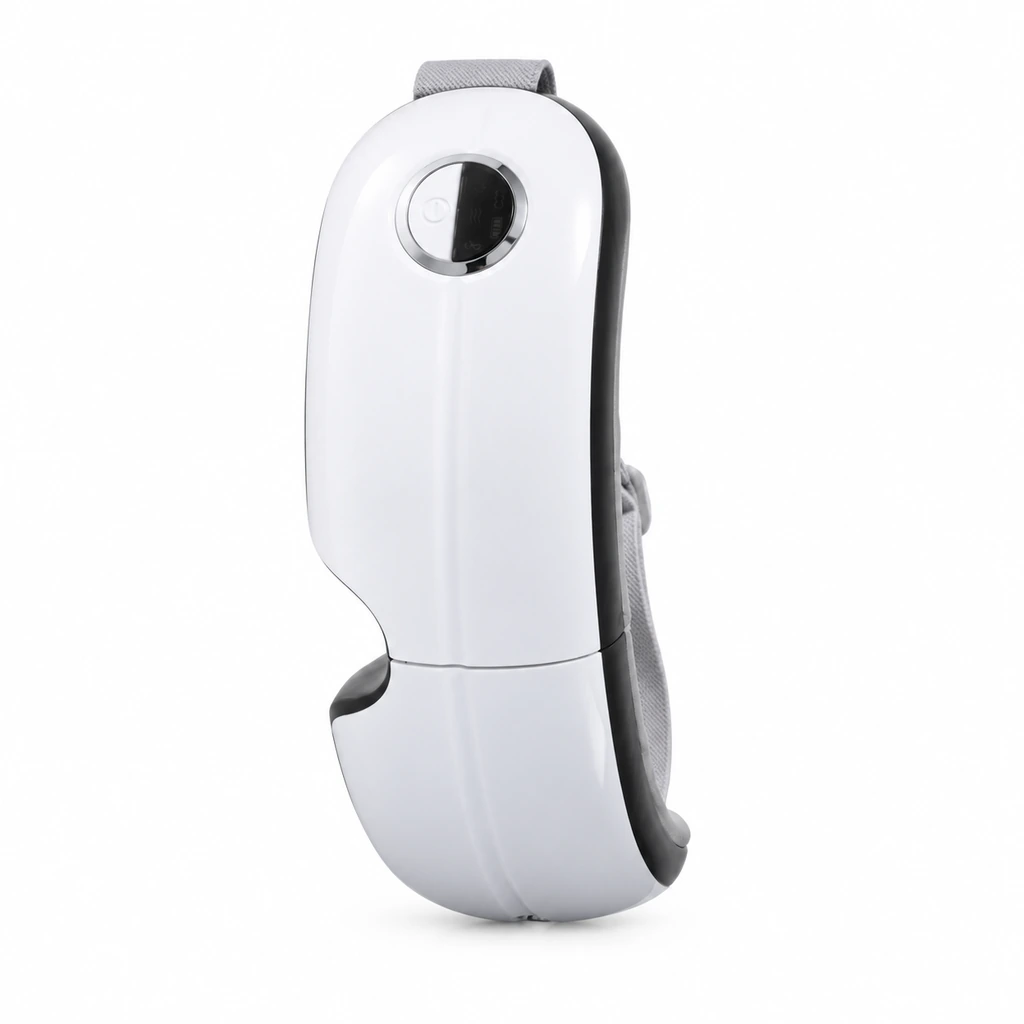 | Check the whole break, not only the session The folded Y8 photograph helps you picture storage. It does not establish that a carrying case is included or that the device fits your planned bag. Try the actual sample with the storage arrangement you intend to use. |
For an individual device, keep accessories and cleaning instructions together and use the approved method for its materials. Do not assume a surface can be sprayed or wiped with any available disinfectant. Follow charging instructions and do not assume use while charging is permitted.
For an employer, a communal device adds a different problem: who cleans it between users, and is the approved process practical? Do not turn a personally assigned product into a shared rest-room amenity without resolving that question. Giving interested employees an individual option can avoid handover between users, but it still requires a complete kit and a support route.
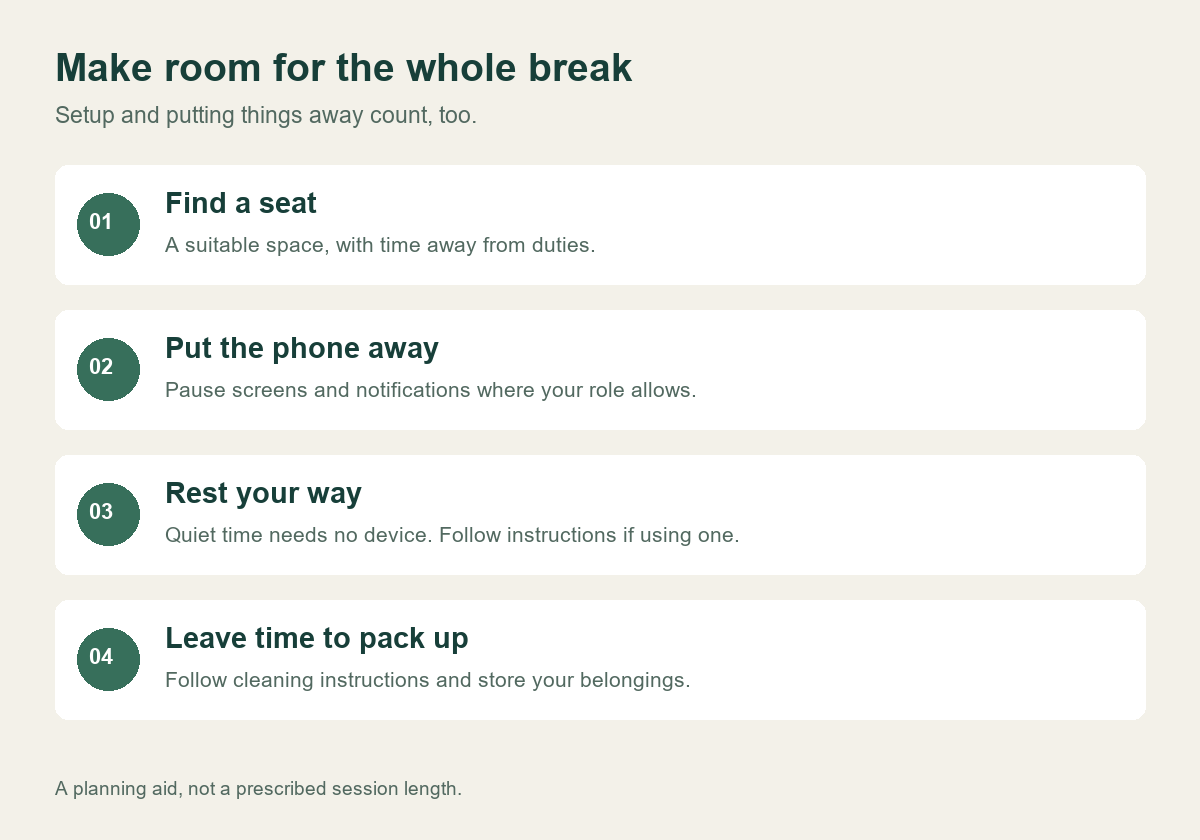
7. Build a lunch break you would actually want to repeat
Imagine a day when you have only a brief gap between meetings. Eating away from the laptop and taking a short walk may be enough. On another day, you might prefer a quieter seat and an eyes-closed pause. Neither break is incomplete because it does not involve a device.
If you do want to try an eye massager, first see whether the setting works: a comfortable seat, genuine time away from duties, suitable instructions and a practical way to store the device. The product should fit that break, rather than make lunch more complicated.
For employers building an optional employee-wellness offer, keep the same principle. Ask whether people want this kind of break before choosing a model. Offer an alternative for those who do not, and evaluate a sample in the actual intended setting. Our office-device selection guide covers the broader choice between personal allocation and workplace use.
| Considering an eye-device option for employee breaks? |
|---|
| Tell Meilan the intended setting, destination market, approximate quantity and whether devices would be personally assigned. Ask for a current Y8 sample, configuration details, operating instructions, sound behavior and cleaning information before deciding on an order. |
| Discuss an employee-break sample → |
A few practical questions
Do I need an eye massager to take a screen-free break?
No. A quiet seat, a short walk or lunch away from your phone are complete options in their own right. A device is an optional addition for someone who wants it and can use it appropriately.
Can I use one while continuing to work?
Plan it for a break when you can stop looking at a screen and do not need visual attention for your duties. Do not use it while walking, driving or operating equipment.
How long should an office session be?
Follow the exact model's instructions and limits. Leave time for setup, any required cleaning and storage, rather than treating the device's session as the entire break.

