


N1 Warming Belt Gift Set Sourcing Guide: Packaging and Instruction Card Approval

A warming belt gift set should be approved as a matched configuration, not as a box design alone. For Meilan N1, buyers need a signed record of the exact model version, outer box, insert, accessories, instructions and printed claims. Use a fully packed sample and version-matched documents to settle what will ship before artwork and purchase orders are released.
1. Start With the Quoted Configuration, Not the Gift Photograph
A gift-set photograph can establish that a presentation concept exists. It cannot tell a buyer which control version, insert, accessory count or printed material will ship against a new purchase order. Meilan’s N1 product page describes a color box with blister packaging and shows gift-box availability. Those statements are a starting point for an RFQ, not a signed pack specification.
Set up one configuration sheet before requesting artwork. Record the N1 model, control version, color, destination market, sales channel, intended gift presentation, target quantity and sample identifier. The available N1 files include separate remote-control and voice-control manuals; the quotation must identify which one applies. If the supplier proposes a different belt, controller or charging item, treat it as a new configuration and recheck the entire pack.
Ask for a dated photograph of the fully packed sample beside its component list. Give each physical item and artwork file a revision code. Without this link, teams often approve an attractive box photograph while the factory works from a different contents list.
2. Approve the Outer Box as a Selling and Shipping Component
The outer box carries the brand promise at the shelf or at the recipient’s first opening. It also has to fit the packed unit, survive distribution and carry market-specific information. Review the assembled sample from all six sides, then compare it with the flat artwork and the quotation. Specify whether the approval is for a retail color box, a separate presentation box, or both.
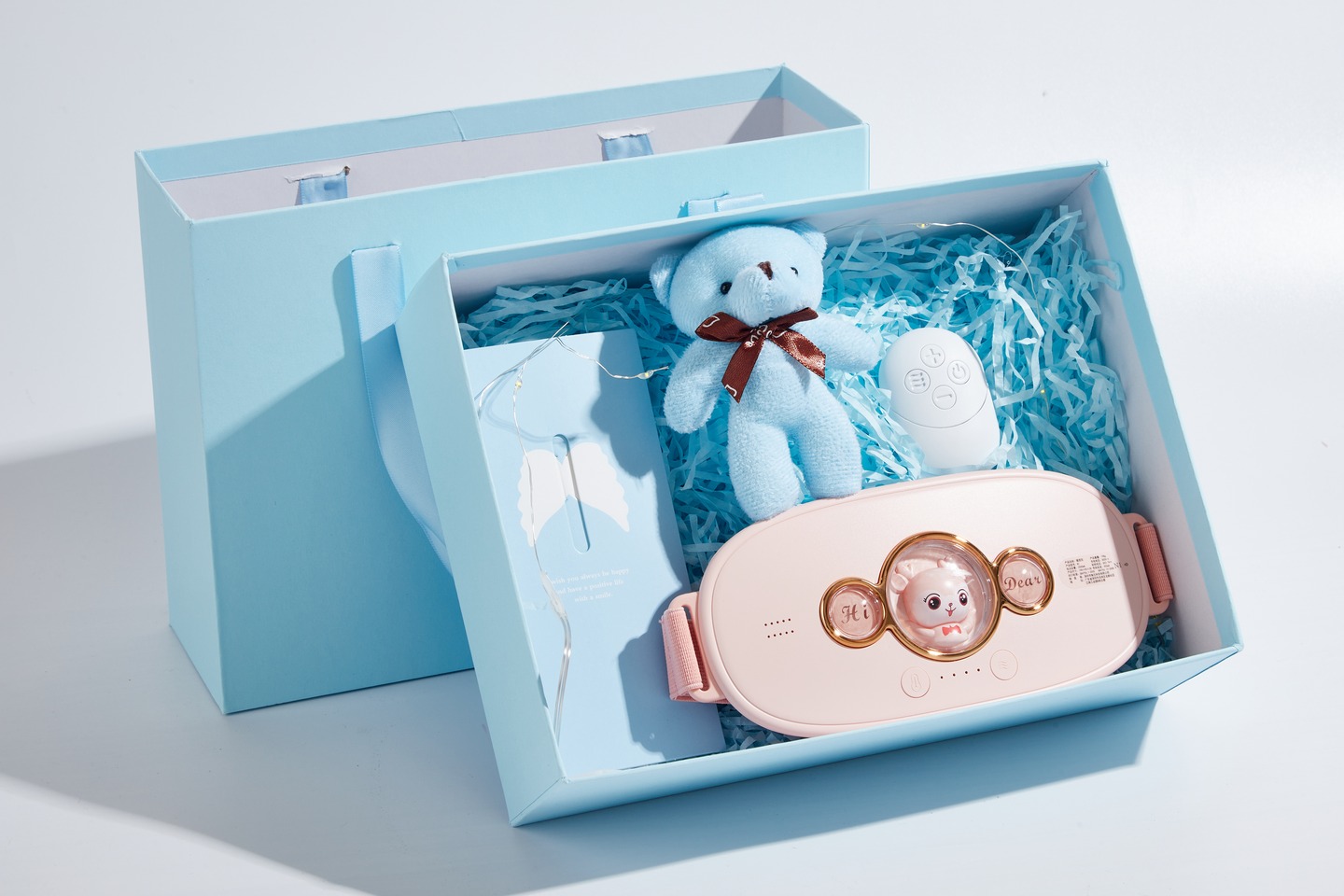
Check finished dimensions, opening method, handle or ribbon attachment, print registration, scuffing, color consistency and the position of barcode, importer details and required labels. Confirm whether any protective sleeve, seal or transit carton is included in the price. The blue gift presentation in the N1 photographs is useful as a visual reference, but it does not prove the material grade, dimensions or repeat-order availability of that configuration.
A sample can look clean on a desk and fail after packing into a master carton. Ask the supplier to show the proposed shipper count and stacking orientation, then inspect an arrival sample after the agreed transit test. Keep the acceptance photographs with the signed artwork; a print proof alone cannot show how the filled box behaves.
3. Inspect the Insert and the Actual Unboxing Sequence
An insert should prevent components from moving while allowing a recipient to remove them without tearing the pack or pulling on a cable. Inspect the fully packed set, not only an empty tray. Open it in the same direction a customer will, photograph each layer, and note what is visible first. Then repack it and gently invert the closed box to identify loose items before any formal transit assessment.
Record the insert material and shape only after inspecting the quoted sample. Check edge pressure on the device, clearance around buttons, how the strap is folded, and whether printed cards can bend or slip behind the product. If a decorative filler or plush accessory appears in a reference photograph, list it separately; it should not enter the bill of materials merely because it is pictured.
The commercial tradeoff is between display, protection, pack size and assembly time. A larger presentation may improve shelf impact while increasing freight volume. A tight cavity may hold the product but make removal difficult. Request two packed samples when alternatives are being compared, and judge them using the same opening and handling procedure.
| Check | Evidence to request | Decision |
|---|---|---|
| Product restraint | Packed sample and movement photographs. | No damaging pressure or loose movement. |
| Card position | Opening sequence photographs. | Visible, legible and not bent. |
| Decorative items | Itemized bill of materials. | Included only if quoted and approved. |
4. Reconcile Accessories Against the Quote and the Manual
The most expensive gift-set mistake is often a small item: a controller or charging component shown in a photograph but missing from the approved bill of materials. Build a line-by-line pack list for the exact N1 version. Include the belt, any controller, any supplied charging item, printed documents, presentation elements and protective materials only when the supplier confirms them.
Place the supplier’s quotation, current manual, pack list and opened sample side by side. Mark each item as present, absent or unresolved. For each included electronic accessory, verify its model marking and the operating instructions. A voice-control manual cannot be treated as approval for a remote-control box, and vice versa. If the pack contents change, the box copy, instruction card, weight and carton plan may change too.
Ask the supplier to photograph one complete production-intent set with all loose items separated and counted. Keep that image with the approved pack list. It gives purchasing, inspection and customer service a common reference when a later shipment is checked.
5. Treat the Instruction Card as a Controlled Product Document
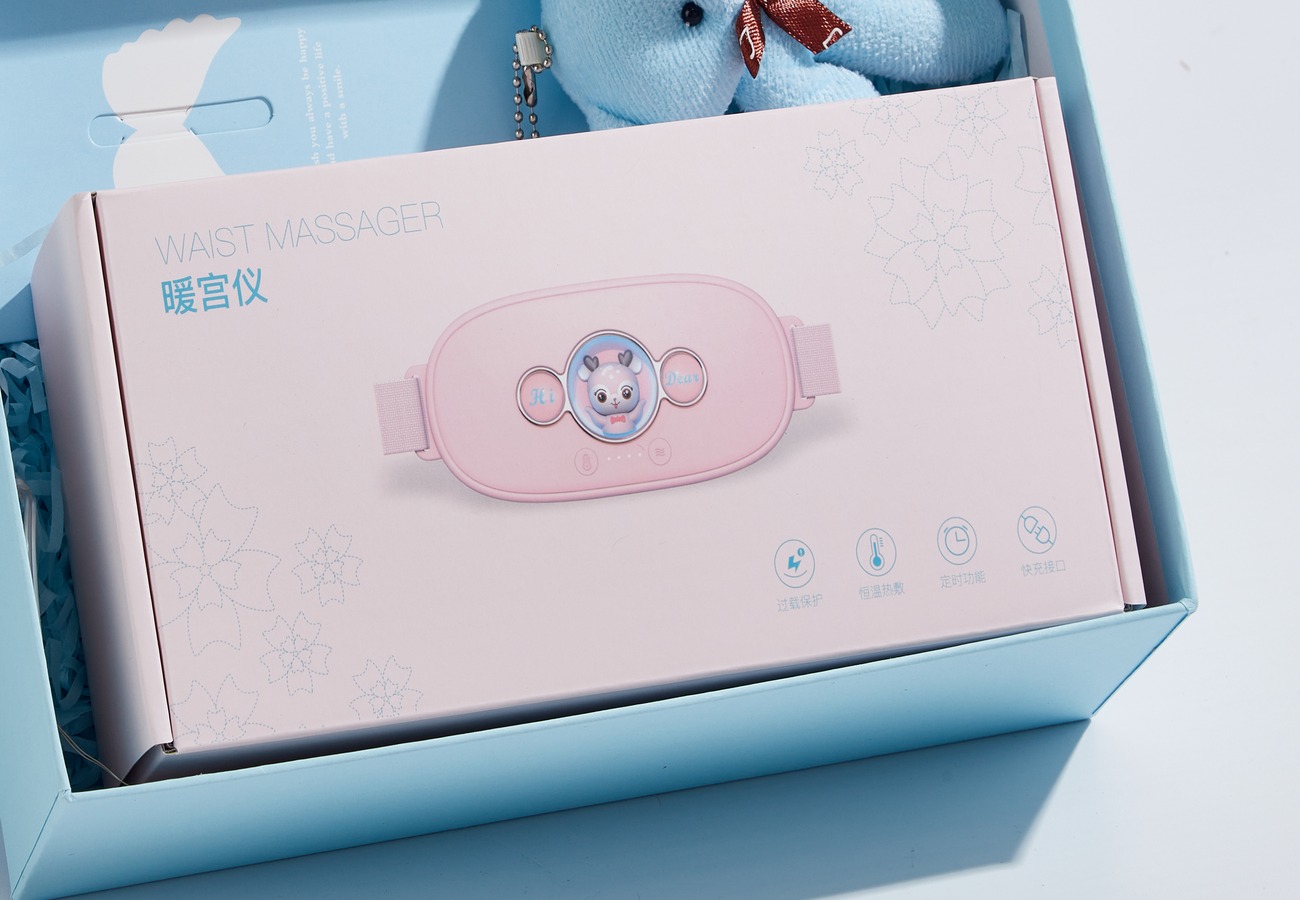
A short card is useful at first opening, but it should guide the buyer into the full instructions rather than replace them. Its job is to help the recipient identify the controls, prepare the device, select a setting and find the safety information. The actual sequence and wording must come from the current manual for the quoted version. Do not design the card from a lifestyle image or copy a previous model’s interface.
Approve the card in three passes. First, verify functional accuracy against the sample and manual: button labels, display or voice prompts, charging steps, heat-setting names and shutdown behavior. Second, verify usability: legible type, clear diagrams, a language the buyer can use and a place where the card will remain visible in the box. Third, review market wording: warnings, responsible-party details, customer support and translation. Sign off both the flat artwork and the printed card inside the packed sample.
Keep an artwork revision and a manual revision together. When the product or controls change, a card that still looks visually correct may become technically wrong. A practical approval record lists every statement on the card, its source page or test record, the reviewer and the final print file.
6. Review Temperature and Benefit Copy Before Print Approval
Packaging text is harder to correct than a web listing once units have shipped. The current N1 page lists four temperature settings, but a printed claim about delivered temperature, warm-up time or use duration should be checked against a version-matched temperature record and its measurement method. Ask where the sensor was placed, the ambient condition, sample count, selected mode and measurement time. Setpoint language and measured contact temperature should not be treated as identical.
Keep comfort descriptions separate from medical outcomes. Terms such as “cures,” guaranteed pain relief or universal safety need a different level of substantiation and local review. The product page’s marketing language is not itself a claim approval. Review box panels, instruction cards, hangtags, online listings and translated text together so the same promise does not appear in one channel after it was removed from another.
Create a claim matrix with the exact phrase, destination market, supporting record, reviewer and decision. Mark unresolved phrases for removal or revision before artwork release. The buyer should also check pictograms: an attractive heat or timing icon can imply a performance result even when its caption is vague.
7. Release the Order Through a Versioned Approval Checklist
Use three gates: quotation, packed sample and preproduction artwork. At quotation, approve the commercial configuration and request missing evidence. At the packed-sample gate, sign the physical box, insert, contents and unboxing photographs. At artwork release, sign every panel, instruction card and claim in the destination language. The gate owner should record a decision, date and revision, rather than a general “looks good” message.
Do not let a single sample signature stand in for every check. A visual approval does not confirm temperature performance, a manual review does not confirm the printed card fits the tray, and a transit result does not confirm the correct controller was packed. The table below gives a compact release record for an N1 gift-set RFQ.
If the supplier changes the product version, accessory, tray shape or artwork after signoff, reopen the affected checks. Send the final approved component list, sample photographs and print files with the purchase order. For a repeat order, compare the new preproduction sample with that same master record.
| Approval item | Record to retain | Release rule |
|---|---|---|
| Version and contents | Quote, SKU, pack list, opened-set photo. | All items match the same sample. |
| Box and insert | Assembly sample, artwork, transit record. | Dimensions, fit and finish approved. |
| Instruction card | Current manual, printed card, translation review. | Controls and cautions match the version. |
| Performance and benefits | Temperature record and claim matrix. | Only reviewed wording reaches print. |
Buyer FAQ
Does a gift-set photograph define what is included?
No. It is a visual reference. Use a dated packed sample and signed bill of materials for the quoted order.
Can a retailer approve the card from a digital proof?
Approve the digital wording and a printed card in the packed sample. Print size and position affect usability.
Should the remote and voice versions use the same instructions?
Only shared text may carry over after review. Control steps, diagrams and included items must match the quoted version.
Is the listed temperature enough for box copy?
No. Check whether wording refers to a setting or a measured temperature and review the method and sample version.
Does a package image prove customization is available?
No. Ask the supplier which box, insert, artwork and accessory changes it can quote for the target quantity.
What must be signed before a repeat order?
Compare the preproduction set with the approved master pack list, photographs, manuals and print files; reopen any changed item.
Review the Meilan N1 product page for the listed model, compare the waist massager collection if the brief changes, consult the N1 temperature-setting guide when planning measurements, and request a version-matched packed sample for the proposed gift set.

