


























Neck Massager Reorder Consistency: Buyer Checklist
Keep repeat orders aligned with the approved neck massager version by linking retained samples, configuration files, permitted changes and batch checks.
 Meilan Tech 5 min read
Place a repeat order against an identified product version, not just a model number. Connect the order to the approved configuration, reference sample and packaging files, then resolve differences before the affected work begins.
“Same as last time” can mean different things to different teams. Purchasing may mean the same SKU, marketing may mean the same photographs, and production may be working from a newer component or instruction revision. A useful reorder check brings those references together without reopening every first-order sourcing question.
1. Recover the approved baseline—not merely the first sample
Find the configuration actually released for the earlier order. An early development sample may differ from the delivered version, so match the retained unit to its approval record and production batch. Identify the agreed operation, finish, supplied items, instructions and retail-pack revision.
Keep one reference list linking each item to its file or sample identifier. Include who holds the physical sample and which signed records govern the order. The specification-freeze checklist helps assemble that baseline; the reorder task is to compare the next order against it.
If the retained sample is missing, use the signed specification, approved files and batch-linked photographs to reconstruct what is known. State which physical comparisons remain unresolved and agree on a replacement reference. An unidentified unit from current stock should not silently become the new standard.
2. Ask for a difference list, including items said to be unchanged
Send the supplier the baseline reference and ask for a written comparison with the proposed reorder. Avoid a general assurance of “same quality.” Request confirmation of the specified configuration and a separate list of changes, open points and unavailable references.
| Area | Compare with the approved version | Resolve before release |
|---|---|---|
| Operation | Control sequence, indications and documented functions | Any changed action, setting or instruction |
| Appearance and assembly | Finish, branding, fit and relevant drawing requirements | Proposed differences and agreed acceptance criteria |
| Included items | Accessory identification, quantity and instructions | Missing, added or substituted items |
| Retail pack | Box, insert, labels, artwork and language revision | File conflicts and changed packed fit |
| Controlled components | Relevant part references and earlier change approvals | Whether an exception also applies to this order |
A written confirmation makes the intended configuration clear; it does not prove that production will match it. Keep the agreed inspection and verification steps attached to the repeat order.
3. Compare behavior as well as appearance
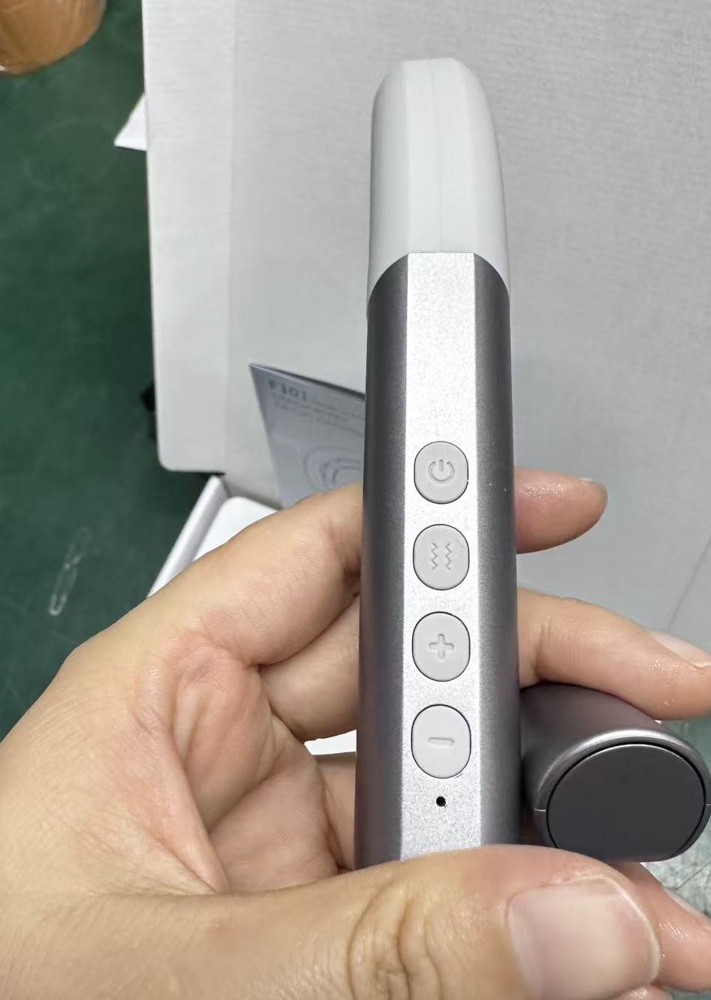
For the selected version, compare a reorder sample with the retained reference using the matching instructions. Check the documented start, adjustment and stop actions, together with the indications the customer is told to expect. Record the sample identifiers and observed differences.
Do not use perceived sensation alone to establish electrical output or technical equivalence. Measurements and specialist checks must follow the applicable specification and agreed verification plan. A buyer’s operating review answers whether the observed sequence matches the approved user experience; it cannot replace every technical check.
Retained units can age or become worn. Note their condition before interpreting a difference, and use the approved requirements rather than treating every characteristic of an old sample as a production target. If physical checks and the written specification conflict, resolve the conflict instead of choosing whichever reference is more convenient.
4. Do not carry a temporary exception into every reorder
Review earlier change decisions for their scope. A replacement accepted for one batch may have been a temporary exception, not a permanent update. Confirm whether the next order should return to the original configuration or use an explicitly approved replacement.
For a newly proposed change, request its impact, supporting evidence and written approval separately. Record whether it creates a new standard, an additional approved option or another limited exception. This keeps the reorder decision distinct from the technical work needed to approve a substitution.
Put the chosen version, applicable approval references and unresolved release conditions into the purchasing record. Ask the supplier to acknowledge those references. If a difference remains open, identify the work it prevents—such as printing, assembly or packing—rather than leaving the whole order under a vague “pending approval” note.
5. Check the complete pack and preserve the batch trail
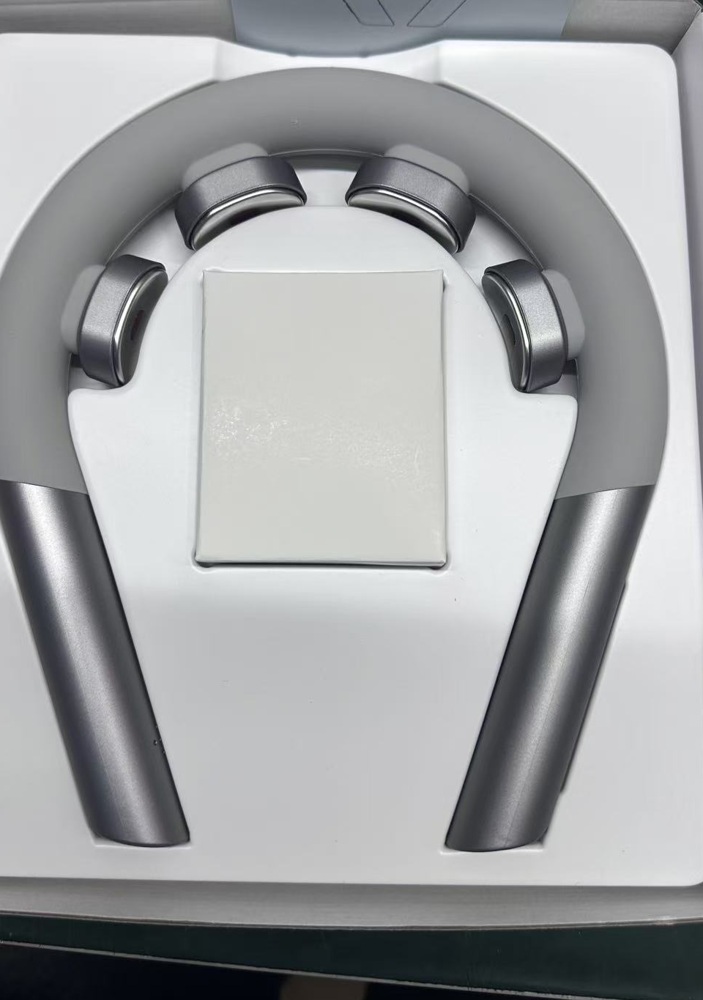
Compare an open reorder pack with the approved contents list and packaging references. Count and identify the included items; check the instruction language, label data and artwork revision. A box that looks unchanged may still contain a different cable or leaflet.
Where an included item or insert changes, review the complete arrangement again. The product and packaging sample approval guide explains why artwork approval and physical pack approval answer different questions.
At receipt, use the agreed inspection plan and link the findings to the delivered batch. Record any differences with photographs, unit or carton references and the requirement being checked. Do not accept a discrepancy merely because it also appeared in an unapproved pre-shipment photograph.
Keep a batch-linked reference from the reorder where agreed. If an approved change creates a new version, preserve both the old record and the new one; do not relabel the earlier sample as though it always represented the revised product.
A consistent reorder has a traceable answer to three questions: which version was ordered, what changed with permission, and how the delivered batch was checked.
Contact Meilan with the previous order reference, approved configuration and proposed reorder quantities. Ask for a version-matched confirmation and a clear list of any differences before releasing the affected work.

