


























Waist Massager Distributor Training Pack
A practical A1-based guide to training distributor teams: configuration differences, repeatable demonstrations, instructions, order identification and controlled updates.
 Meilan Tech 9 min read
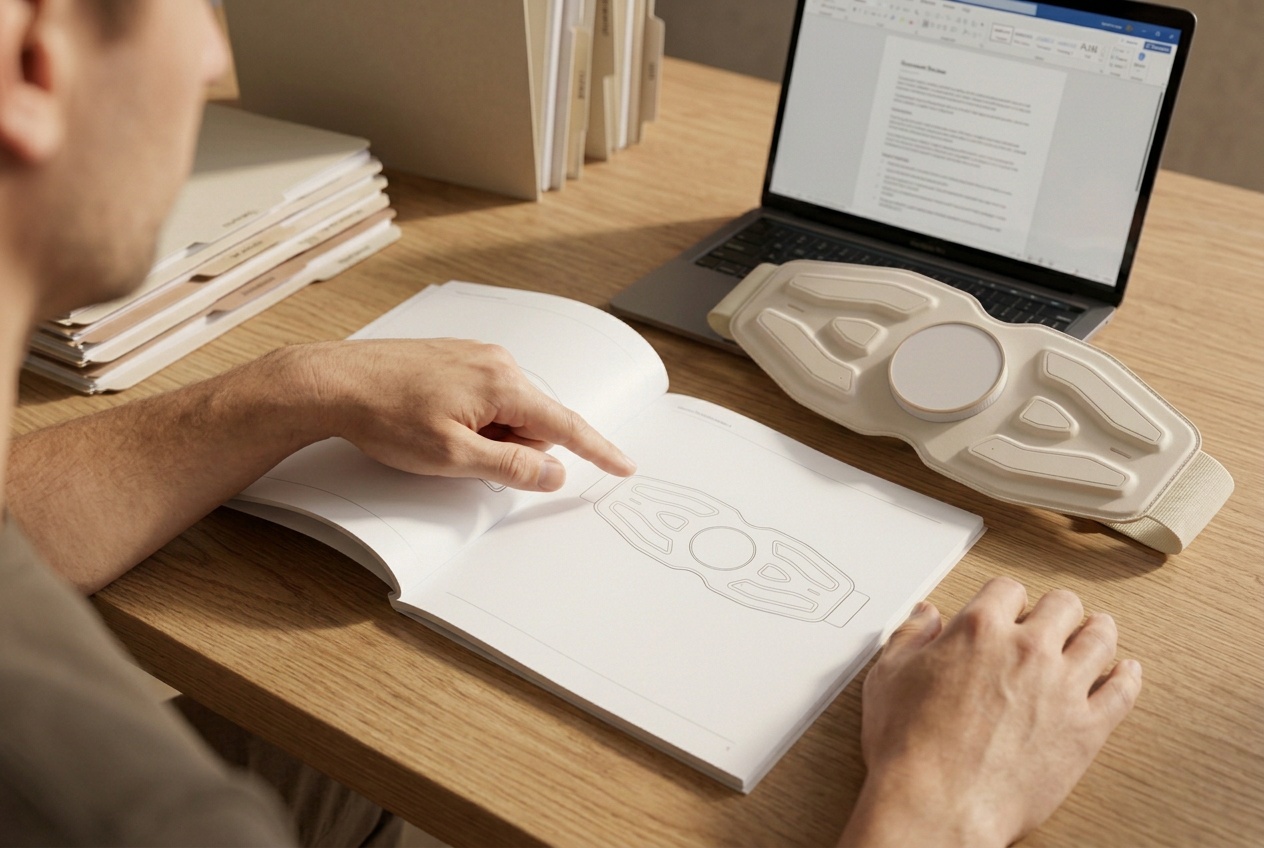
A useful waist massager distributor training pack helps staff explain one confirmed configuration, demonstrate it consistently and identify the same product when ordering again. Build it around a version-matched specification, demonstration script, instructions, quotation and packing record, then give every document an owner and revision. For distributors, online sellers and gift buyers, the practical test is whether another colleague can use the pack without guessing.
1. Start with what each team needs to do
When a new waist massager reaches a distributor, the sales team may see a demonstration, the online store may receive a photo folder, and purchasing may keep the quotation. Each team has part of the picture. Trouble starts when a salesperson describes an accessory that purchasing has not ordered, or customer service follows a video made for a different controller. Training should connect those handoffs before stock reaches the channel.
Set three practical outcomes: staff can explain the offered configuration, demonstrate its approved operation, and identify the complete sellable kit. A store team needs a repeatable demonstration and a clear stopping point. An online seller needs matching listing copy, images and support answers. A gift buyer needs the recipient-facing instructions and included items to remain understandable after the presentation sleeve is removed.
The waist massager launch-pack guide covers the broader channel handoff. The training pack adds a learning sequence, a rehearsal and evidence that staff can use those materials. Begin with one offered version; expand the range after the team can recognize it reliably.
2. Make configuration differences visible before teaching features
Use the Meilan A1 waist massager as a starting example. Its published configuration lists pulse, heating and vibration, 10 modes, 16 intensity levels, a 15-minute automatic shut-off, and on-device and wireless remote operation. These are published product details to reconcile with the quoted sample; they do not establish the contents of every retail offer.
Teach staff to separate mode, intensity and function. A mode name describes a program; an intensity level is an adjustment within the supported operation. Neither a mode name such as kneading nor the number of programs proves that a device contains mechanical kneading rollers. Likewise, a wireless remote description does not establish phone-app control or Bluetooth music. Ask product reviewers to approve the wording and the demonstrated behavior separately.
| Record separately | What staff should learn | Evidence needed before release |
|---|---|---|
| Functions and controls | Which functions the offered version supports; which button changes what | Matching specification, manual and sample demonstration |
| Belt and fit | How to adjust and fasten it; which fit statement is approved | Measured belt option and confirmed usable circumference range |
| Retail kit | Whether the remote, its battery, cable, adapter and inserts are included | Itemized quotation, packing list and complete packed sample |
| Language and presentation | Which instructions and packaging belong to the target channel | Approved language files, artwork and revision references |
If A9 is also under consideration, create its own completed sheet. Do not fill gaps with A1 figures or assume that a similar belt has the same control sequence. For two proposed A1 offers, compare each quoted item line by line; mark a difference only after the supplier confirms it. This makes configuration comparison useful without inventing a standard-versus-premium range.
3. Turn the demonstration into a sequence someone else can repeat
Prepare a short script around the actual sample, not a list of benefits. First show the unit identification and kit contents. Then explain preparation, placement, fastening and any contact requirements from the matching instructions. Demonstrate start-up, the approved initial setting, a mode change, intensity adjustment, any separately controlled function and stopping. Record what happens after each action, including resets or remembered settings that staff need to explain.
Film a continuous control sequence with the relevant buttons and indicators visible. A short sales clip can introduce the product, but edited cuts may hide the steps needed to reproduce its operation. Keep a separate start-to-end timer record if staff will explain automatic shut-off. For A1, the published 15-minute session timer and approximately 120-minute working time describe different things; battery runtime also needs its operating conditions. Neither figure tells staff to demonstrate continuously for that duration.
Wearing and electrical-stimulation steps need to come from the matching model instructions. The approved model instructions should determine preparation, restrictions and use steps. Where multiple people may try a store sample, obtain a specific handling and cleaning procedure; personal-use instructions alone do not establish a shared demonstration protocol. Staff should know when to stop and escalate rather than improvise.
Use a teach-back: ask a colleague who did not make the video to demonstrate from the script and explain the differences between mode, intensity and timer. Record missed steps and revise the material. Completing a slide presentation is not the same as being able to operate and explain the offered sample.
4. Give staff usable explanations and a clear escalation route
The full manual, quick-start card and staff FAQ serve different purposes. The manual carries the complete approved instructions. A quick-start card helps someone find the first steps without replacing restrictions or warnings. The staff FAQ connects a common question to the relevant instruction and the person responsible when that answer is insufficient.
Separate a product feature from a health outcome in the training language. Saying that the published A1 configuration includes heat is different from promising treatment of a back condition. For US-facing marketing, the FTC Health Products Compliance Guidance explains that benefit and safety claims for health-related products must be truthful, not misleading and scientifically supported. That guidance does not verify A1 performance or establish market clearance.
For an operating enquiry, collect the order reference, product identification, starting state, action and observed response. For a missing accessory, check the agreed packing list before suggesting a replacement. For reported discomfort, a safety concern or an unresolved fault, use the approved stopping and escalation route; sales staff should not diagnose the cause. Agree who can authorize returns, replacements or credits and which response times apply. Do not print unagreed service promises in the training pack.
5. Teach purchasing and warehouse teams to recognize the order
A model name is the beginning of an order description. Link it to the supplier configuration reference, distributor SKU, belt option, controller, accessory quantities, manual language and packaging revision. Keep the retained sample reference attached. A photograph helps identify appearance, but it cannot replace a written inclusion list.
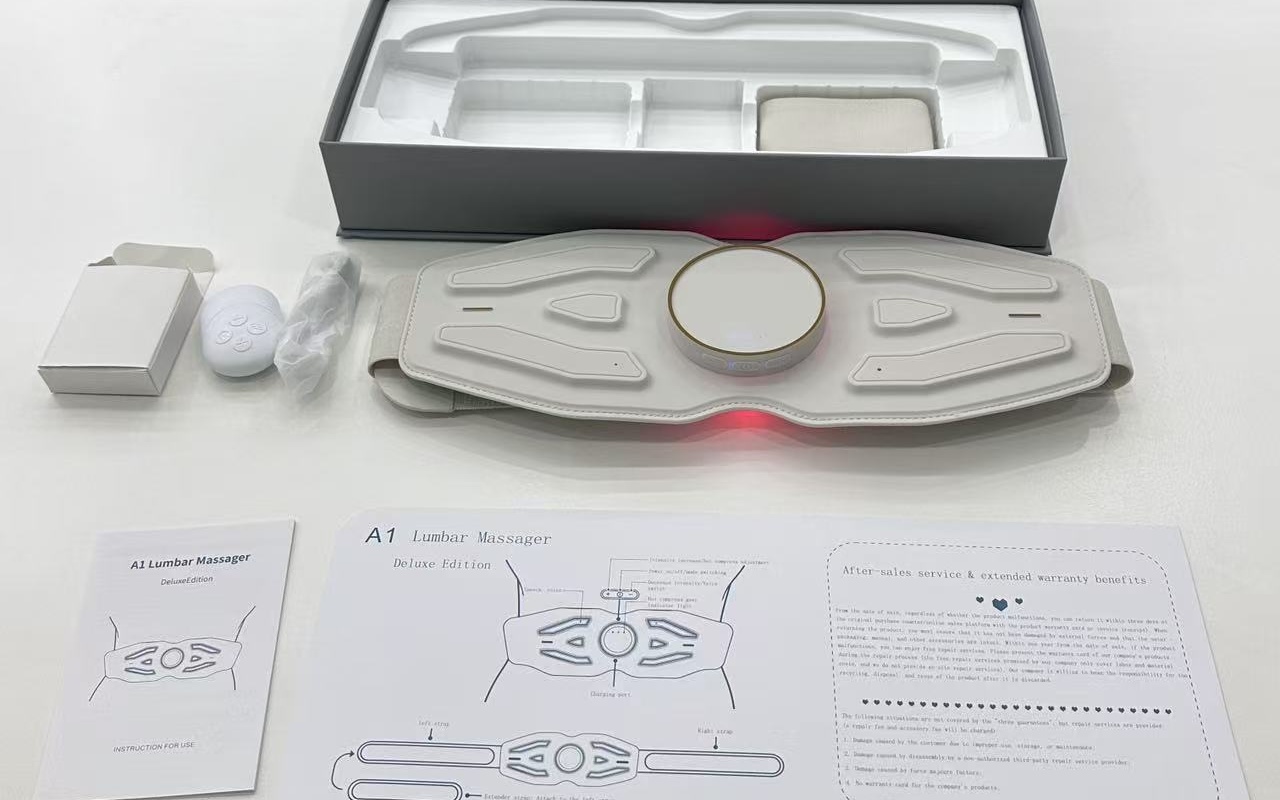
Teach the distinction between one device, one complete retail kit and one shipping carton. The quotation should state what its unit price covers; the packing record should state kits per carton, carton dimensions and gross weight for that pack-out. If a gift sleeve or extra insert changes the packaging, request revised packing data before a freight comparison. A device's net weight is not its shipping weight.
Ask the trainee to prepare a mock order from the documents alone and reconcile it with the packed sample. If they need to ask whether a remote or adapter is included, that field is not ready. Leave unconfirmed quantities, prices, minimums and carton measurements blank in a working template; a realistic-looking number can become an accidental purchasing commitment. The bulk-order configuration tracking guide develops this link between the approved reference and each order line.
6. Build a small pack with a controlled update process
Organize the files around decisions, with one index showing the active revision and owner. The checklist below is a proposed working structure, not a claim that these documents have already been supplied or approved for an A1 order.
| Training material | Minimum content | Release check |
|---|---|---|
| Configuration and difference sheet | Model, version, channel, supported functions, fit and included items | Product reviewer confirms the sample and technical wording |
| Demonstration script and video | Preparation, actions, observed responses, stop and escalation steps | A new colleague repeats the sequence without coaching |
| Instructions and staff FAQ | Approved manual, quick-start reference, answer limits and service contacts | Controls, language and warnings match the offered version |
| Quotation and packing record | Priced kit, exclusions, quantities, carton data and order references | Purchasing and warehouse staff reconcile the packed sample |
| Release index and change notice | Owners, revisions, affected stock, replaced files and acknowledgements | Each channel can locate the correct active documents |
Give technical content to the designated product reviewer; have commercial terms confirmed by the people authorized to agree them. The distributor should name who maintains listings, training and warehouse instructions. A supplier's change email will not update every copy automatically.
A change notice should say what changed, which orders or stock it affects, which files replace earlier versions and when the change takes effect. If a controller changes, review the script, video, manual, FAQ and reorder record together. Keep earlier documents available for older stock, clearly separated from active files. Ask each affected team to acknowledge the update and repeat the relevant training step.
7. Release the pack after a practical rehearsal
Before rollout, ask staff to explain the configuration, perform the approved demonstration, answer an accessory enquiry and build an order request. Assess each task as ready, revise or unresolved. Record the evidence and owner for every open item. A wrong control step or an unconfirmed kit inclusion should hold the affected demonstration or offer until resolved; a cosmetic slide correction can follow a different priority.
The useful outcome is a team that can sell, support and reorder the same defined product. More slides do not necessarily improve that outcome. A small, current pack with an understandable index is easier to maintain than several attractive folders with conflicting answers.
Questions distributors often need to resolve
Can one pack cover both A1 and A9?
Use one document structure, but complete and approve the product data, operation and included items separately for each model and sellable version. A shared category does not establish interchangeable instructions.
Does a wireless remote mean app or music support?
No. Treat those as separate capabilities. Train staff only on the control and connectivity functions confirmed for the offered version.
Is a demonstration video enough for training?
No. Pair it with the matching instructions, a written sequence and a practical rehearsal. Staff must also know how to stop, find the right document and escalate an unresolved question.
What if the supplier has not confirmed the price or carton data?
Keep those fields blank in the working record and request written confirmation for the quoted kit. Do not reuse another model's price or packing dimensions.
When should staff be retrained?
Review training whenever controls, included items, instructions or approved claims change, or a rehearsal reveals a gap. Retrain the affected tasks and identify the stock to which the new guidance applies.
To prepare a version-specific pack, send Meilan your waist massager training brief: target market, sales channel, A1 candidate version, expected quantity, manual language and proposed kit. Request the matching specification and instructions, sample demonstration, itemized quotation and packing data. Ask for technical review before turning those materials into staff training or retail copy.

