


























Waist Massager Distributor Launch Pack
A buyer guide to approved product data, usable images, after-sales routing and reorder identification, with clear responsibility for updates.
 Meilan Tech 8 min read

A waist massager distributor launch pack should connect the product being listed to the product that can be supported and reordered. Build it around one approved configuration: product data, usable images, matching instructions, an after-sales routing sheet and clear reorder identifiers. Assign an owner and revision to each file. Before release, ask a colleague to create a listing, route a sample enquiry and prepare a repeat order using the pack alone.
Start with the configuration the distributor will actually sell
A launch pack serves several people who work at different times. The listing team needs copy and pictures before stock arrives; customer service needs a reliable answer when a remote is missing; the buyer needs to recognize the same configuration when replenishing. A folder of brochures rarely connects those tasks. Begin with a release sheet stating the supplier model, distributor SKU, version, target market, language, colour, belt option and retail pack. Attach the approved sample reference and a dated inclusion list.
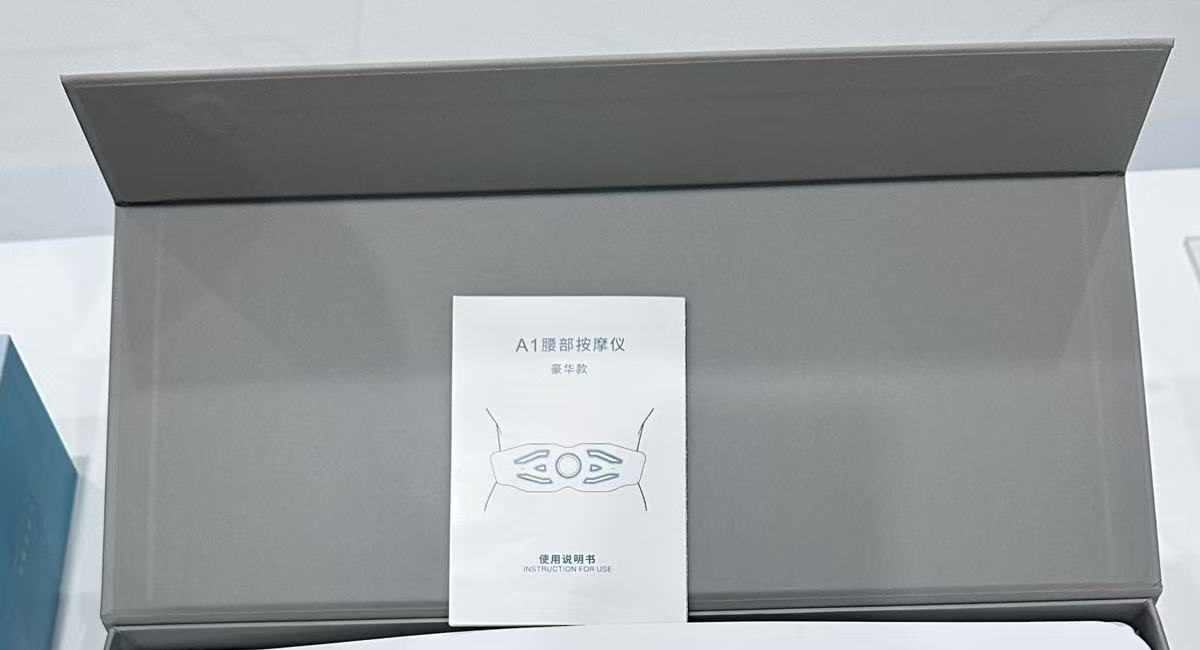
Keep separate records for separate models. Meilan's A1 waist massager page describes on-device and wireless remote operation for its published configuration. The A9 waist massager has its own published specification. Neither the shared category nor a similar belt shape establishes shared accessories or controls. A distributor can use one document layout for both, but each sellable version needs its own completed record.
Turn the specification into listing fields with clear limits
Give the listing team a structured data sheet rather than asking them to extract claims from presentation slides. Include the approved product name, model and SKU; supported functions and control method; measured dimensions and weight; charging information where applicable; confirmed box contents; instructions; and the supplier contact for unresolved fields. Identify which facts describe the device, the retail box or the shipping carton so they do not enter the wrong marketplace field.
Dimensions deserve particular care. The published A1 overall size is 1100 × 136 × 35 mm; that is not a supported waist-circumference range. A fit statement needs a measurement method and evidence for the offered belt's adjustment and fastening overlap. Likewise, a photograph of a port does not establish its electrical rating. Leave a field pending until the matching specification or sample check resolves it, and keep pending fields out of approved listing copy.
| Release item | What the distributor needs | Check before use |
|---|---|---|
| Product data sheet | Model, SKU, version, functions, dimensions and offered configuration | Match the approved sample and current specification. |
| Image index | File names, depicted version, permitted uses and captions where needed | Check the product, colour and included items in each frame. |
| Instructions and retail artwork | Market-language files, revision and approval status | Compare controls, warnings and box contents with the sample. |
| After-sales routing | Required evidence, responsible contact and agreed response process | Run one enquiry through the route. |
| Reorder record | Supplier reference, distributor SKU, belt, accessory and packaging revisions | Build a repeat-order request without guessing. |
Deliver images that the channel can use accurately
Provide a small, indexed image set: a clear product view, the reverse or contact side when useful, the fastening arrangement, control details and an approved pack-out view. Add lifestyle images only when their depicted use and product version are appropriate. Supply original files as well as the exports needed by the channel, and agree permitted uses, crops, territories and any expiry of permission. A file's presence in a shared folder does not by itself settle publication rights.
For each image, record what it shows and which version it represents. If the frame includes a remote, cable or box that is not supplied with every offer, state its scope in the image index and choose an appropriate image for the listing. Remove obsolete exports from the active release folder. Localized text on an image needs the same approval as listing copy; an attractive graphic can still contain a wrong mode count or an unsupported benefit.
Give customer service a route for each type of enquiry
Define the evidence needed to recognize an enquiry before proposing a remedy. For a missing item, request the order reference, model, packing-list revision and a contents photograph. For an operating question, request the unit and controller identification, starting state, action and observed response; a short video may help when appropriate. Distinguish an instruction question from a suspected fault, transit damage or a fulfilment discrepancy. Collect only the information needed for the case.
The routing sheet should name the distributor's first contact, the supplier escalation contact and who authorizes a replacement, return or credit under the agreed terms. State response targets and replacement availability only after both parties agree them. Staff should use the matching instructions for approved checks, avoid improvising a pairing procedure, and escalate unresolved or safety-related reports through the agreed route. This document should support product service without turning staff into treatment advisers.
Make the second order identifiable before the first ships
A reorder should identify more than “the same beige belt.” Record the supplier model and revision, distributor SKU, belt construction or size option, controller version if supplied, accessory quantities, manual languages, artwork revision and pack-out. Keep retail barcodes and carton labels linked to the appropriate order record. These identifiers serve different purposes; a distributor SKU does not automatically prove that the underlying product has stayed unchanged.
Keep the commercial sheet separate but linked: quantities, applicable minimums, lead-time basis, delivery terms and any agreed spare-part arrangement. At each reorder, ask the supplier to confirm the configuration against the retained reference and declare proposed substitutions. A revised belt, controller, box or leaflet may require new listing images, staff guidance or warehouse instructions even when the sales name remains the same. Approve the effect before releasing the repeat order.
Assign responsibility for updates and withdrawals
Give each released file a revision, approval date and owner. The supplier should identify changes to the supplied configuration; the distributor should identify where the approved content is used. Agree the actual responsibilities between the parties rather than assuming that a supplier email will update every marketplace, retailer and service desk. Maintain one active release folder and retain previous releases separately for older stock and service enquiries.
| Change | Review to assign | Release decision |
|---|---|---|
| Belt or fastening | Supplier provides changed dimensions and sample; distributor checks fit statements and images. | Approve the revised data and affected listings. |
| Controller or operation | Supplier provides matching instructions; distributor reviews staff guidance and service documents. | Identify old and new stock before updating guidance. |
| Accessories or packaging | Both parties compare the packing list, artwork and packed sample. | Update contents images and warehouse records together. |
| Language or product claim | Assigned reviewers check the translated wording and its supporting evidence. | Withdraw superseded copy from active channels. |
A simple change notice can list the old and new revision, affected orders or batches, files replaced, approval owner and effective date. Ask each channel owner to acknowledge the update. If older stock remains on sale, retain the documents that describe it and make the distinction visible to service staff. Deleting the old manual can make an otherwise orderly update harder to support.
Release the pack after a listing and reorder rehearsal
Ask someone who did not assemble the pack to perform three tasks: draft the intended product listing, route a simulated missing-accessory enquiry and prepare a repeat-order request. Check whether they can identify the exact configuration, select suitable pictures, locate the right instructions and specify the replacement or reorder without an informal explanation. Any guess exposes a missing link in the pack.
Release when the product data, images, instructions, service route and reorder record agree with the approved sample and retail offer. Hold the affected field or channel when an accessory, fit claim or version remains unresolved. The A1 quotation-document guide provides a useful starting point for aligning the specification, packing list and artwork before these materials become channel content.
In the procurement request, ask for the launch-pack deliverables alongside the product quotation: file formats, languages, image permissions, approval owners, update responsibilities and the reference used for repeat orders. That gives a distributor a practical basis for launching and maintaining the offer after the first shipment.
Buyer questions
Can A1 and A9 share one launch pack?
They can share the folder structure and templates. Keep product data, instructions, images, accessories and reorder records specific to each offered version.
Is a product catalogue enough for a listing team?
No. The team also needs approved fields, usable image files, confirmed box contents and matching instructions, with a clear owner for open questions.
Can the product dimensions become a waist-size claim?
No. Confirm the offered belt's usable adjustment and fastening overlap with a defined measurement method before publishing a fit range.
What should identify a replacement remote?
The device model and revision, matching controller reference and the applicable order or pack record. Similar appearance alone does not establish compatibility.
Who updates retailer content after a product change?
Assign that responsibility in the launch agreement. Name who supplies revised files, who approves them and who confirms each channel has applied the change.
What is the simplest final acceptance check?
Have a colleague create a listing, route an enquiry and prepare a reorder using only the pack. Resolve any configuration or ownership question before release.
Explore the Meilan waist massager range and request a distributor launch pack for your selected model, market and retail configuration.

