

























Eye Massager Voice Localization Files: OEM Guide
Prepare eye massager voice assets with event identifiers, approved scripts, pronunciation guidance, engineering file requirements and installed-sample playback approval.
 Meilan Tech 7 min read
Your English voice script has been approved, and the recording studio sends back a polished audio track. The engineer asks for separate clips. When those arrive, nobody can tell which “mode two” file belongs to the latest script. The next sample plays an old mode name, even though the translator approved the new wording.
For an eye massager voice-localization project, agree on the delivery package before recording: a numbered event list, approved language scripts, pronunciation notes, engineering audio requirements and an approval record for playback on the actual sample. A folder of fluent recordings is only one part of the handoff.
First confirm that the selected eye massager configuration supports the proposed voice changes. Bluetooth music playback does not establish that spoken prompts can be replaced, that several languages can be stored, or that users can switch between them.
1. Give every spoken event a stable identifier
Ask the supplier’s technical contact for the events that can have voice prompts on the proposed configuration. Identify each event independently of its wording: a mode name might change in translation while the underlying event stays the same. Keep that identifier consistent in the script, recording file and engineering handoff.
The following fields form a usable recording brief. Complete them with the engineer and language reviewer before the studio begins. Mark an unsupported or undecided event as open rather than inventing a line for it.
| Field | What belongs in it |
|---|---|
| Event ID and trigger | A stable reference plus the action or state that should trigger the clip. |
| Source meaning | What the user needs to understand; distinguish a function being selected from a connection being established. |
| Approved spoken text | Exact words for each language and regional variant, with the script revision. |
| Pronunciation | Brand and model pronunciation, treatment of abbreviations, and a reference recording if useful. |
| Audio file | Matching file name, revision and delivery specification agreed with engineering. |
| Review and result | Language approver, implementation version, sample reference and playback decision. |
Keep spoken prompts, confirmation tones and music tracks in separate rows where they serve different purposes. This prevents a conversation about “changing the audio” from silently expanding into work the engineer has not assessed.
2. Approve the script’s meaning before its voice
A natural-sounding sentence can still describe the wrong state. “Bluetooth ready” and “Bluetooth connected” tell the user different things. Ask the technical owner to confirm the intended meaning of each event before a language reviewer settles the final wording.
For mode names, choose terminology that agrees with the product’s instructions and any display labels. Do not turn a short internal mode label into a therapeutic promise during translation. If a proposed line describes an outcome that the product information does not support, revise the claim before paying to record it.
Give the studio pronunciation guidance in a form it can use. A brand contact can supply a short spoken reference for an unfamiliar brand name. Write out how numbers or abbreviations should be read. Approving these details early is usually less disruptive than discovering the disagreement in a complete set of finished clips.
3. Get the audio delivery requirements from engineering
Do not select a universal audio format from an online checklist. The required container, encoding, sample rate, bit depth, channel count and file limits depend on the implementation. Ask engineering to specify them, together with any duration limits, silence requirements and naming rules.
A short feasibility exchange can save a recording session. If a translated phrase exceeds the available duration or storage allowance, ask whether the wording can be shortened without losing meaning or whether the implementation needs to change. Do not speed up every recording simply to force it into an assumed limit.
| Product reference: Meilan Y8 eye massager | |
|---|---|
 | Y8 is a concrete starting point for an eye massager project discussion. Ask which quoted version is being assessed and whether its voice content can be changed before commissioning recordings. |
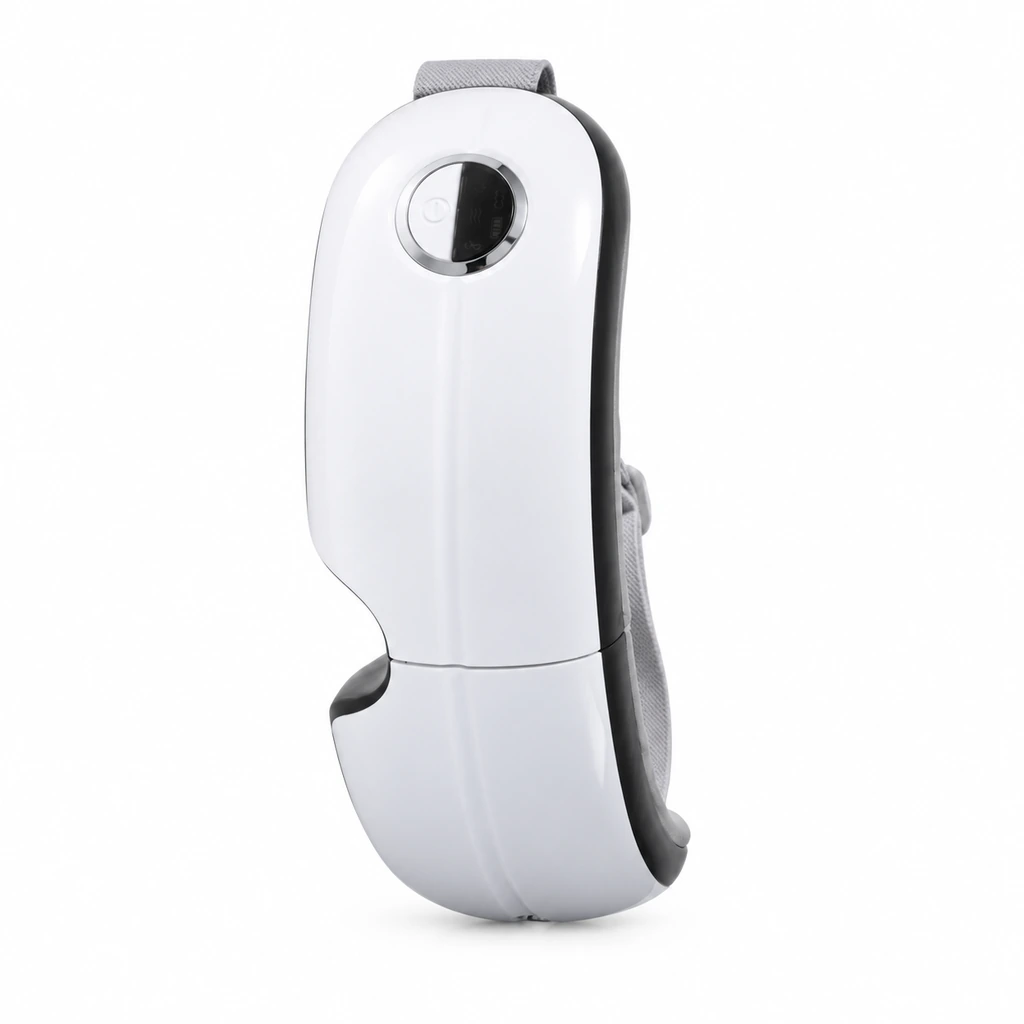
The photograph identifies the device and visible controls. Voice customization, supported languages and file requirements need confirmation for the proposed configuration. For broader pairing and operating checks, see the separate Y8 sample-review brief.
4. Deliver separate clips with a matching file register
Unless engineering requests a different structure, discuss delivering one identified clip for each event, accompanied by a register that maps every file to its approved script. A long recording with several phrases can be useful for review, but someone still needs to identify and prepare the individual implementation assets.
Use explicit language and revision labels. For example, P02_en-US_script-B_audio-02 can identify an event, a language variant and the relevant revisions; the final extension and naming convention should follow the engineer’s requirements. This is an illustrative name, not a Meilan file specification.
Include who supplied the recording and the permission to use it for the intended product work. Resolve voice-talent, agency or synthesized-voice usage conditions with the relevant provider before delivery. A file being available to download does not settle its intended commercial use.
When replacing a clip, identify the event and the reason for the change. Keep the superseded file in a separate archive, and send production one current release package. Avoid leaving two identically named files in different email threads and expecting the engineer to choose the right one.
5. Listen to the installed clips, not only the studio files
The recording reviewer answers whether the words and pronunciation are right. An installed-sample review answers whether the right clip plays at the right moment through the actual speaker. Both decisions matter.
Ask for the implementation reference and a sample identified to that version. Follow the agreed events in order, recording the action, observed device state and audible result. Where music and prompts are supported together, include the agreed interaction check rather than assuming they behave independently.
| Illustrative mismatch | Useful follow-up |
|---|---|
| A correct phrase plays after the wrong action. | Check event-to-file mapping against the register before requesting a new recording. |
| The installed sample uses an earlier mode name. | Compare the installed asset revision with the approved script and delivery package. |
| The end of a phrase cannot be heard clearly. | Compare the source clip, implementation limits and observed playback; record the condition without guessing the cause. |
| A prompt is unclear while music is playing. | Identify the track, setting and event, then ask engineering what behavior or adjustment is feasible. |
These are hypothetical review situations, not reported Y8 faults. They show why an unclear playback result does not automatically mean the translator or studio needs to start again.
6. Release the language package against the sample
Record the approved script revision, audio register, implementation reference and sample decision together. A language reviewer may approve pronunciation while engineering is still resolving event mapping. Keep those decisions visible so that a script approval does not become an unintended production release.
For a later order, ask whether the controls, mode names or implementation have changed. Recheck the affected events and update the matching instructions or sales demonstration. A language package approved for one configuration should not be assumed to cover every eye massager sharing the same model family.
Prepare a voice-localization inquiry before booking the studio
If your team has a draft script but no technical delivery requirements, that is a useful time to open the discussion. Send the proposed languages and event list so the supplier can assess the request before you commission the final recordings.
| Discuss your eye massager voice-file requirements | |
|---|---|
| Send | Selected model, target markets and languages, estimated order quantity, draft event/script list and any existing audio assets. |
| Ask to confirm | Whether the proposed version supports the changes, which events can be customized, and the required recording and implementation inputs. |
| Agree next | Who approves meaning and pronunciation, who supplies the technical file specification, and how the installed sample will be reviewed. |
| Start your inquiry | Discuss My Eye Massager Voice Files → |
A numbered event list gives the language team and engineer something concrete to review together. It turns “we need an English voice” into a defined set of assets, open questions and sample checks.

