


























Scalp Massager Retail Box vs Shipping Carton
A T1-based procurement guide to separating consumer-facing packaging information from warehouse data, with two approval checklists linked to the same SKU and order.
 Meilan Tech 7 min read

A scalp massager retail box and shipping carton need different information, but they must describe the same ordered configuration. The retail box helps a customer identify the product and understand what comes with it; the shipping carton helps a warehouse receive, count and trace the shipment. For distributors, online sellers and gift buyers considering Meilan T1, approve these as two connected records, then check both against a packed sample before production release.
1. Start with the destination, not the artwork
A distributor supplying shops needs a retail pack that staff can explain and a carton the receiving team can identify. An online seller may also have fulfilment-centre label rules. A gift buyer may require recipient-language instructions and delivery references that differ from a normal stock order. Record those requirements before asking for a packaging quote; the same product name does not make the receiving process identical.
| Information question | Retail box | Shipping carton |
|---|---|---|
| Who uses it first? | Shopper, store staff or gift recipient | Receiving, storage and dispatch staff |
| What must it identify? | Exact saleable version and included items | Order, packed SKU and quantity inside |
| What needs checking? | Approved wording, language, images and item barcode | Carton marks, count, dimensions, weights and receiving labels |
| What does approval require? | Printed pack with the matching product and instructions | Filled carton checked against the packing list and warehouse rules |
Do not crowd every logistics field onto the retail box, or expect the warehouse to recognise a version from a lifestyle photograph. Give each surface a clear job. Destination-specific legal text, symbols and transport marks need separate confirmation from the responsible parties; this table is an operating guide, not a universal labelling specification.
2. Connect both records to one defined SKU
“T1” identifies the candidate model, not necessarily a complete order configuration. The current Meilan T1 product page describes a handheld unit with four massage heads, three speed levels and a ten-minute automatic timer. Those published facts do not settle the colour, supplied cable, language pack, insert or carton quantity for a new order.
Create a master record linking the buyer's SKU, supplier model and version, colour, accessory list, manual revision, retail-box artwork revision and shipping-carton packing revision. Put that reference on the purchase order and both approval sheets. If different language or gift configurations will be stocked separately, give the warehouse a way to distinguish them; a shared model name is insufficient.
Keep identifiers distinct. GS1 US explains that a GTIN identifies a trade item, while a SKU is an internal stock code. Decide with the buyer which identifier each packaging level and receiving system needs. Do not copy the retail barcode onto the outer carton merely because it scans: the scan must identify the intended unit or grouping and the correct quantity in the receiving system.
3. Approve the retail box from the customer's viewpoint
Check whether the box describes the actual version inside. Product images should match its colour and visible construction. The included-item list must distinguish supplied accessories from optional items. Ask the responsible market reviewer to approve required language, responsible-party information, warnings and symbols; a logo on an old pack is not evidence of current authorisation or conformity.
For T1, care wording deserves particular attention. The current product description refers to removable, washable heads; this does not establish that the powered body can be washed or immersed. Keep box claims consistent with the matching manual. The guide to reviewing scalp massager claims before retail launch develops that copy-review step.
Use the criteria below to review the retail box for the quoted version. Keep the actual evidence, reviewer, decision and date in the order approval record.
| Retail-box check | Evidence or action |
|---|---|
| Identity and presentation | Match SKU, colour and images to the sample |
| Included items | Compare printed list with the approved pack-out |
| Instructions and claims | Check language, care limits and wording against the manual |
| Market information | Obtain approval of required text, symbols and responsible-party details |
| Barcode and print | Confirm identifier; scan and read the finished printed pack |
4. Approve the shipping carton from the warehouse's viewpoint
Ask the receiving warehouse for its requirements before finalising carton marks. Depending on the order, these may include purchase-order reference, supplier and destination, SKU, quantity, carton numbering, batch reference and label placement. An online fulfilment programme may require its own labels. Confirm the current receiving instructions rather than treating a previous customer's label as a template.
State the unit behind every quantity and weight. Does “quantity” mean devices, retail boxes or sets? Does “net weight” refer to one bare device or the stated contents of a whole carton? Record the agreed definitions. Shipping-carton gross weight should be measured for the filled, sealed configuration, including packaging; device weight cannot substitute for it. Confirm outer dimensions after filling and closure, not from an unfolded drawing alone.
No current carton quantity, dimensions or gross weight are assumed here. Use a separate shipping-carton approval sheet, linked to the same master record as the retail-box sheet.
| Shipping-carton check | Evidence or action |
|---|---|
| Order and SKU identity | Match carton marks to the purchase order and packing list |
| Count and assortment | Confirm units per carton, single or mixed SKU, and any partial carton |
| Dimensions and weights | Measure a filled carton; state units and weight definitions |
| Labels and traceability | Check batch, carton sequence, identifier and receiver-required placement |
| Handling and delivery | Confirm applicable marks, shipping documents and destination instructions |
5. Reconcile a physical pack, not just two PDFs
Review one complete retail pack with the actual T1 configuration, its accessories and instructions. Check that the insert holds the contents without forcing the box closed or allowing parts to move into the contact heads. Open it as a recipient would: can the instructions be found, and can the contents be compared with the list? Then put the agreed number of those finished packs into the proposed shipping carton.
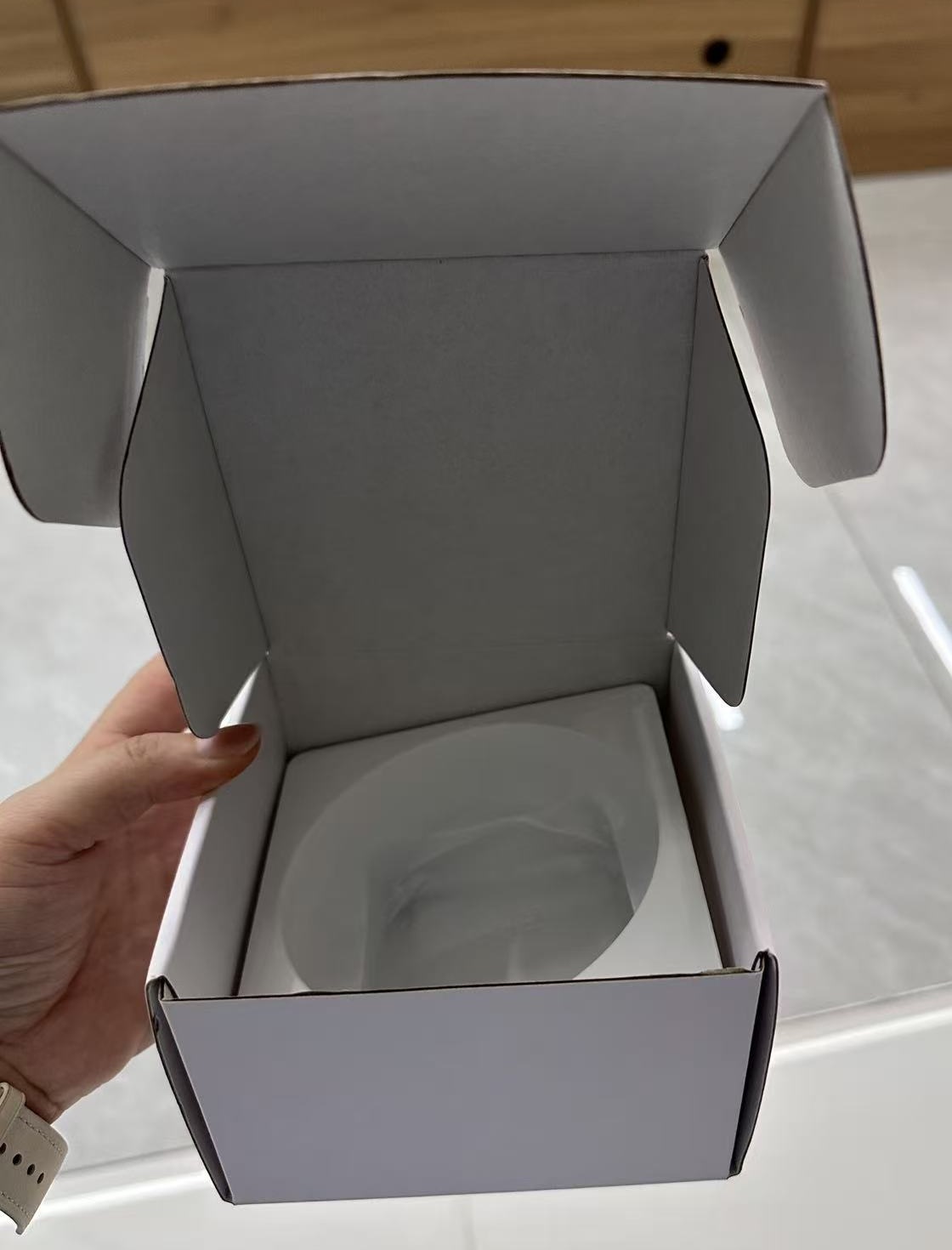
The open-box photo shows an insert and closure structure to inspect. It does not confirm the contents, dimensions or protection of a future order.
Count, measure and weigh that filled carton. Scan the finished retail barcode and carton label using the intended receiving workflow, and compare the returned records with the master SKU and stated pack quantity. A successful scan only proves the code can be read; it does not prove that the database identifies the correct configuration.
Packing fit and information accuracy are separate approvals. A closed carton can still carry an incorrect quantity label; a correct label does not prove transit protection. Agree any required transport testing, method and acceptance criteria separately. The guide to files for custom scalp massager packaging covers artwork and production-file handoff.
6. Treat a packaging change as a linked data change
Consider a proposed gift sleeve or a thicker insert. It may leave the device unchanged while altering the finished retail-pack size, carton arrangement, quantity or gross weight. This is a planning example, not a recorded T1 order. Recheck the affected retail and logistics fields before reusing the previous carton label or freight calculation.
Assign separate revision references to retail artwork and carton packing, while keeping both linked to the approved SKU configuration. Record what changed, who approved it and which order first uses it. Set a cutover instruction for remaining old packaging so the warehouse can distinguish revisions. A new artwork file should not silently replace a previously approved pack-out.
7. Release the order only when both approvals agree
Close the review by comparing the purchase order, master record, retail-box approval, carton approval and packed sample. Assign responsibility for consumer wording and warehouse data. Treat price, MOQ, units per carton, dimensions, weights and lead time as unconfirmed until the supplier provides version-matched terms. Request design or tooling charges separately from recurring packaging costs.
For a T1 enquiry, send the destination market, channel, proposed quantity, recipient or retail language, and warehouse receiving instructions through the Meilan wholesale contact page. Request a matching sample, itemised pack-out, current quotation, retail-box proof and shipping-carton specification. Approve the two information sets together only when each can be traced to the same order and configuration.
Frequently asked questions
Can the retail-box artwork serve as the shipping-carton specification?
No. It does not establish carton quantity, filled outer dimensions, shipment weight or the receiver's label requirements. Approve a separate carton record linked to the same SKU.
Should the retail box and outer carton use the same barcode?
Do not assume so. Confirm the item or grouping each code identifies and the quantity the receiving system assigns to it. Internal SKU references and GTINs have different roles.
Can T1 device dimensions be used to calculate shipping volume?
Not directly. Use the final filled carton's outer dimensions and actual packing arrangement. Device dimensions do not include the retail box, insert, accessories or outer packaging.
Does an insert or language change require another review?
Yes, review the affected fields. An insert may change pack size or carton count; a language change affects consumer information and may require separate warehouse identification. Record the revision and cutover order.
What if the supplier has no final carton data yet?
Treat those measurements as unconfirmed and request a filled-carton sample or packing trial. Do not release final carton labels or present estimated freight as confirmed shipping data.

