

























Bluetooth Eye Massager Configuration: OEM Guide
Connect approved Bluetooth eye massager samples to hardware, firmware, instructions and order records, then review changes and repeat-order cutovers.
 Meilan Tech 7 min read
Your team approved a Bluetooth eye massager, photographed the sample and prepared a pairing guide. A later delivery looks the same, but the phone shows a different device name. Customer support still uses the original instructions, and purchasing cannot tell whether the difference was agreed or introduced after approval.
The missing piece is often a configuration record: one reference connecting the approved sample to the relevant hardware, firmware, Bluetooth behavior, instructions and order. For an OEM project, establish that connection before production release, then use it to review proposed changes and repeat orders.
This article focuses on keeping an approved configuration identifiable over time. For selecting a Bluetooth model and running the initial pairing demonstration, use the separate Bluetooth eye massager sourcing guide.
1. Create one configuration reference your order can name
A model number identifies a product family, but it may not distinguish every version proposed within that family. Ask the supplier how it identifies the combination being quoted. Use an agreed reference that purchasing can put on the order and engineering can connect to the actual build.
The buyer does not necessarily need proprietary firmware files or complete circuit drawings. It needs a traceable reference and a clear account of what is included. Where an internal revision cannot be disclosed, ask what supplier-controlled identifier can link the order, retained sample and release record.
| Configuration field | Record or request |
|---|---|
| Order and sample | Buyer SKU, supplier model, configuration reference and approved sample identifier. |
| Hardware | Relevant assembly revision or supplier reference, with changes affecting the agreed functions identified. |
| Firmware and audio | Implementation reference and applicable voice/audio package reference, where relevant. |
| Bluetooth behavior | Agreed function scope, discoverable name, supported user actions and reference test record. |
| Customer materials | Pairing instructions, manual and support-guide revisions applicable to this configuration. |
| Release and supply | Approval owner, release date and the order or lot records that use the configuration. |
Keep the register small enough to maintain. The purpose is to answer “which approved combination is this order using?” without reopening months of messages. A field marked unresolved is more useful than an invented revision number.
2. Describe the Bluetooth behavior that must stay consistent
Agree which user-visible behaviors matter to your channel: the name shown on a phone, the steps for first connection, how a previous connection is released, and what happens after restart. Include audio interaction only where it is part of the selected configuration. Bluetooth music playback does not establish app control.
Refer to a dated demonstration or test record instead of rewriting the whole test in the configuration register. Name the sample, phone and operating-system versions used. That record describes what was checked under those conditions; it is not evidence of compatibility with every phone.
Distinguish a behavior that must remain unchanged from one you are willing to review. A different discoverable name may be acceptable after a documented update to instructions. A change that makes the promised user action unavailable needs a different decision. Tell the supplier which requirements are essential before it proposes a revision.
3. Connect the reference to a real product and its documents
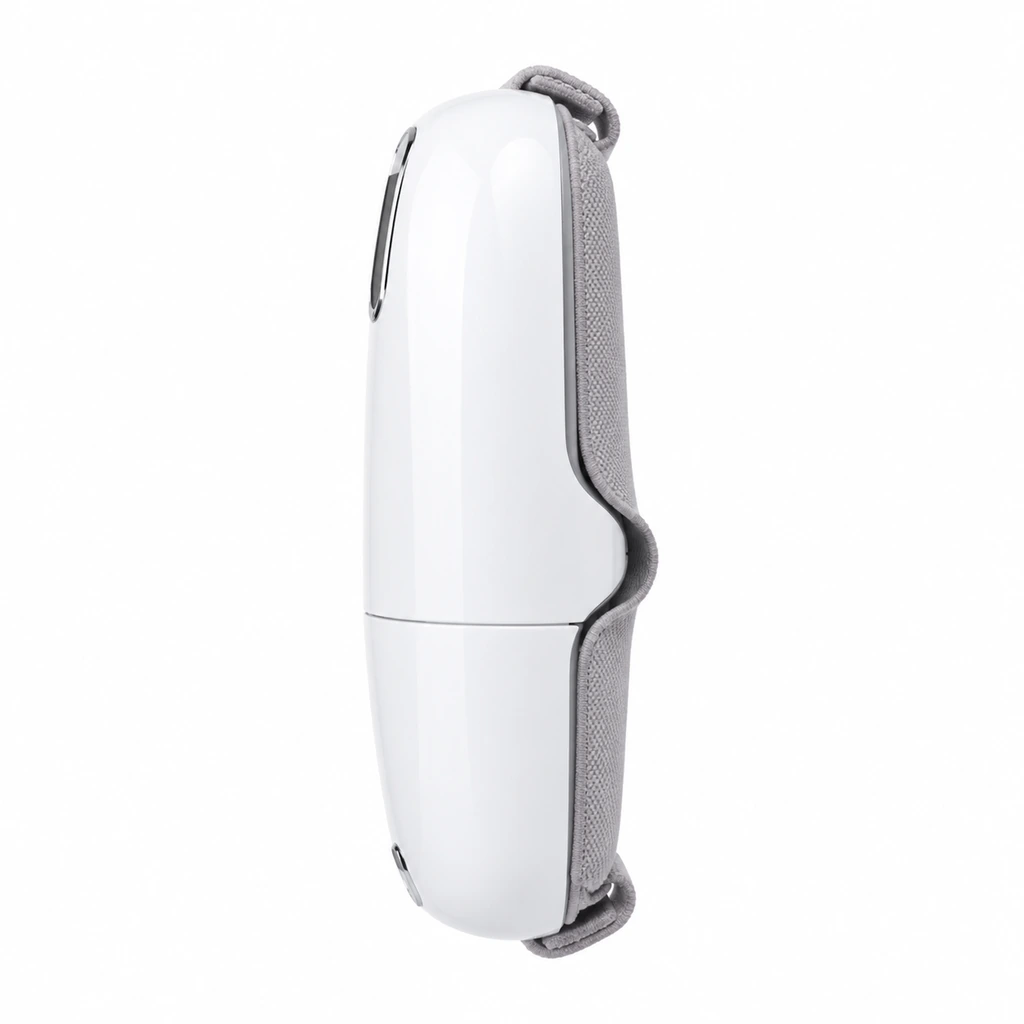
A retail image can help identify an appearance, but it cannot reveal an installed firmware revision. Keep the photograph alongside the supplier’s configuration declaration and the physical sample reference rather than using it as the sole production standard.
| Product reference: Meilan Y9 eye massager | |
|---|---|
 | Use Y9 as a specific reference when discussing a proposed eye massager configuration. Ask the supplier to identify the quoted version, applicable functions, software reference and matching instructions. |
The pictured panel identifies a visible product feature. Its symbols do not establish what Bluetooth information, if any, is displayed. Settle the actual behavior through the matching documents and sample demonstration before describing it in buyer or retail materials.
For market documentation, ask the responsible technical reviewer whether the quoted hardware and software combination is within the scope of the available records. A common enclosure or model-family name cannot, by itself, settle that question. Record which documents were reviewed and which questions remain open.
4. Ask what changed before deciding what to recheck
“Updated version” is not enough information for a purchasing decision. Request the previous and proposed references, the reason for the change, affected behavior, document updates and the orders intended to receive it. Ask the technical owner to identify any further review needed.
Then agree a review proportionate to the change. An edited pairing instruction needs a check against the sample. A change to hardware or firmware may call for additional testing and document review. The buyer should not infer that a cosmetic-looking change has no technical effect, or that every change requires the same test program.
| Proposed change | Question before approval | Record to update if approved |
|---|---|---|
| Discoverable device name | Does the changed name appear as proposed, and can users follow the revised guide? | Configuration register, pairing illustration and relevant support instructions. |
| Firmware or control behavior | Which functions change, which checks must repeat, and do existing instructions remain accurate? | Implementation reference, affected test results and customer materials. |
| Hardware assembly | What is different, and what functional or documentation review does engineering require? | Hardware reference, review decision and applicable supporting records. |
| Voice asset package | Which events or wording change, and has installed playback been reviewed? | Audio-package reference, affected instructions and sample approval. |
For a voice-package change, request the event and file register from the project team. Connect its approved revision to the configuration record so that the person releasing the order can identify which audio package belongs in the build.
5. Use a changed device name to test your approval process
Consider a hypothetical order: the approved sample uses one discoverable name, while the next proposed build uses a branded name. The supplier says the physical product is unchanged. The buyer should still ask which implementation reference carries the new name and whether anything else changed with it.
Compare the new reference with the approved record, verify the affected behavior on the identified sample, and update the pairing guide if the change is accepted. Record the first order or lot intended to receive the new configuration. If the name change is not accepted, specify which previous reference remains required.
This is an illustrative process example, not a reported Y9 issue or a claim that its Bluetooth name can be customized. It shows why a small visible change still needs a traceable decision: the customer-support team must know which instructions apply to the unit a customer received.
6. Identify the cutover before placing a repeat order
A revision creates a practical stock question: which configuration is already in your warehouse, and which one will arrive next? Ask how the supplier will identify the relevant orders or lots. Agree whether old and new versions may be supplied together and, if so, how the buyer will distinguish them.
The answer may involve agreed lot markings, order records or another traceable method. Do not assume that the retail model name, barcode or serial number automatically reveals the implementation version. Confirm the mapping and decide whether a channel needs a separate identifier.
Before a repeat order, compare the requested configuration reference with the supplier’s current proposal. Confirm any changes to the manual or support guide and retain the prior versions for units already sold. That gives customer support a way to select the appropriate instructions without guessing from a product photograph.
Request a configuration review for your next eye massager order
You can start with incomplete information. Send the sample and order references you already have, plus the behavior your channel needs to preserve. Ask the supplier to identify what can be linked now and what must be resolved before release.
| Discuss your Bluetooth eye massager configuration | |
|---|---|
| Send | Model, sample or previous-order reference, target market, estimated quantity, required Bluetooth behavior and current pairing instructions. |
| Ask to confirm | The proposed configuration reference, hardware/software identification method, changes from the approved sample and affected document revisions. |
| Decide next | Which changes need review, which sample establishes the next approval and how the new version will be identified in supply records. |
| Start your inquiry | Review My Eye Massager Order Configuration → |
A useful configuration record connects what your team approved with what the supplier proposes to build. Keeping that connection current makes the next order a defined purchasing decision rather than a request for something that merely looks like the last sample.

