

























Eye Massager OEM Color Approval: Sample Guide
A buyer-focused guide to approving eye massager shell, trim, strap, branding and packaging colors with physical samples and versioned records.
 Meilan Tech 4 min read
A color name in an eye massager brief is a starting point, not a production approval. “Warm white” can describe the shell, but it does not settle how the shell looks beside a fabric strap, dark trim, printed logo, or retail box. Before an OEM order moves forward, the buyer and supplier should identify exactly which surfaces are changing, compare physical samples under agreed viewing conditions, and record the version that was approved.
Define the color boundary before requesting a sample
Start with the surfaces a customer will actually see: outer shell, edge trim, strap, controls, logo, and packaging. List each surface separately in the brief, including the material and finish where known. A single color reference may not produce a visually identical result across plastic, textile, and print. Ask which parts can be changed on the selected model and whether a proposed change affects tooling, material sourcing, or an existing product document. Do not treat a color illustration as confirmation that every part is available in that shade.
Meilan's OEM/ODM page is the appropriate starting point for discussing model-specific change scope. The written project response—not the general service description—should identify the surfaces, sample route, and approval owner.

The current Y8 photograph illustrates why shell, trim, and controls should be named separately. It is not a preview of an approved custom color.
Approve the object, not just a screen image
A render is useful for positioning and discussion, but screen calibration and lighting can shift apparent color. For the final visual decision, compare the supplier's physical sample with the buyer's reference under a consistent light source. Check it both by itself and beside the proposed strap and packaging. View the sample from the front and at the seams: a good front-panel match can still leave the side pieces noticeably different.
Record whether the decision is “approved,” “approved subject to a named correction,” or “revise and resubmit.” An open-ended comment such as “make it a little warmer” is hard to reproduce. Instead, point to the exact part, sample ID, reference, and observed difference. If a measurable color tolerance is required, agree on the method and acceptance range with the supplier rather than assuming a universal number fits every material.
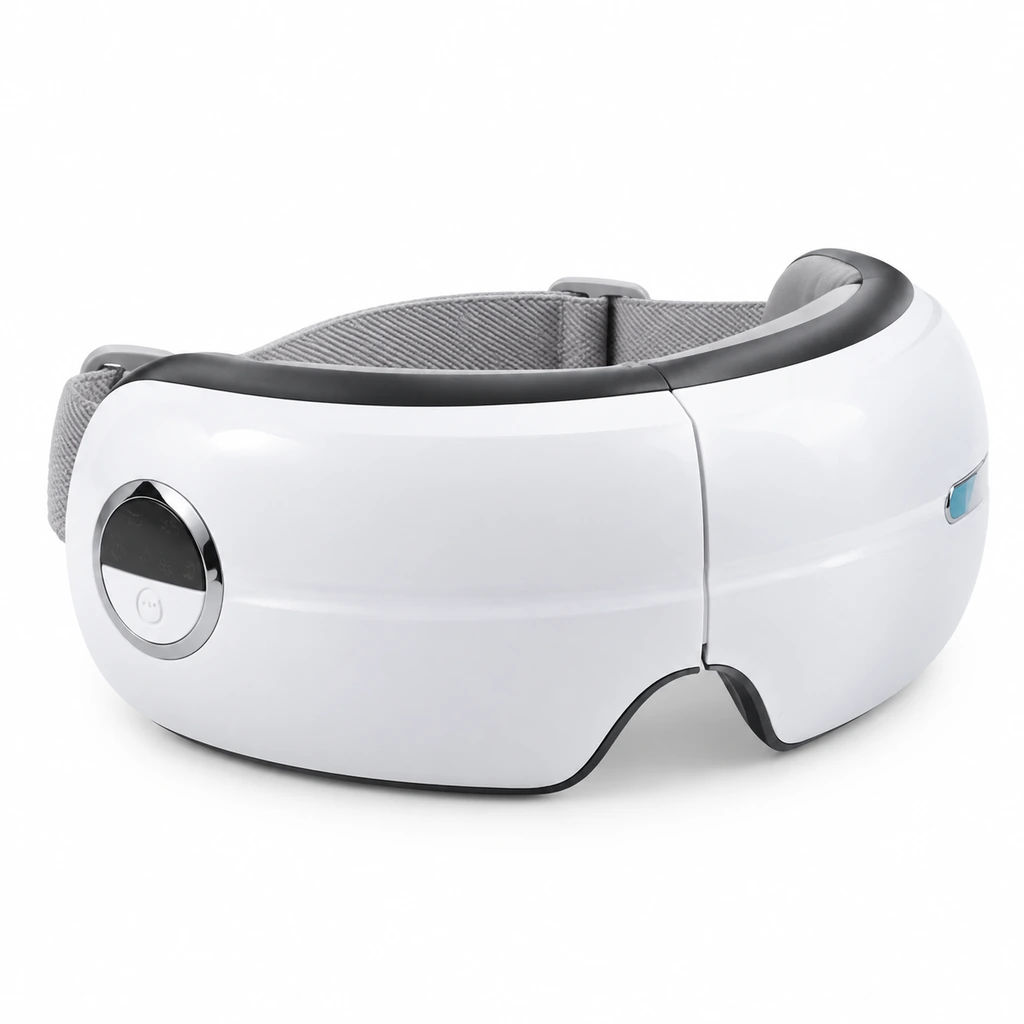
An angled view helps reviewers compare the shell-to-trim transition and the strap in one frame; the physical sample remains the approval reference.
Keep branding and packaging in the same review
The device can look right on its own while the printed box, instruction insert, or logo appears to belong to another version. Review these together, but keep their approvals distinct: device finish, logo artwork, and packaging print may involve different source files and proofing methods. If logo size or placement is still undecided, use the separate guide to eye massager logo-placement and surface constraints before signing off color around it.
For each item, save a versioned approval record with the model, part/material, reference or sample ID, dated photos, reviewer, decision, and remaining corrections. State whether approval covers a pilot sample only or the production specification. This prevents a buyer's latest artwork file from being mistaken for the latest approved device color.
Turn the approved sample into an order control
Before bulk production, ask how the approved appearance will be referenced during production and incoming checks. A retained physical sample can be useful, provided its identity and storage are controlled. Written purchase documents should also name the approved device and packaging versions and describe what happens if a material or supplier substitution changes the appearance. A new color or finish should not be treated as automatically approved because the model number is unchanged.
For example, the Y8 eye massager product page can identify a candidate model for discussion. Its published photograph is not, by itself, evidence that a proposed OEM color, strap material, or logo treatment has been approved.
Product reference · Y8 eye massager Use the current product images to mark which visible surfaces need a color decision. Confirm available modifications and the sample route for the exact project before quoting or approving a custom version. View the Y8 product page.
A concise color-approval handoff
Send the supplier one review package: candidate model; marked-up surface list; color and finish references; strap and trim requirements; logo and packaging artwork versions; target market; and the person authorized to approve samples. Ask for a response that separates feasible changes from items needing further review, then request a version-identified physical sample where the project warrants one.
Planning a specific eye massager colorway? Send Meilan the candidate model, marked-up surfaces, artwork versions, and reference colors. Ask which parts can be sampled and how device and packaging approvals will be recorded. Discuss the project with Meilan.

