


Bluetooth Eye Massager Sourcing
For Meilan Y-series sourcing, a Bluetooth label indicates a wireless feature. Test the exact sample from first pairing through reconnection, record every voice or sound cue, and match the behavior to a version-specific manual and specification. Do not assume all Y-series models operate alike.
Start with the function you are actually buying
Separate three questions before comparing samples: Can a phone send audio to the eye massager? Can the user change massage modes on the device? Is any control available through a phone app? “Bluetooth music” on a product page supports the first question only.
Shenzhen Meilan Technology Co., Ltd. currently describes Y103 as having a built-in Bluetooth speaker for music and voice prompts. The Y8 page lists Bluetooth music and voice broadcast, while Y9 lists Bluetooth music, voice broadcast and an LCD working-status display. Those public descriptions are useful for shortlisting.
Run a repeatable pairing demonstration
| Step | What the demonstrator does | What the buyer records |
|---|---|---|
| 1 Identify | Show the model and version label, firmware or revision identifier if provided, package contents and the supplied manual. | Sample ID, version, manual revision and phone model/OS. |
| 2 Start fresh | Remove any prior pairing on the test phone. Power on the sample using the supplied instructions and show how pairing mode begins. | Button sequence, indicator state, audible cue and elapsed time to discovery. |
| 3 Pair and play | Find the device in phone Bluetooth settings, connect it, and play a short licensed or test audio clip. | Displayed device name, connection result, speaker output, volume control and any interruptions. |
| 4 Use onboard controls | While audio plays, change massage mode, heat and other available settings using the physical controls. | Which controls work without the phone; whether audio or voice prompts change with the mode. |
| 5 Interrupt and reconnect | Turn the device off and on, move the phone briefly out of range, then reconnect according to the manual. Repeat with a second phone. | Reconnection steps, time, prompts, failed attempts and whether the first phone must be disconnected. |
| 6 Confirm fit and finish | Wear the unit, adjust the strap, inspect the contact surface and repeat the most common control actions. | Button access while worn, fit notes, contact materials, cleaning guidance and photo/video references. |
Use the same phone, OS version, audio clip and test order for the first pass on each sample. Then repeat on a second phone to expose version-specific or handset-specific differences. Record observations rather than replacing them with assumptions about how Bluetooth usually works.
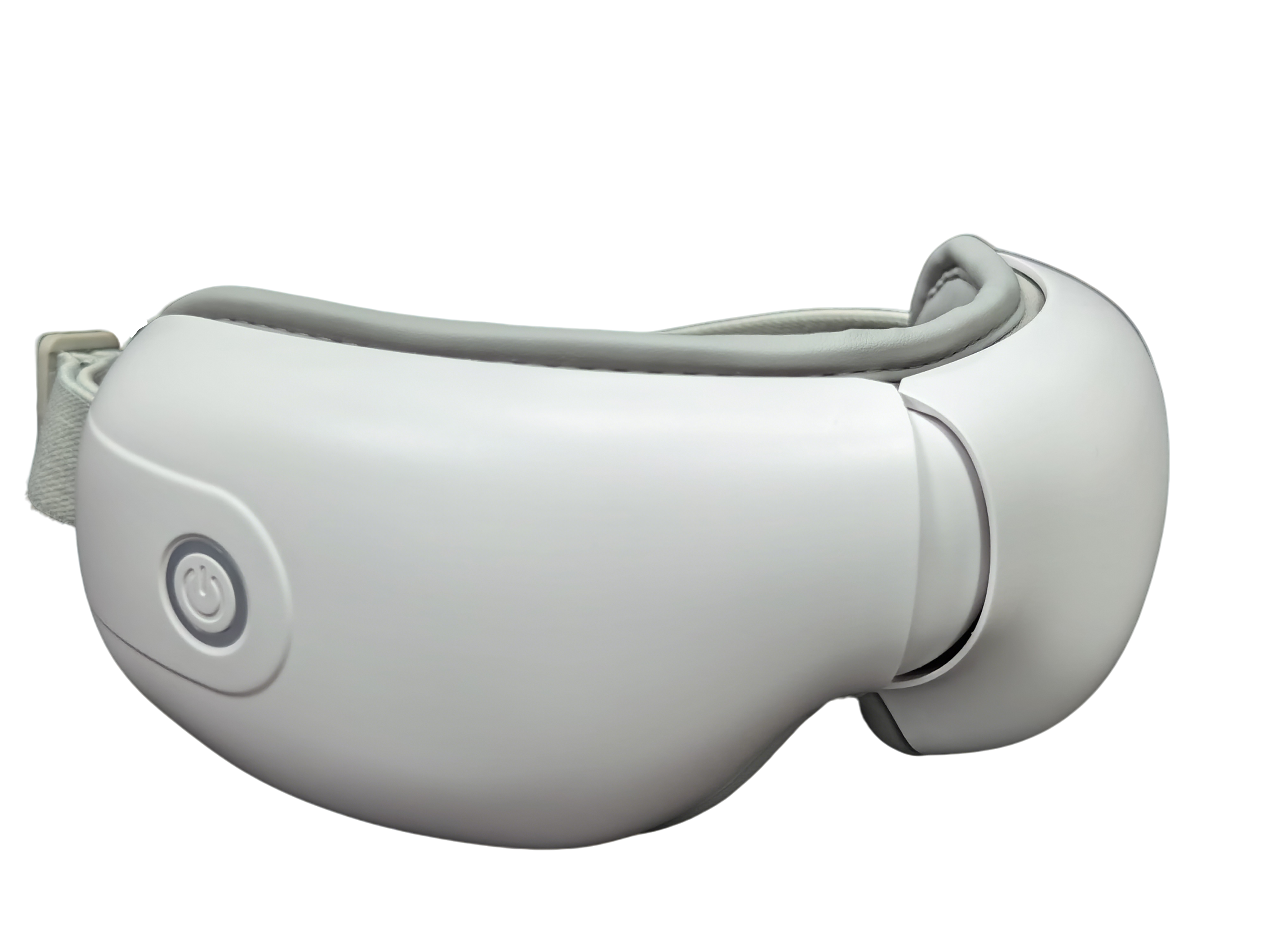
Check controls and sound cues separately
A buyer should obtain a control map for the exact version: each button, press or hold action, available mode, indicator and expected response. Ask the demonstrator to show whether Bluetooth audio continues when massage modes change, whether it can be muted independently, and how the device behaves when no phone is connected. These are test questions, not model-wide promises.
Record every startup, pairing, connected, mode-change, low-battery and shutdown sound that the sample actually makes. Note the language, volume, whether the cue can be switched off, and whether the instruction manual describes the same cue. For a gift program, let a first-time user attempt the basic sequence without coaching; unclear prompts or controls will surface quickly.
Match the sample to the version documents
Request a version-specific specification sheet, operating manual, pairing demonstration video, button map, packaging contents list, strap and contact-surface photographs, and cleaning instructions. For the target market, request applicable wireless and product compliance documents and confirm that their model or version identifiers cover the quoted SKU. A generic Bluetooth logo or family brochure does not establish that match.
Keep one approval record linking sample ID → phone and OS used for the test → pairing video → specification revision → manual revision → packaging revision → quotation. If the Bluetooth module, voice prompts, button behavior, materials or accessories change, repeat the affected tests and update the record before approving the purchase order.
Buyer checklist for a Bluetooth eye massager
| Check | Pass evidence |
|---|---|
| Product identity | The sample label, quotation and specification identify the same model and version. |
| First pairing | A video shows the exact power-on/pairing action, discoverable name and successful audio playback. |
| Reconnection | Off/on and interrupted-connection tests have recorded results on two phones. |
| Controls | A button map matches observed mode, heat, audio and indicator behavior. |
| Prompts | Every observed cue has its language, volume, timing and mute option recorded. |
| Fit and contact | Strap and contact-surface photos, tester notes and cleaning instructions match the sample. |
| Order file | Manual, specification, packaging list, applicable compliance files and quotation point to the approved version. |
Use the Y-series pages as a shortlist, then verify the unit
The Y103 product page identifies a built-in Bluetooth speaker and voice prompts. Ask for its current manual and a complete pairing demonstration for the quoted version.
The Y8 product page lists Bluetooth music and voice broadcast alongside four massage modes. Verify how the physical controls and audio behave together on the ordered configuration.
The Y9 product page adds an LCD working-status display to its public feature list. Test what the display shows during connection and mode changes rather than assuming it reports Bluetooth status.
Browse Meilan’s eye massager collection to shortlist the models relevant to your personal-care or gift channel. Keep the model-level claims tied to the exact sample and files.
Frequently asked questions
Does Bluetooth music mean the massage modes are app controlled?
No. Bluetooth music describes an audio feature; it does not prove app-based massage control. Ask for an app demonstration and matching manual only if app control is part of the quoted configuration.
Can one Y-series pairing guide be used for every model?
Do not assume so. Record the pairing action, discoverable name and prompts for each quoted model and version, then compare them with its own manual.
What should be filmed in the first pairing test?
Film the model label, power-on action, phone Bluetooth list, selected device name, connection result, audio playback and any voice or indicator response in one continuous sequence.
Why test reconnection on two phones?
The second phone helps reveal whether the unit reconnects automatically to the first phone and whether a user must disconnect or reset it before someone else can pair. Record the observed result for each phone.
What if the voice prompts differ from the manual?
Treat the difference as a version mismatch to resolve before approval. Ask for a revised manual or an approved sample that matches the quoted configuration.
Do strap and contact-surface photos matter in a Bluetooth sourcing guide?
Yes. Buyers are approving a worn product, not just a wireless feature. Photos and tester notes help confirm fit, button access while worn, materials and cleaning guidance.
Which documents should a private-label buyer keep?
Keep the approved specification, pairing and control demonstration, operating manual, voice-prompt list, contact-surface photos, packaging contents and target-market documents tied to the same version.
Next step for buyers
Send Meilan your target market, preferred model, expected quantity and the Bluetooth behaviors you want demonstrated. Request a version-specific sample and quote.

