


























Portable Waist Massager Power Supply
A wholesale buyer checklist for A1 waist massager charging input, battery runtime, session timer, cable, remote and retail pack decisions.
 Meilan Tech 6 min read

A portable waist massager is easier to source when the power specification, charging routine and packed accessories describe the same quoted model. Meilan A1 offers a useful example: its listed configuration has an internal 3.7V, 2500mAh battery, a DC 5V/1A charging input and both belt and remote controls. Buyers should separate battery runtime from the 15-minute session timer, then confirm the cable, remote and instructions in the actual retail pack.
1. Define what “portable” means for your channel
For a distributor, portable may mean cordless operation during a demonstration, a belt that can be packed for travel, or a product that can be charged between uses. Specify the sales setting first: a retail shelf, a gift program, an online listing or a staff-led demonstration. Then decide which questions the product page must answer: how it charges, how long it operates under a stated setting, how it signals charging status and which items the customer receives.
The A1 waist massager is a pulse, heat and vibration belt with an internal battery in its listed configuration. The A9 waist massager is a separate EMS model. Its product page does not give the same battery, input or runtime details, so a buyer should request A9's own power sheet before comparing portability.
2. Read the electrical specification as separate answers
A1 lists a 3.7V, 2500mAh internal lithium battery, DC 5V/1A charging input and 3W rated power. Battery capacity describes the cell specification; input describes what the product expects while charging; rated power describes a different electrical quantity. None of these numbers identifies the connector shape, supplied cable or wall adapter on its own.
For the selected sales version, ask the supplier to identify the charging socket, cable ends, approved input and any adapter requirement in one diagram or instruction page. Compare that information with the port and cable on the sample. If the retail market uses a particular plug or requires a separate adapter, define it in the quotation instead of leaving the consumer to infer it from “5V/1A.”
3. Test the charging routine a customer will follow
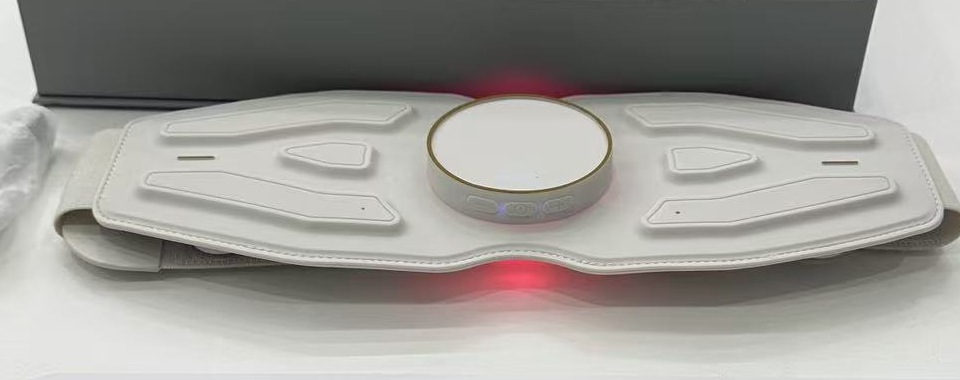
A1 charging guidance describes a red indicator that lights during charging and turns off when charging is complete. Plan around approximately 5–6 hours for a charge, with about 5.5 hours as the listed reference figure. A useful retail instruction should also state the starting battery condition and input equipment behind that estimate.
Use the cable and input equipment proposed for the order. Record the starting state, connection sequence, indicator behavior, time to the stated completion signal and any message shown when power is low. Ask whether the belt can operate while connected to power and how the instructions treat that situation; do not promise use during charging without a model-specific answer. The instruction card should explain the same indicator behavior seen on the approved sample.
4. Keep working time and session timer apart
A1 lists approximately 120 minutes of working time and a 15-minute automatic shutoff for a session. The first figure concerns battery operation across use; the second limits a single run. The working-time figure should be paired with its operating conditions in wholesale copy, rather than presented as a guaranteed duration under every setting.
For a portable waist massager runtime check, record battery charge at the start, pulse mode and intensity, whether heat or vibration is active, the number of sessions, and the point at which the device stops or requests charging. A customer-service team can then explain the difference between an automatic session end and an empty battery without treating either as a fault.
5. Define the cable, remote and battery boundary
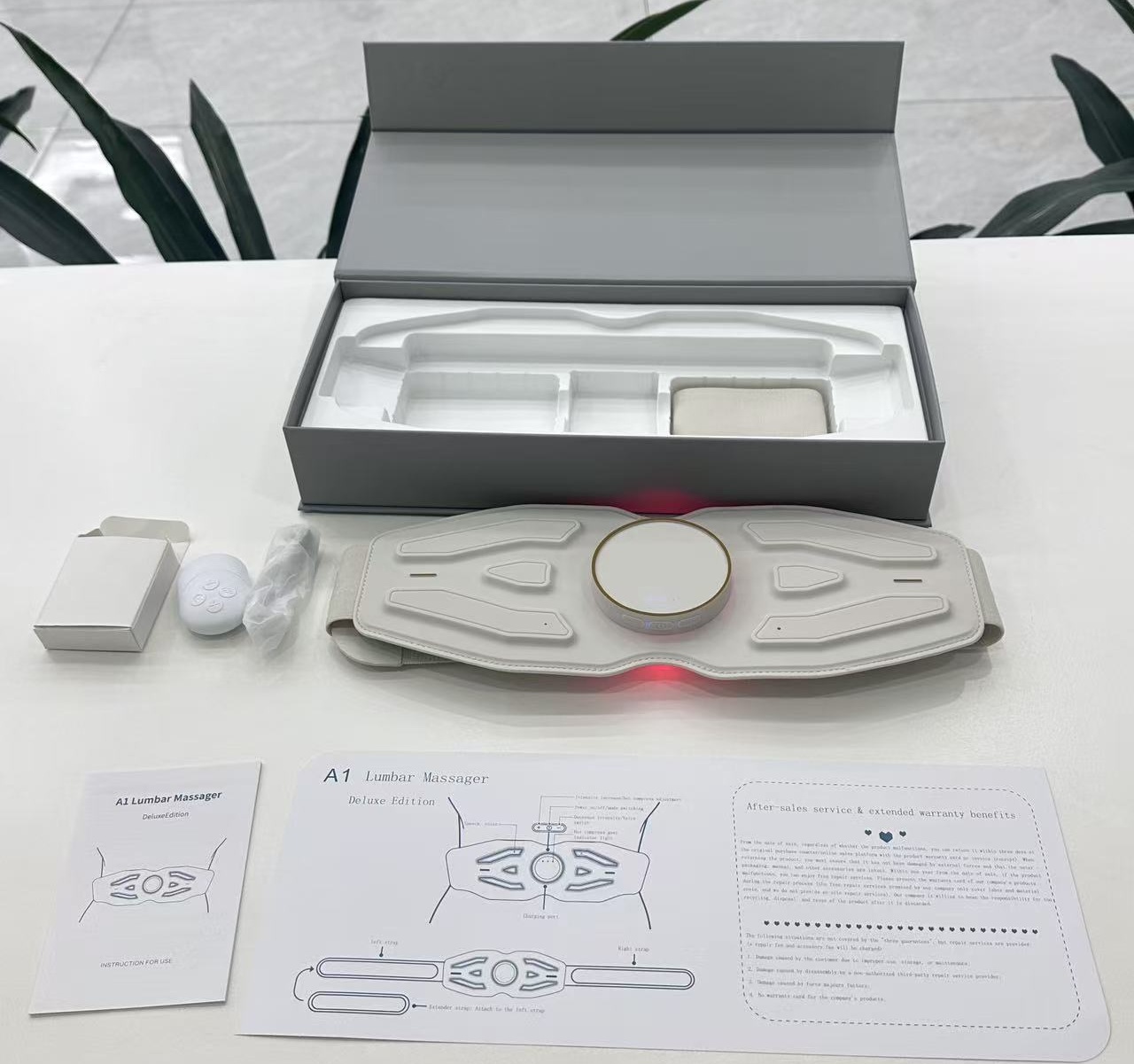
A1 lists both on-device and wireless remote operation; its remote uses a CR2032 battery. The quotation should identify whether this particular order includes the remote, whether its battery is installed or supplied separately, and whether a charging cable or wall adapter is included. These are different line items. A product photograph can show a possible presentation, but the itemized packing list controls what the buyer is purchasing.
Open one packed sample and arrange the belt, cable, remote, battery, instructions and any adapter as separate items. Photograph each item beside its label in the quotation. Check that the cable length, connector ends and storage position suit the retail box. If a market needs a localized instruction card or a different charging accessory, price that change explicitly and check whether the insert still holds the final set.
6. Align the instructions with the retail offer
Power information appears in several places: the product listing, box, manual, support script and supplier quotation. Use the same model and version in all five. The customer instructions should state the charging input, charging indicator meaning, approved cable or adapter guidance, session shutoff and remote battery replacement procedure. If the supplier offers more than one remote or accessory configuration, give each retail variant its own contents list and artwork approval.
When comparing candidates, leave an unknown field open. A1's published figures should not fill an A9 comparison cell, and a port visible in a photograph does not establish its standard. This keeps product training specific: staff can demonstrate the actual sample and answer which component is rechargeable and which uses a replaceable remote battery.
7. Send a power and accessory checklist with the RFQ
| Purchasing question | Check on the selected sample | Request in the quote or instructions |
|---|---|---|
| Power source and input | Locate the belt socket and read the sample label. | Battery specification, rated input, connector and approved supply guidance. |
| Charging experience | Use the proposed cable; observe the indicator from connection to completion. | Charging steps, starting condition and expected charging time. |
| Working time | Record mode, intensity, heat, vibration and number of sessions. | The runtime figure with its test conditions and the separate session timer. |
| Accessories | Lay out and photograph belt, cable, remote, battery, adapter and printed items. | Itemized pack list, optional items and replacement supply terms. |
| Channel readiness | Compare the packed sample with the box copy and instruction language. | Market-specific artwork, MOQ, lead time and after-sales process. |
Use the completed sheet to compare models by the power and accessory experience your channel can actually explain. Browse the Meilan waist massager range, then send your target market, order volume, required operating time, preferred charging accessory and package format through the Meilan inquiry page to request a version-matched sample and quotation.
Buyer FAQs
Does a 2500mAh battery guarantee 120 minutes under every setting?
No. The listed working time needs an operating condition. Pulse intensity, heat and vibration settings should be recorded when comparing samples.
Is the 15-minute shutoff the same as battery runtime?
No. It ends one operating session; the battery may support additional sessions before recharging.
Does DC 5V/1A mean a wall adapter is included?
No. It states the charging input. The cable and adapter contents must be specified in the quote and packed sample.
Is the remote recharged with the belt?
The A1 remote is listed with a CR2032 battery. Confirm the supplied remote and battery arrangement for the quoted version.
Can A1's charging time be used in an A9 listing?
No. Request A9's own battery, charging and runtime specification and check its sample before publishing those values.

