

Logo Artwork for Private Label Neck Massagers: File Preparation
A logo may be the smallest element on a private-label neck massager, but a poor artwork handoff can delay both the product sample and the retail box. Brand buyers should prepare more than a picture of the mark: the supplier needs a clear source file, a proposed placement, packaging artwork, and a record of what has been approved.
Meilan’s private-label page describes product branding and customized packaging as project options. The available placement, production method, and required file format still need to be confirmed for the selected model.
Start With a Usable Logo Master
Send an editable master file rather than relying only on a screenshot or a low-resolution JPEG. Ask the project team which vector formats and color specifications it accepts. Include the approved full-color, single-color, and reversed versions if your brand uses them.
Record the intended colors and minimum clear space in one place. A digital color value alone may not predict the appearance of a mark printed on a curved housing or a textured box. If a particular finish matters, approve it on a physical sample.
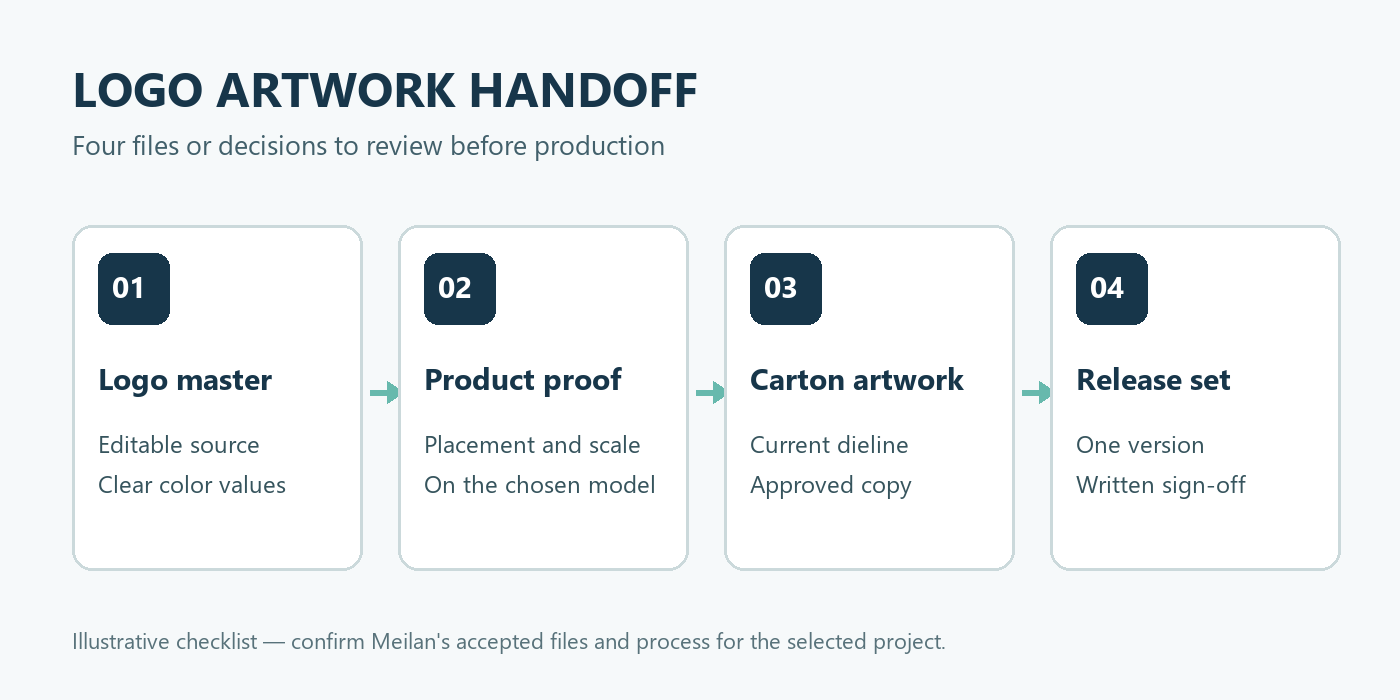
An illustrative handoff checklist. Confirm the actual file formats and approval process with Meilan for your project.
Specify Where the Mark Goes
A product image is useful for discussing location, but it is not an approved print-area drawing. On the Meilan F101 neck massager, for example, a proposed logo should be reviewed against the selected housing, controls, visible surfaces, and folding movement. Do not assume that every visible area can be decorated.

F101 is a product reference, not a confirmed map of available logo positions or printing methods.
Request a placement proof showing the mark at its intended size and orientation on the exact product version. Confirm the production method, color, durability expectations, and any effect on labels or controls before authorizing a sample.
Treat the Box and Manual as Separate Artwork
The product logo, retail carton, and instruction manual may use the same visual identity, but they are different deliverables. Ask for the current packaging dieline before building a box design. Keep important text away from folds, seals, and areas hidden by inserts.
Give each file an identifiable version number. The artwork set should make clear which product image, accessory list, specifications, warnings, and market-facing claims have been approved for the proposed US kit. Do not transfer copy from an older package without checking the current configuration.
Approve a Physical Proof and One Release Set
Review a digital proof for spelling, color references, placement, and dieline alignment. Then inspect the decorated product and printed packaging sample under ordinary viewing conditions. Check legibility, contrast, finish, and whether the assembled kit matches the approved layout.
Keep one release set containing the logo master, product-placement proof, carton artwork, manual artwork, and written approvals. If a component, accessory, or claim changes, identify which files must be revised. This is more reliable than sending several files named “final.”
Contact Meilan with your selected model and brand guidelines. Request the accepted artwork specifications and sample-approval steps before sending production files.

