


LCD Eye Massager Sample Check
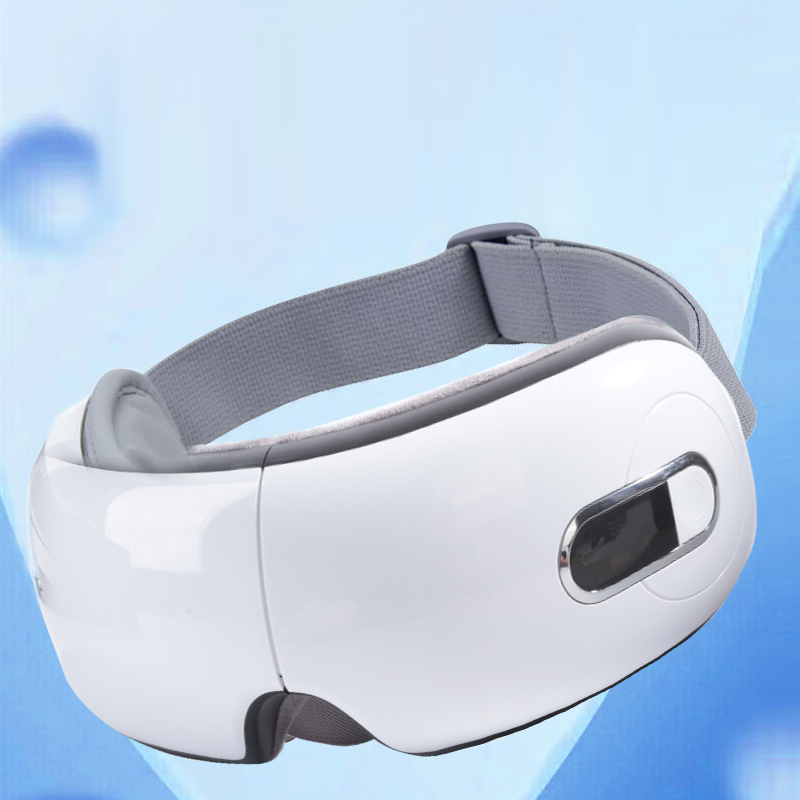
An LCD screen is useful only when a first-time user can tell what the device is doing and make the intended change with the correct button. For a personal-care brand or gift buyer, use Meilan Y9 as a candidate sample and check each icon, screen state and control action against the exact unit, operating instructions and specification revision. Record every mismatch before approving the SKU.
Why the Y9 needs an interface check
Meilan’s current Y9 product page describes a built-in LCD working-status display, five massage modes, heat, motor vibration, airbag operation, Bluetooth music and voice broadcast. It also lists a 30-minute automatic shut-off. Those published details make Y9 a useful candidate for an interface review; the page does not identify every icon or show a complete button-to-screen sequence. Confirm those details on the quoted version rather than interpreting a still image as an operating manual.
The buying question is simple: can a new user see the active state, change it intentionally and recognize the result? A gift recipient may use the device without a sales demonstration, so a control that makes sense only to the sourcing team is a packaging and instruction problem.
Set up a repeatable sample session
Write the model, version, sample ID, firmware or control-board revision if supplied, specification date, manual revision and test date at the top of the record. Use the supplied charging cable and document the charge condition. Photograph the unit powered off, including all buttons, the strap and the face-contact surface. Then make one uninterrupted video from power-on through mode changes, feature changes and power-off.
Run the sequence on a table first, then while wearing the device. Ask at least one tester who has not seen the demonstration to repeat the controls from the supplied instructions. Do not infer a screen meaning from a sales photo or assume that every Y-series version shares the same interface.
Y9 interface sample check table
| Check | Run on sample | Pass evidence |
|---|---|---|
| Screen at start-up | Power on from off; record the first screen and time until the normal state. | Visible symbols and voice prompt, if any, agree with the manual. |
| Mode icons and order | Cycle through all five modes on the quoted Y9 sample; film each change. | Each mode has a distinct, readable state and the sequence matches the instructions. |
| Feature indicators | Switch available heat, airbag, vibration and audio controls one at a time. | The icon or status change matches the feature that actually starts or stops. |
| Button mapping | Test every short press and documented long press, both on a table and while worn. | One action produces the expected result; labels and tactile access are clear. |
| Readability | View the active screen in indoor, bright and dim light at normal wearing angles. | Tester can identify the active mode and changed state without guessing. |
| Power and alerts | Observe charging, low-battery and shut-off states when they can be reproduced. | Indications and timing agree with the version-specific instructions. |
| Recovery from errors | Repeat a mistaken press and correct it using the supplied instructions. | Tester can return to the intended state without supplier coaching. |
Make the decision from the record
Mark each row Pass, Revise or Unverified. Pass means the observed state, button action and supplied instructions agree on the exact sample. Revise means the device, screen artwork or instructions need a defined change and another test. Unverified means the evidence was not supplied or the state could not be reproduced. Hold purchase approval for any unresolved row that affects a promised function or a first-time user’s ability to operate it.
Keep a screenshot or time stamp for each screen state and a close view of the button pressed. Where icons are ambiguous, request an icon legend tied to the manual revision. If a button has short-press and long-press actions, record both, including how long the press lasted. Compare the production artwork proof with the approved sample before signing off a private-label package.
Check readability while the device is worn
Test the screen in ordinary indoor light, brighter retail light and a dim room. Check viewing angle, glare, symbol size and whether the active state remains visible long enough to read. Note whether the wearer can locate the buttons by touch without moving the device out of position. Record the screen response when a control is pressed, including delay, cycling order and any voice prompt that helps or conflicts with the display.
Inspect the strap and face-contact surface in the same session. A fit that tilts the shell can change how a wearer reaches the controls; a cushion or strap that shifts during operation can make an otherwise clear display hard to use. Use actual sample photos and a fit note, not material claims inferred from the product image.
Documents to request before approving a Y9 order
Ask Meilan for the version-specific Y9 specification, the matching operating manual and an uninterrupted operating demonstration. The demonstration should show power-on, every mode, each available feature control, screen changes, low-battery and charging indications if present, and power-off. Request close photographs of the strap, face-contact surface, button labels and screen in its active states. The public product page lists functions and basic specifications but does not replace these records.
For a gift or private-label program, also match the interface language, printed instructions, box contents and artwork to the quoted configuration. Identify the exact revision in the quotation and purchase order. If the interface changes after sample approval, repeat the affected rows and update the manual and packaging proof.
Frequently asked questions
Does the Y9 product page explain every LCD icon?
No. It says the LCD shows working status, but it does not provide a complete icon legend or button sequence. Request the matching manual and film the quoted sample.
What should a buyer record for each mode?
Record the mode name in the manual, the screen image, the button action, the function observed, the video time stamp and the Pass, Revise or Unverified result.
Should readability be tested while the massager is worn?
Yes. A table view cannot show whether the wearer can reach the buttons or read the screen at a realistic angle. Repeat the check with the strap adjusted for the tester.
What if the screen and voice prompt disagree?
Mark the row Revise, save the video and ask which behavior is intended for the ordered version. Retest the corrected sample and instructions before approval.
Next step for buyers
Review the Meilan eye massager collection to shortlist the range, then ask for a Y9 sample and the matching specification, manual, operating video and strap/contact-surface photos. Send the target market, sales channel, planned quantity and interface language through Meilan’s contact page so the quotation and evidence refer to the same configuration.

