


Menstrual Heating Belt Specifications: A Buyer’s Checklist Using Meilan N1

Menstrual heating belt specifications are useful only when each figure belongs to the same product version that a buyer will order. For Meilan N1, compare the product page, the version-specific manual, the quoted sample and the proposed package before accepting a heat, runtime or size claim. The checklist below separates documented reference figures from results that must be measured on the actual sample.
1. What Buyers Should Verify Before Comparing Specifications
A specification sheet is a comparison tool, not a substitute for an approved physical sample. Give every proposed N1 configuration a short identifier that can follow it through the quote, demonstration, test record, manual and carton proof. If a number cannot be tied to that identifier, leave it out of the final retail listing until the supplier resolves it.
| Buyer check | Record before comparison |
|---|---|
| Version identity | Model, control variant, color, hardware revision and sample ID. |
| Document identity | Specification and manual revision dates; packaging artwork version. |
| Measurement basis | Test point, instrument, environment, setting, duration and tolerance. |
| Sales configuration | Included controller, cable, instructions, carton and destination-market language. |
This approach matters because two files can use the same model name while describing different controls or pack contents. Treat any discrepancy as a question for the quoted version, not as a reason to average figures from the documents.
2. Confirm the Exact N1 Configuration
Start with the N1 product page to identify the intended model, then ask for the version being quoted. The N1 source set reviewed for this guide contains separate voice-control and remote-control material. Compare the actual sample label and its control layout with the matching manual, and ask the supplier to state which variant the quotation covers. A photograph of a remote does not establish that every N1 order includes one.
Use a four-way match: the product-page description, current versioned specification, sample behavior and packaging proof should all name the same unit. Photograph the front, contact side, label and opened pack under one sample ID. If the product page omits a detail or uses broader wording, the supplier should confirm the order-specific value in writing before the brand repeats it in an online listing.
- Ask whether the proposed color, remote or voice option, charging cable and instructions belong to the quoted SKU.
- Record the exact manual and artwork files supplied with the sample, then note any mismatched icon, button name or accessory count.
- Keep a change record when a later sample replaces the one used for the first specification review.
3. Check Heating Levels and Temperature Performance
The N1 operating instructions describe heat selection through the device controls. That tells a buyer how to start a test; it does not prove a particular contact-surface temperature. Ask for the setting sequence and indication on the exact quoted version, then demonstrate every step on the sample. If a product-page temperature range is proposed for retail copy, request the test method and a result tied to the same version.
Measure at agreed contact-surface points with a suitable calibrated instrument. Record ambient temperature, clothing or test barrier, initial device temperature, battery state, selected setting and measurement times. Log warm-up time and readings after the temperature has stabilized; repeat the sequence if the specification states a tolerance. The result should show where the probe was placed, because a heating element, outer shell and skin-contact surface can read differently.
Use the supplier’s stated limit and operating instructions as the acceptance basis. Do not turn a selector label, a schematic number or a single surface reading into a universal skin temperature or a recommended duration. If the sample does not match the quoted file, hold the claim and request a corrected version record.
4. Check Modes and Controls
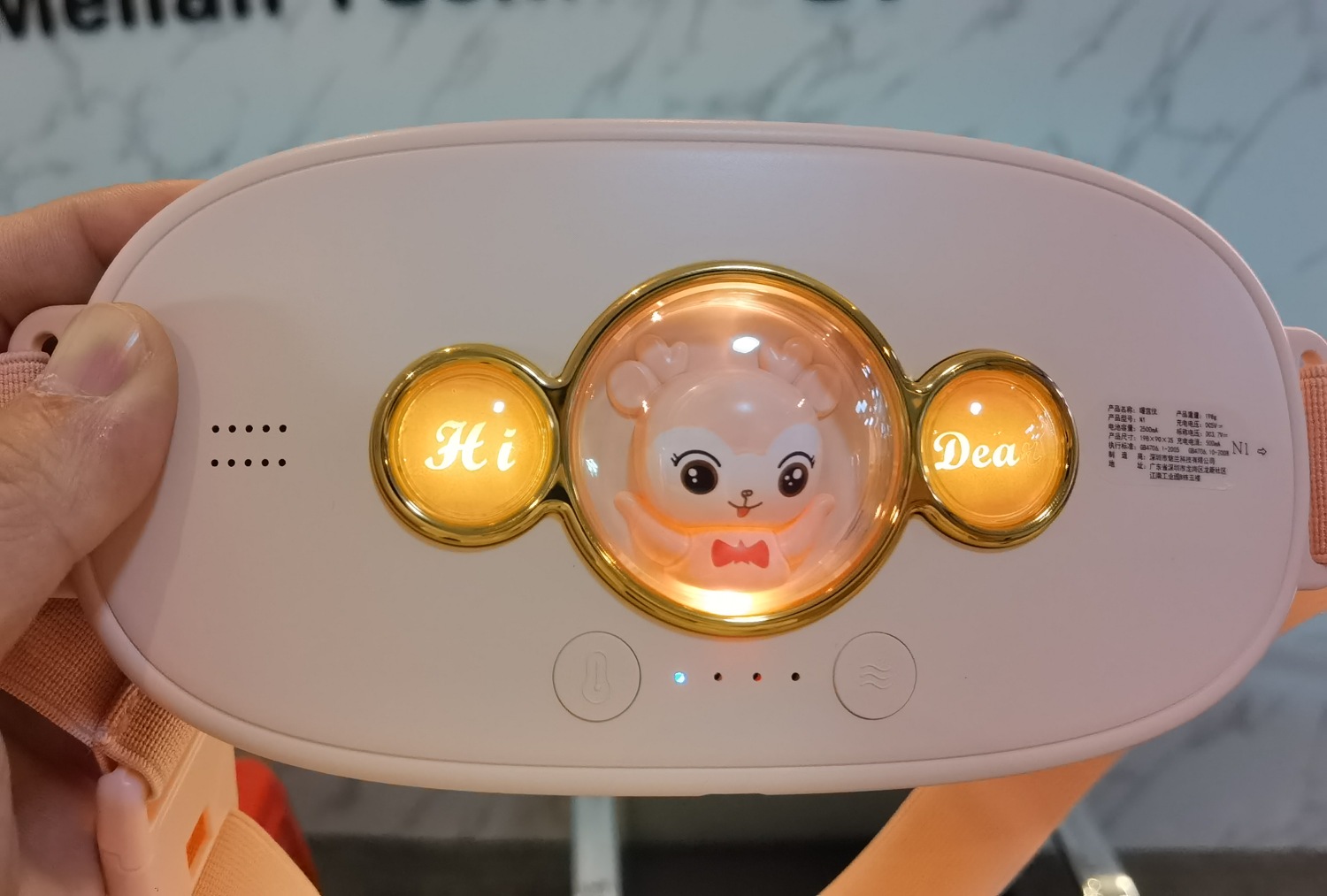
Record what each button does in a continuous demonstration: power-on state, heat selection, massage-mode sequence, heat-off state and shutdown. Note each light or sound response and compare it with the exact manual. The reviewed N1 instructions describe separate heat and massage actions; remote-control instructions add remote keys. A buyer should approve the interface shown by the quoted sample, rather than assuming one control arrangement applies to every N1 version.
For a remote variant, test power, heat adjustment and mode change from the remote as well as from the device, then record the remote’s power source and pack inclusion. For a voice variant, record the prompt language and when each prompt plays. A short video with the sample ID in frame is more useful than an edited demonstration that skips intermediate states.
5. Check Battery, Charging and Runtime
Battery capacity, charging input, charge time and operating time are different specifications. The N1 documents reviewed here list a 2,500 mAh battery and DC 5 V charging input. Those entries describe the referenced hardware; they do not establish how long the quoted unit will run at a given heat and massage setting. Ask the supplier to confirm the current battery and input on the exact sample and label.
For runtime, fully charge the sample by the stated method, record the cable and power source, then run a declared combination of heat and massage settings. Log start and end times, ambient condition, any automatic stop, and remaining-charge indication. Repeat the trial according to the agreed test protocol. For charging, measure from the defined low-battery state to the manual’s full-charge indication using the proposed cable and supply. State those conditions beside any number intended for a product listing.
| Specification | What it answers | What it does not answer |
|---|---|---|
| Battery capacity | The battery’s stated electrical capacity for the documented version. | The number of usable sessions or runtime at a selected heat level. |
| Charging input | The electrical input and connection required by the documented unit. | Whether a wall adapter is included in the retail pack. |
| Charge time | The time measured under a specified charger and starting state. | Runtime after charging. |
| Runtime | Observed operation under named settings and test conditions. | Performance under every possible mode or environment. |
6. Check Fit, Physical Details and Packaging
The reviewed N1 files list a 200 × 90 × 35 mm device body. Use that as a document reference and measure the quoted sample before publishing dimensions. Weight entries across the available N1 files do not fully agree, so confirm whether a value is net device weight, a control variant’s weight or packed weight. Also record the belt’s adjustment range, fastening security, contact-pad finish and fit while seated and standing. A shell material entry does not by itself identify the skin-contact material.
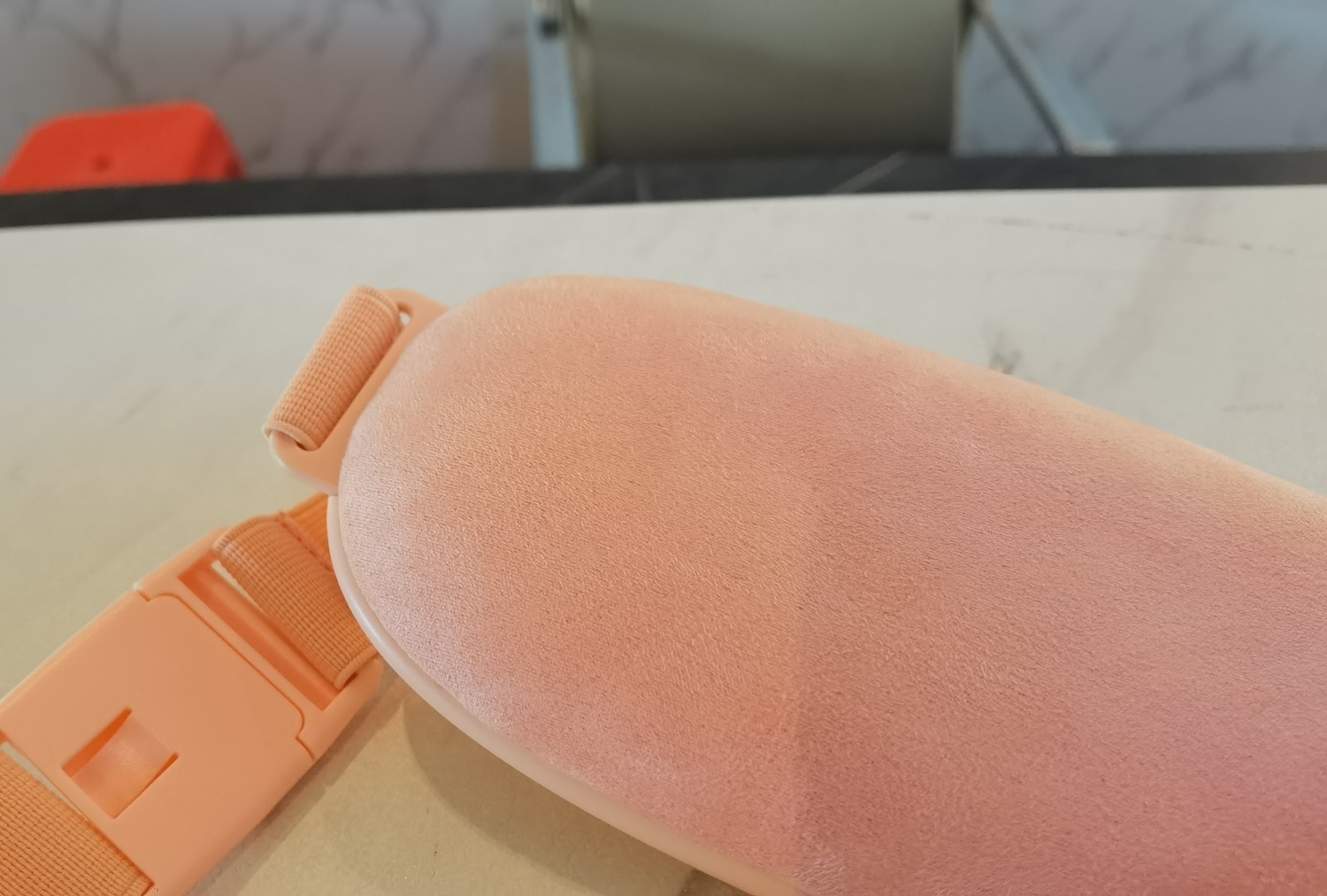
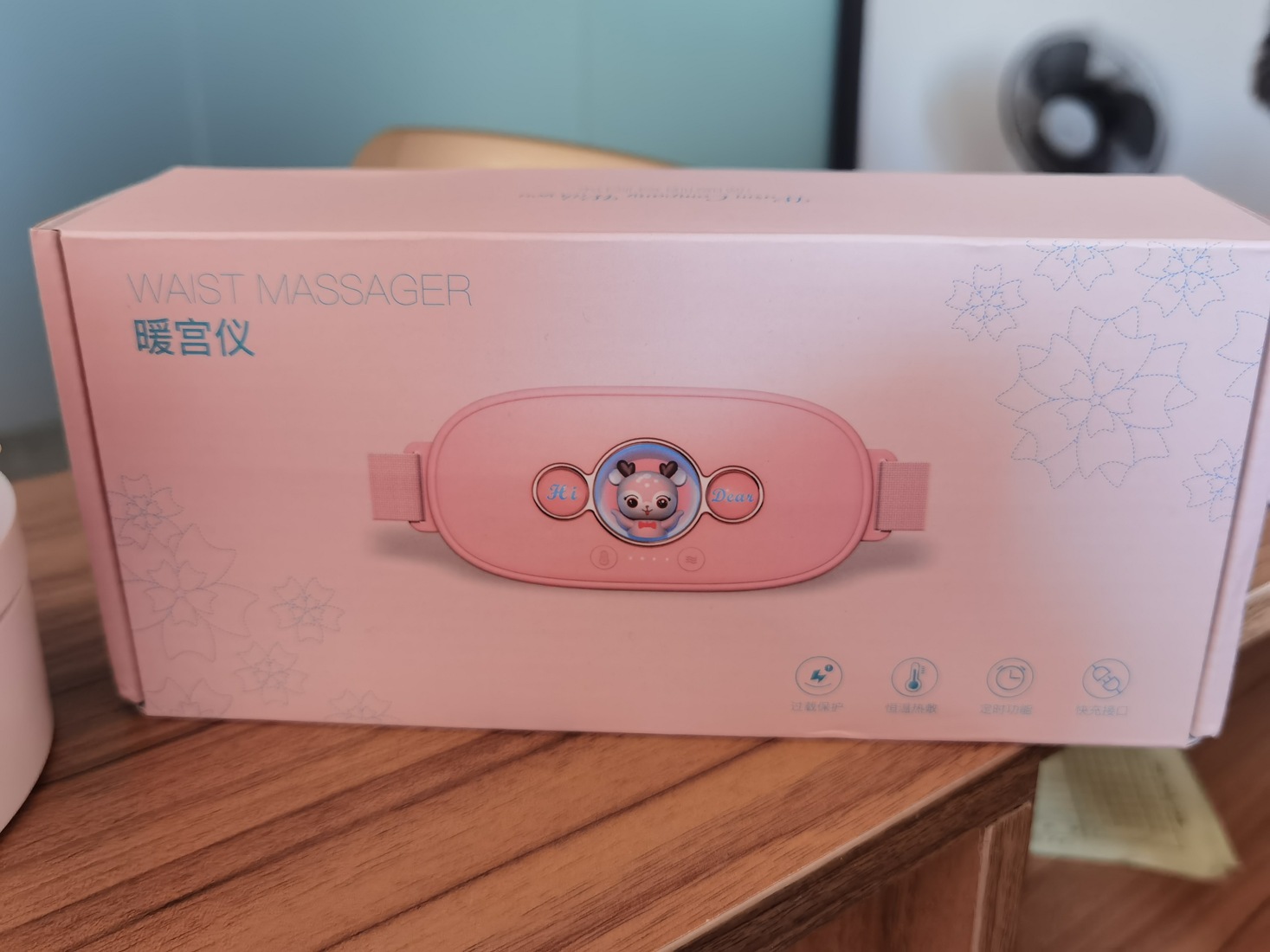
A standard retail carton and a gift presentation can carry different inserts, printed language and accessories. Open and repack the proposed configuration. Count the belt, charging cable, applicable controller and printed materials against a pack-out list; check how each item is held and whether the carton protects the controls and contact surface. The N1 color-box photograph below is a reference image, not an approval of the current quoted pack.
7. Buyer’s Verification Table and Next Steps
Use this table as a purchasing record. The sample-check column tells the reviewer what observation to enter; it does not report tests that have not been performed for this article. Attach the completed record to the quote and approved sample.
| Product-page statement to capture | Evidence needed | Sample check result to record | Supplier to confirm |
|---|---|---|---|
| N1 model and offered variant | Current versioned specification, manual and label. | Photograph label and control layout under sample ID. | Exact SKU, control option and revision. |
| Heating levels or temperature claim | Manual sequence and defined temperature test report. | Log each setting, indicators, measurement point and readings. | Test method, tolerance and claim wording. |
| Massage modes and controls | Matching instructions and continuous demonstration. | Record every button and remote or voice response. | Which controls and language belong to the quote. |
| Battery, charging and runtime | Battery/input record and test conditions. | Log charge and run times at named settings. | Current battery, cable, adapter inclusion and tolerance. |
| Size, material and fit | Dimension drawing, material record and sample. | Measure body; inspect strap and contact side. | Net weight basis, contact material and adjustment range. |
| Packaging and included items | Artwork, bill of materials and packed sample. | Open, count, repack and photograph the kit. | Carton type, insert, manual language and accessory count. |
Buyer FAQ
Does a 2,500 mAh battery figure tell me N1 battery life?
No. Capacity is a hardware figure; runtime needs a test with named heat and massage settings, charging state and end point.
Can I use a listed heat setting as the measured contact temperature?
No. Record the surface point, instrument, environment and time before making a temperature claim.
What if the product page and the sample manual describe different controls?
Ask the supplier to identify the quoted revision and provide a matching manual and demonstration before approving the listing.
Should I test one sample for both a remote and voice version?
Test each configuration that will be offered. Record its sample ID, controls and included items separately.
Which pack details belong in a specification approval?
Record the carton, insert, device, cable, any remote, printed instructions, language and the approved artwork revision.
If a statement, file and observed unit disagree, resolve the version before approving the specification or artwork. Review the Meilan N1 product page and the waist massager collection to define the starting configuration. Then contact Meilan for an N1 sample and matching files with your target market, requested controls, packaging format and intended claim list.

